
Our Community is getting an upgrade! To get everything ready for the relaunch, we’ll be placing the site in read-only mode starting September 21st.
We really appreciate your understanding while we get things set up behind the scenes. Catch up on all the exciting details about the move here.
Need help or have questions? Drop us a line at [email protected]

Archives of Support Questions (Read Only)
- Cloudera Community
- Board Archive
- Archives of Support Questions (Read Only)
- Does anybody have tried sandbox in vmware vSphere ...
- Subscribe to RSS Feed
- Mark Question as New
- Mark Question as Read
- Float this Question for Current User
- Bookmark
- Subscribe
- Mute
- Printer Friendly Page
- Subscribe to RSS Feed
- Mark Question as New
- Mark Question as Read
- Float this Question for Current User
- Bookmark
- Subscribe
- Mute
- Printer Friendly Page
Does anybody have tried sandbox in vmware vSphere ? Is it compatible ?. Thank you.


Created 12-10-2015 08:16 AM
- Mark as New
- Bookmark
- Subscribe
- Mute
- Subscribe to RSS Feed
- Permalink
- Report Inappropriate Content

Created on 12-10-2015 12:58 PM - edited 08-19-2019 05:41 AM
- Mark as New
- Bookmark
- Subscribe
- Mute
- Subscribe to RSS Feed
- Permalink
- Report Inappropriate Content
After successfully deploying my sandbox "HDP_2.3.2_vmare.ova" on my ESX host. I edited below files for setting the IP address and rebooted my system.
vi /etc/hosts
# File is generated from /usr/lib/hue/tools/start_scripts/gen_hosts.sh
# Do not remove the following line, or various programs
# that require network functionality will fail.
127.0.0.1 localhost.localdomain localhost
10.xxx.xxx.xx sandbox.hortonworks.com sandbox ambari.hortonworks.com
vi /etc/sysconfig/network
NETWORKING=yes
HOSTNAME=sandbox.hortonworks.com
GATEWAY=10.xxx.xxx.1
vi /etc/sysconfig/network-scripts/ifcfg-eth0
DEVICE="eth0"
BOOTPROTO="none"
DNS1="10.xxx.xx.xx"
IPV6INIT="no"
ONBOOT="yes"
TYPE="Ethernet"
NM_CONTROLLED=yes
IPADDR=10.xxx.xxx.xx
PREFIX=24
GATEWAY=10.xxx.xxx.1
DOMAIN=centera.lab.emc.com
DEFROUTE=yes
rm -f /etc/udev/rules.d/70-persistent-net.rules
And the reboot the system from console.
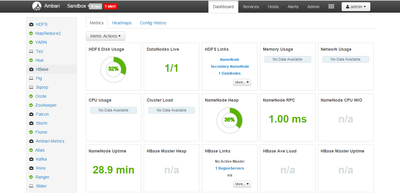
Created 12-10-2015 12:15 PM
- Mark as New
- Bookmark
- Subscribe
- Mute
- Subscribe to RSS Feed
- Permalink
- Report Inappropriate Content
Yes I have successfully installed it on Vsphere 5.5


Created 12-10-2015 12:26 PM
- Mark as New
- Bookmark
- Subscribe
- Mute
- Subscribe to RSS Feed
- Permalink
- Report Inappropriate Content
Thanks @Manoj A
Could you share more details on your setup?
Created on 12-10-2015 12:58 PM - edited 08-19-2019 05:41 AM
- Mark as New
- Bookmark
- Subscribe
- Mute
- Subscribe to RSS Feed
- Permalink
- Report Inappropriate Content
After successfully deploying my sandbox "HDP_2.3.2_vmare.ova" on my ESX host. I edited below files for setting the IP address and rebooted my system.
vi /etc/hosts
# File is generated from /usr/lib/hue/tools/start_scripts/gen_hosts.sh
# Do not remove the following line, or various programs
# that require network functionality will fail.
127.0.0.1 localhost.localdomain localhost
10.xxx.xxx.xx sandbox.hortonworks.com sandbox ambari.hortonworks.com
vi /etc/sysconfig/network
NETWORKING=yes
HOSTNAME=sandbox.hortonworks.com
GATEWAY=10.xxx.xxx.1
vi /etc/sysconfig/network-scripts/ifcfg-eth0
DEVICE="eth0"
BOOTPROTO="none"
DNS1="10.xxx.xx.xx"
IPV6INIT="no"
ONBOOT="yes"
TYPE="Ethernet"
NM_CONTROLLED=yes
IPADDR=10.xxx.xxx.xx
PREFIX=24
GATEWAY=10.xxx.xxx.1
DOMAIN=centera.lab.emc.com
DEFROUTE=yes
rm -f /etc/udev/rules.d/70-persistent-net.rules
And the reboot the system from console.

Created 02-18-2018 12:16 AM
- Mark as New
- Bookmark
- Subscribe
- Mute
- Subscribe to RSS Feed
- Permalink
- Report Inappropriate Content
@Neeraj SabharwalCan you post more details on this process? I am trying to build a Sandbox on VSphere 6Thanks.


