
Our Community is getting an upgrade! To get everything ready for the relaunch, we’ll be placing the site in read-only mode starting September 21st.
We really appreciate your understanding while we get things set up behind the scenes. Catch up on all the exciting details about the move here.
Need help or have questions? Drop us a line at [email protected]

Archives of Support Questions (Read Only)
- Cloudera Community
- Board Archive
- Archives of Support Questions (Read Only)
- Find the user who restarted any services
- Subscribe to RSS Feed
- Mark Question as New
- Mark Question as Read
- Float this Question for Current User
- Bookmark
- Subscribe
- Mute
- Printer Friendly Page
- Subscribe to RSS Feed
- Mark Question as New
- Mark Question as Read
- Float this Question for Current User
- Bookmark
- Subscribe
- Mute
- Printer Friendly Page
Find the user who restarted any services
- Labels:
-
Apache Ambari


Created 10-04-2018 07:39 PM
- Mark as New
- Bookmark
- Subscribe
- Mute
- Subscribe to RSS Feed
- Permalink
- Report Inappropriate Content
Hi All,
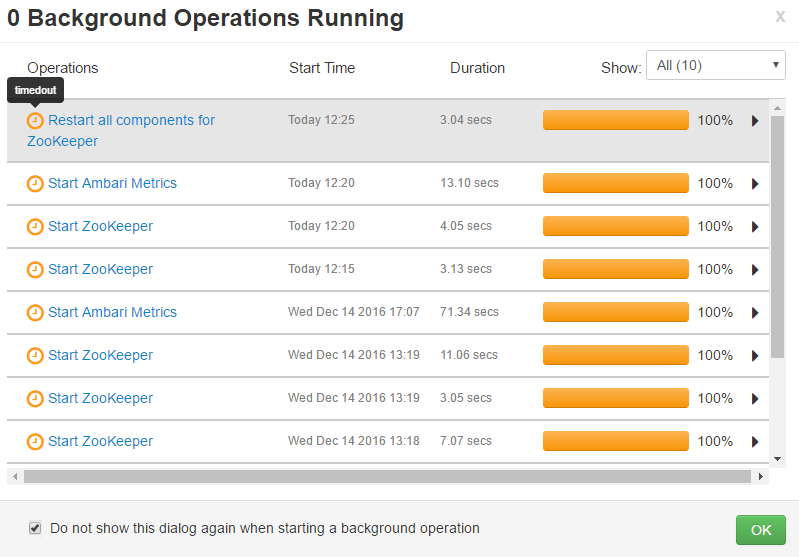
Is there any way to find who has restarted the services through Ambari .In our team six people working on different shifts and teams . It is very difficult to track who has initiated the service restart . For example . Some one restarted Namenode and we were unable to find who has initiated the restart via ambari .
Attached the ideal image of Ambari services restart . 10377-timedout.png
We have searched the logs with all 6 userid . The log returned nothing with the userids . Is there any alternative ways or how we can easily identify who has done the restart from Ambari .



Created on 10-04-2018 11:50 PM - edited 08-17-2019 09:36 PM
- Mark as New
- Bookmark
- Subscribe
- Mute
- Subscribe to RSS Feed
- Permalink
- Report Inappropriate Content
Unfortunately Prior to Ambari 2.7 in Ambari Ui there is no option to see which user has performed the operations.
Ambari 2.7 screenshot:
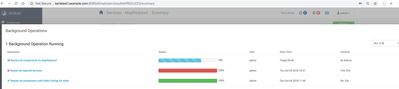
However in previous version of ambari like Ambari 2.6 you can check the "ambari-audit.log" to see the activities performed by the user.
Example:
# tail -f /var/log/ambari-server/ambari-audit.log
2018-10-04T23:44:21.489Z, User(admin), RemoteIp(101.142.180.147), Operation(Request from server), RequestType(POST), url(http://hd1.example.com:8080/api/v1/clusters/TestCluster/requests), ResultStatus(202 Accepted), Command(RESTART), Cluster name(TestCluster)

2018-10-04T23:44:21.535Z, User(admin), Operation(Restart all components for SmartSense), Status(IN_PROGRESS), RequestId(852)
.
Created on 10-04-2018 11:50 PM - edited 08-17-2019 09:36 PM
- Mark as New
- Bookmark
- Subscribe
- Mute
- Subscribe to RSS Feed
- Permalink
- Report Inappropriate Content
Unfortunately Prior to Ambari 2.7 in Ambari Ui there is no option to see which user has performed the operations.
Ambari 2.7 screenshot:
However in previous version of ambari like Ambari 2.6 you can check the "ambari-audit.log" to see the activities performed by the user.
Example:
# tail -f /var/log/ambari-server/ambari-audit.log
2018-10-04T23:44:21.489Z, User(admin), RemoteIp(101.142.180.147), Operation(Request from server), RequestType(POST), url(http://hd1.example.com:8080/api/v1/clusters/TestCluster/requests), ResultStatus(202 Accepted), Command(RESTART), Cluster name(TestCluster)

2018-10-04T23:44:21.535Z, User(admin), Operation(Restart all components for SmartSense), Status(IN_PROGRESS), RequestId(852)
.


