
Our Community is getting an upgrade! To get everything ready for the relaunch, we’ll be placing the site in read-only mode starting September 21st.
We really appreciate your understanding while we get things set up behind the scenes. Catch up on all the exciting details about the move here.
Need help or have questions? Drop us a line at [email protected]

Archives of Support Questions (Read Only)
- Cloudera Community
- Board Archive
- Archives of Support Questions (Read Only)
- Re: From Ambari Files view permission change is fa...
- Subscribe to RSS Feed
- Mark Question as New
- Mark Question as Read
- Float this Question for Current User
- Bookmark
- Subscribe
- Mute
- Printer Friendly Page
- Subscribe to RSS Feed
- Mark Question as New
- Mark Question as Read
- Float this Question for Current User
- Bookmark
- Subscribe
- Mute
- Printer Friendly Page
From Ambari Files view permission change is failing
- Labels:
-
Hortonworks Data Platform (HDP)


Created 08-09-2016 03:39 PM
- Mark as New
- Bookmark
- Subscribe
- Mute
- Subscribe to RSS Feed
- Permalink
- Report Inappropriate Content
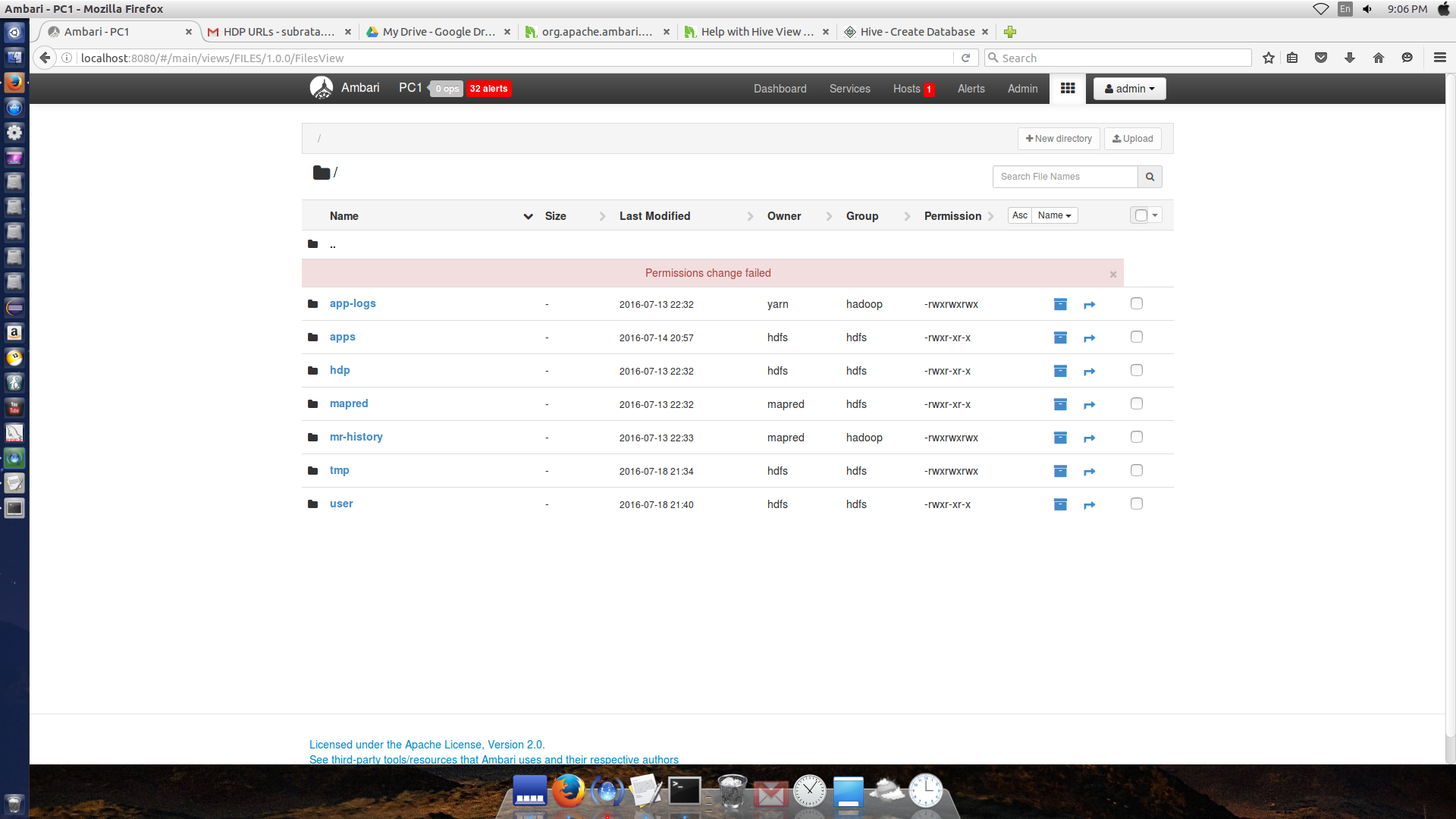
From Ambari Files view permission change is failing. Attaching screenshot.
Please help.

Created 08-09-2016 04:38 PM
- Mark as New
- Bookmark
- Subscribe
- Mute
- Subscribe to RSS Feed
- Permalink
- Report Inappropriate Content
Looks like the user who logged in to the "File View" is "admin" and that user is not having can not edit / write / change permission which is having "hdfs:hdfs:drwxr-xr-x" permission directories/files. Try creating a directory for that partiaular user like "/user/admin" in the HDFS and then give read write access to the user in that directory and then try changing the permissions.
You should be able to change the permission only for the directory where you have the proper permission.
For example create the following directory
 su - hdfs
 hdfs dfs -mkdir /user/admin
 hdfs dfs -chown admin:hadoop /user/admin
Try then above then login to the "File View" with "admin" user and then try changing the permission of "/user/admin" directory.
Created 08-09-2016 04:38 PM
- Mark as New
- Bookmark
- Subscribe
- Mute
- Subscribe to RSS Feed
- Permalink
- Report Inappropriate Content
Looks like the user who logged in to the "File View" is "admin" and that user is not having can not edit / write / change permission which is having "hdfs:hdfs:drwxr-xr-x" permission directories/files. Try creating a directory for that partiaular user like "/user/admin" in the HDFS and then give read write access to the user in that directory and then try changing the permissions.
You should be able to change the permission only for the directory where you have the proper permission.
For example create the following directory
 su - hdfs
 hdfs dfs -mkdir /user/admin
 hdfs dfs -chown admin:hadoop /user/admin
Try then above then login to the "File View" with "admin" user and then try changing the permission of "/user/admin" directory.
Created 08-17-2016 02:58 PM
- Mark as New
- Bookmark
- Subscribe
- Mute
- Subscribe to RSS Feed
- Permalink
- Report Inappropriate Content
@Joy thanks for the information. It worked.


