
Our Community is getting an upgrade! To get everything ready for the relaunch, we’ll be placing the site in read-only mode starting September 21st.
We really appreciate your understanding while we get things set up behind the scenes. Catch up on all the exciting details about the move here.
Need help or have questions? Drop us a line at [email protected]

Archives of Support Questions (Read Only)
- Cloudera Community
- Board Archive
- Archives of Support Questions (Read Only)
- Re: HDPCA Practice Exam VM not able to connect
- Subscribe to RSS Feed
- Mark Question as New
- Mark Question as Read
- Float this Question for Current User
- Bookmark
- Subscribe
- Mute
- Printer Friendly Page
- Subscribe to RSS Feed
- Mark Question as New
- Mark Question as Read
- Float this Question for Current User
- Bookmark
- Subscribe
- Mute
- Printer Friendly Page
HDPCA Practice Exam VM not able to connect
- Labels:
-
Security


Created on 04-19-2017 09:02 PM - edited 09-16-2022 04:29 AM
- Mark as New
- Bookmark
- Subscribe
- Mute
- Subscribe to RSS Feed
- Permalink
- Report Inappropriate Content
Hi Gurus,
Following the Hortonworks documentation : https://2xbbhjxc6wk3v21p62t8n4d4-wpengine.netdna-ssl.com/wp-content/uploads/2015/04/HDPCA-PracticeEx.... I selected HDCPA IMI., C3.4x instnace type, Created a security group with incoming traffic from all the addresses on port 5901, 9999, and 8888 (last two are not in documentation but wanted to make sure my instance runs ).
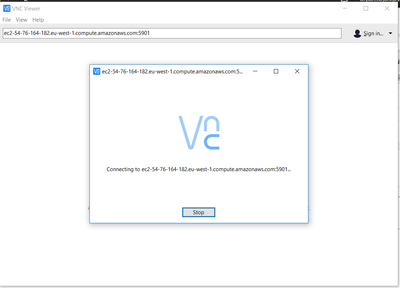
Ok Now, as per the instruction I am trying to connect to the instance using VNC viewer. I copy paste the DNS name/IP from the intance's public DNS/IP columns. And use DNSName:5091 or DNSName:9999 or IP:5901 etc.
Open Ports for Incoming Traffic
| 8888 | 0.0.0.0/0, ::/0 | tcp |
| 9999 | 0.0.0.0/0, ::/0 | tcp |
| 22 | 0.0.0.0/0, ::/0 | tcp |
| 5901 | 0.0.0.0/0, ::/0 | tcp |
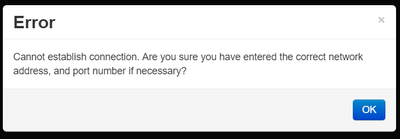
It does not work. Every time I see Cannot establish connection. Are you sure you have entered the correct network address, and port number if necessary?
Created 06-16-2017 10:40 AM
- Mark as New
- Bookmark
- Subscribe
- Mute
- Subscribe to RSS Feed
- Permalink
- Report Inappropriate Content
Well, this worked "As is" in North Virginia region. ! Earlier I was using a different region.


Created 05-04-2017 05:52 AM
- Mark as New
- Bookmark
- Subscribe
- Mute
- Subscribe to RSS Feed
- Permalink
- Report Inappropriate Content
-Create custom Configure Security Group
-Create a Private Key File, as per the document and download to local desktop which going to use VNC client application connect to EC2 instance.
-use public DNS name of your EC2 instance after you install the VNC client application
Created 06-16-2017 10:40 AM
- Mark as New
- Bookmark
- Subscribe
- Mute
- Subscribe to RSS Feed
- Permalink
- Report Inappropriate Content
Well, this worked "As is" in North Virginia region. ! Earlier I was using a different region.


