
Our Community is getting an upgrade! To get everything ready for the relaunch, we’ll be placing the site in read-only mode starting September 21st.
We really appreciate your understanding while we get things set up behind the scenes. Catch up on all the exciting details about the move here.
Need help or have questions? Drop us a line at [email protected]

Archives of Support Questions (Read Only)
- Cloudera Community
- Board Archive
- Archives of Support Questions (Read Only)
- Hortonworks Sandbox 2.6 Stucked
- Subscribe to RSS Feed
- Mark Question as New
- Mark Question as Read
- Float this Question for Current User
- Bookmark
- Subscribe
- Mute
- Printer Friendly Page
- Subscribe to RSS Feed
- Mark Question as New
- Mark Question as Read
- Float this Question for Current User
- Bookmark
- Subscribe
- Mute
- Printer Friendly Page
Hortonworks Sandbox 2.6 Stucked
- Labels:
-
Apache Hive
-
Apache Pig


Created on 07-05-2017 07:24 PM - edited 08-17-2019 05:40 PM
- Mark as New
- Bookmark
- Subscribe
- Mute
- Subscribe to RSS Feed
- Permalink
- Report Inappropriate Content
Hi ,
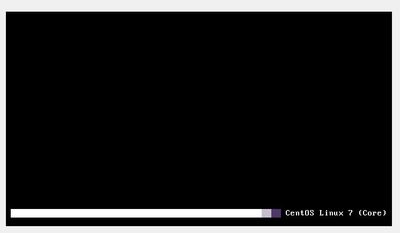
I have given 4gb dedicated ram to Virtual box but still the screen is stuck as shown below. Any suggestions, i have total of 8 gb ram i3 2nd genration laptop



Created 07-05-2017 07:28 PM
- Mark as New
- Bookmark
- Subscribe
- Mute
- Subscribe to RSS Feed
- Permalink
- Report Inappropriate Content
Sandbox requires minimum 8 GB RAM.
Please refer to the following DOC: https://hortonworks.com/hadoop-tutorial/learning-the-ropes-of-the-hortonworks-sandbox/
Pasting content from the above link here:
Note: The Sandbox system requirements include that you have a 64 bit OS with at least 8 GB of RAM and enabled BIOS for virtualization
.
Created 07-05-2017 07:28 PM
- Mark as New
- Bookmark
- Subscribe
- Mute
- Subscribe to RSS Feed
- Permalink
- Report Inappropriate Content
Sandbox requires minimum 8 GB RAM.
Please refer to the following DOC: https://hortonworks.com/hadoop-tutorial/learning-the-ropes-of-the-hortonworks-sandbox/
Pasting content from the above link here:
Note: The Sandbox system requirements include that you have a 64 bit OS with at least 8 GB of RAM and enabled BIOS for virtualization
.
Created 07-05-2017 07:31 PM
- Mark as New
- Bookmark
- Subscribe
- Mute
- Subscribe to RSS Feed
- Permalink
- Report Inappropriate Content
But I have seen people using it even in 4gb. Should I try some older versions
Created 07-05-2017 07:44 PM
- Mark as New
- Bookmark
- Subscribe
- Mute
- Subscribe to RSS Feed
- Permalink
- Report Inappropriate Content
Another NOTE from HDP sandbox Installation Guide: https://hortonworks.com/tutorial/sandbox-deployment-and-install-guide/section/1/
Note: Make sure to allocate at least 8 GB (8192 MB) of RAM for the sandbox.
.

Created 07-06-2017 06:25 PM
- Mark as New
- Bookmark
- Subscribe
- Mute
- Subscribe to RSS Feed
- Permalink
- Report Inappropriate Content
You might consider using the HDP Sandbox on Azure:
https://hortonworks.com/hadoop-tutorial/deploying-hortonworks-sandbox-on-microsoft-azure/


