
Our Community is getting an upgrade! To get everything ready for the relaunch, we’ll be placing the site in read-only mode starting September 21st.
We really appreciate your understanding while we get things set up behind the scenes. Catch up on all the exciting details about the move here.
Need help or have questions? Drop us a line at [email protected]

Archives of Support Questions (Read Only)
- Cloudera Community
- Board Archive
- Archives of Support Questions (Read Only)
- Kerberized HDP 2.4 - getting error in using Hive V...
- Subscribe to RSS Feed
- Mark Question as New
- Mark Question as Read
- Float this Question for Current User
- Bookmark
- Subscribe
- Mute
- Printer Friendly Page
- Subscribe to RSS Feed
- Mark Question as New
- Mark Question as Read
- Float this Question for Current User
- Bookmark
- Subscribe
- Mute
- Printer Friendly Page
Kerberized HDP 2.4 - getting error in using Hive View on Ambari
- Labels:
-
Apache Ambari
-
Apache Hive


Created 12-03-2016 02:29 AM
- Mark as New
- Bookmark
- Subscribe
- Mute
- Subscribe to RSS Feed
- Permalink
- Report Inappropriate Content
Hi All,
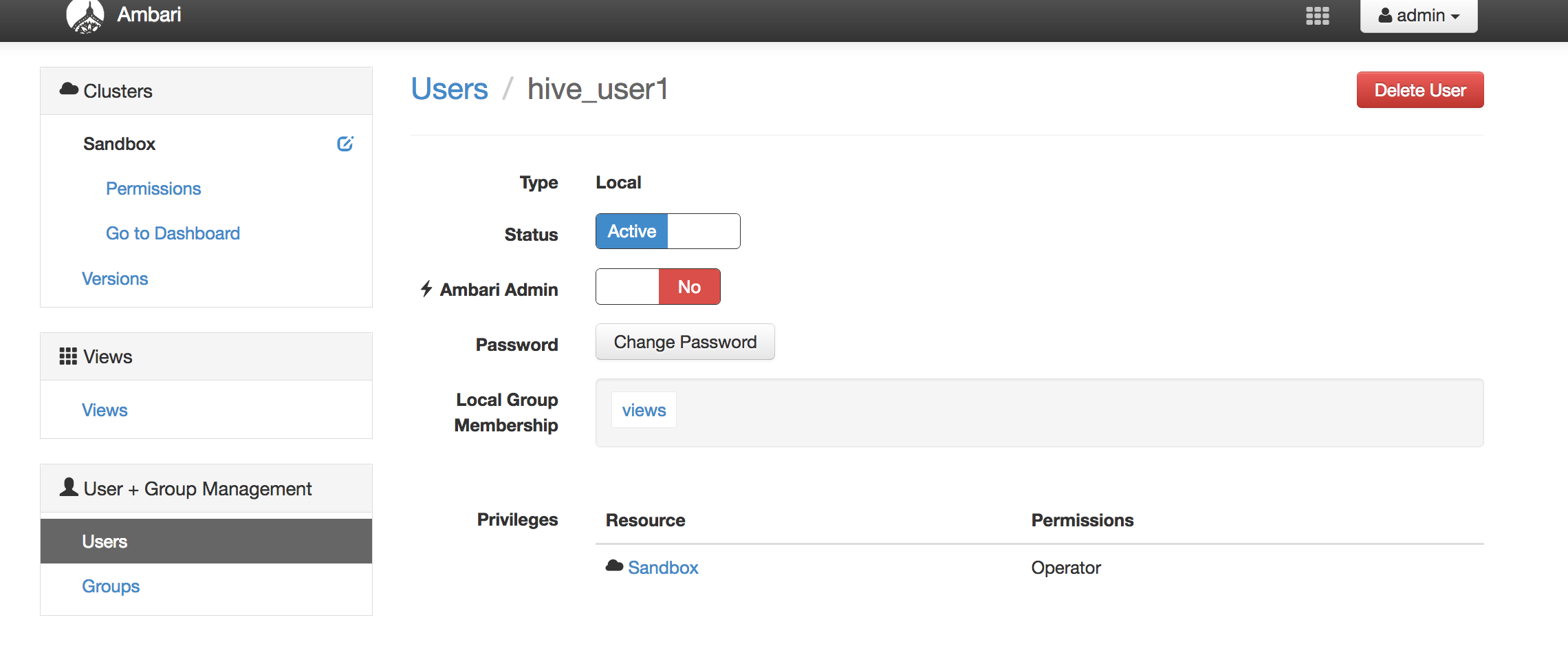
I've a kerberized HDP 2.4 - and i've created user - hive_user1
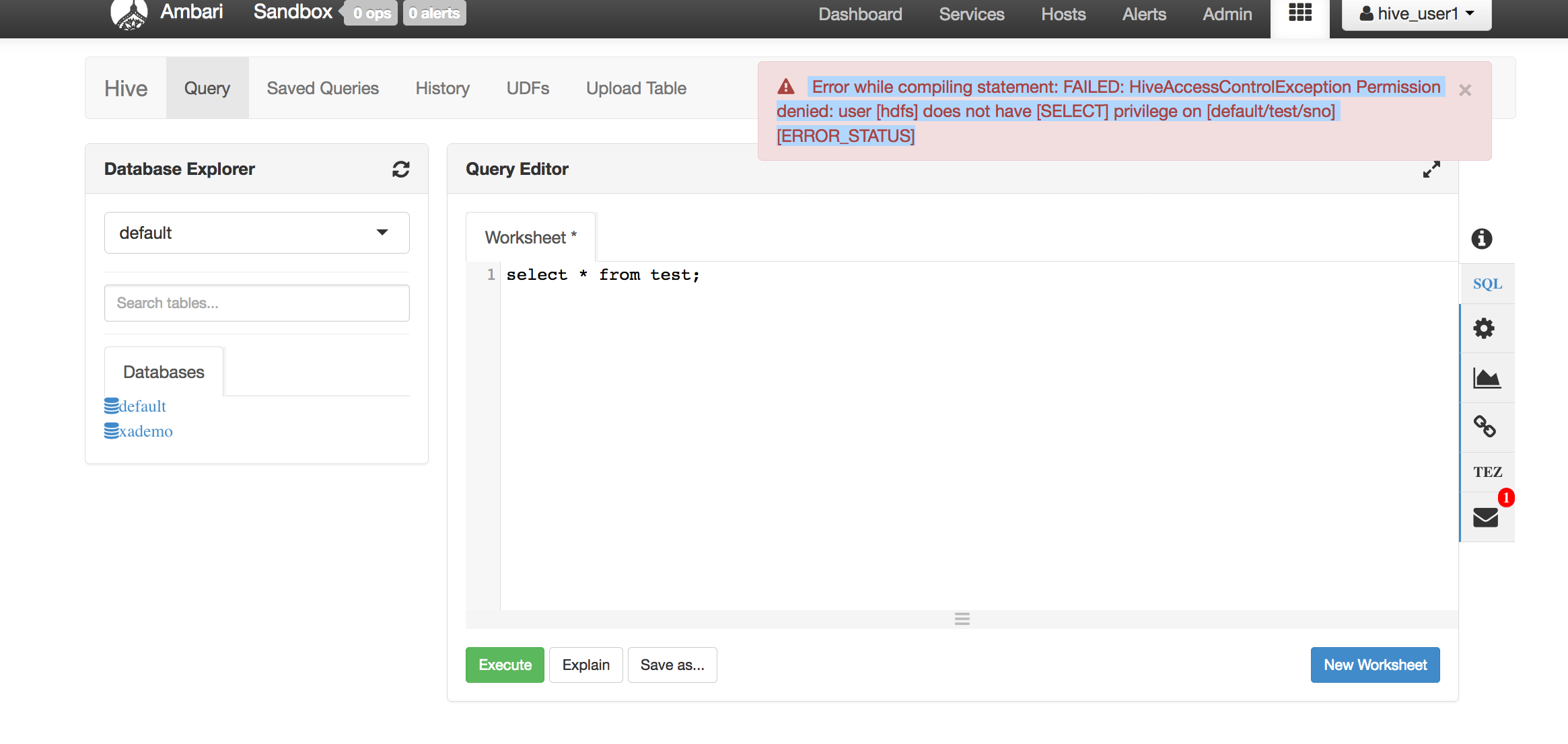
I logon to Hive View on Ambari, and fire simple query - select * from test
The error i get is shown below -
-------------------------------
Error while compiling statement: FAILED: HiveAccessControlException Permission denied: user [hdfs] does not have [SELECT] privilege on [default/test/sno] [ERROR_STATUS]
-----------------------------
Pls note - i've disabled Global access to Hive, but given access to user - hive_user1
But somehow, it is using hdfs user to access Hive.
Any ideas on this ?
attached is the screenshot of the user, and the error obtained.


Created 12-03-2016 06:35 AM
- Mark as New
- Bookmark
- Subscribe
- Mute
- Subscribe to RSS Feed
- Permalink
- Report Inappropriate Content
If you have Kerberized cluster - the usual things to check:
> Setup HDFS Proxy User - http://docs.hortonworks.com/HDPDocuments/Ambari-2.2.2.0/bk_ambari_views_guide/content/_setup_HDFS_pr...
> Set Up Kerberos for Ambari Server - http://docs.hortonworks.com/HDPDocuments/Ambari-2.1.1.0/bk_Ambari_Security_Guide/content/_optional_s...
> Kerberos Setup for Hive Views - http://docs.hortonworks.com/HDPDocuments/Ambari-2.2.1.0/bk_ambari_views_guide/content/section_kerber...
Created 12-05-2016 12:08 AM
- Mark as New
- Bookmark
- Subscribe
- Mute
- Subscribe to RSS Feed
- Permalink
- Report Inappropriate Content
@Daniel Kozlowski - pls see response to your note above.
Created 12-05-2016 06:57 AM
- Mark as New
- Bookmark
- Subscribe
- Mute
- Subscribe to RSS Feed
- Permalink
- Report Inappropriate Content
As previously mentioned:
> hive.server2.enable.doAs - Setting this property to true will have HiveServer2 execute Hive operations as the user making the calls to it - so set this property to TRUE
> review your hive view settings (see all 3 URLs I already posted) - based on what I can see, at least, Hive Authentication is incorrect. This is to be:
auth=KERBEROS;principal=hive/[email protected];hive.server2.proxy.user=${username} - where EXAMPLE.COM is your REALM
Created 12-05-2016 11:55 PM
- Mark as New
- Bookmark
- Subscribe
- Mute
- Subscribe to RSS Feed
- Permalink
- Report Inappropriate Content
@Daniel Kozlowski - thanks for your input on this, i was able to make this work !
The missing entry (as you mentioned) was ->
hive.server2.proxy.user=${username} in Hive Authorization
After adding this, i'm able to control access to Hive tables using Ranger .
However, there is still one issue which needs clarification .. the value of constant -> hive.server2.enable.doAs does not seem to be affecting behavior. Even when it is set to false (or true), the above behavior is seen.
Any ideas/comments on this ?
Created 12-06-2016 06:18 AM
- Mark as New
- Bookmark
- Subscribe
- Mute
- Subscribe to RSS Feed
- Permalink
- Report Inappropriate Content
Ensure you have: hive.server2.enable.doAs=true
Also set the following properties to *
hadoop.proxyuser.hive.hosts=*
hadoop.proxyuser.hive.groups=*
NOTE: I appreciate if you vote for all the answers that helped you fixing the problem.
Created 12-03-2016 07:23 AM
- Mark as New
- Bookmark
- Subscribe
- Mute
- Subscribe to RSS Feed
- Permalink
- Report Inappropriate Content
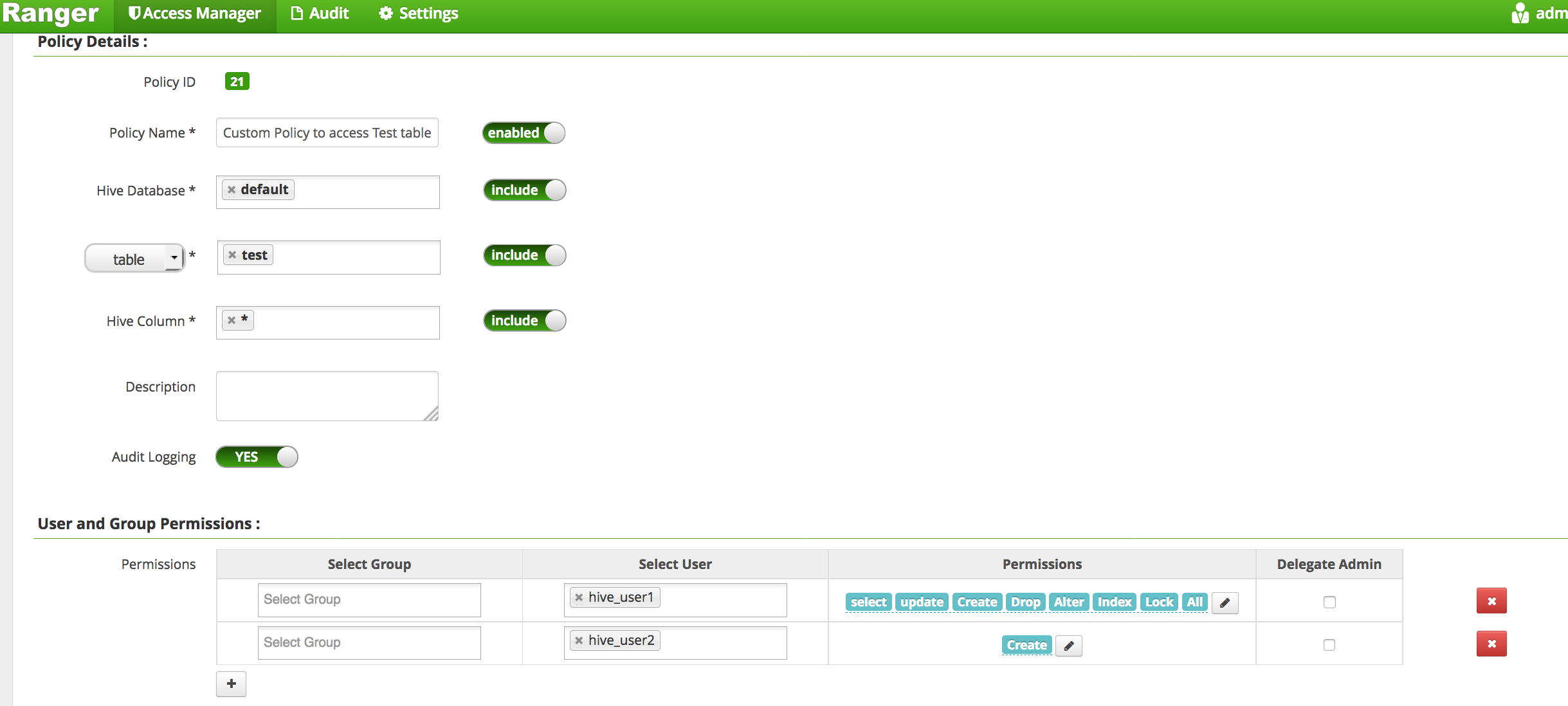
@Sunile Manjee, @Daniel Kozlowski, @jss - attaching the screenshot of permissions on Ranger.
if i add user - hdfs - and provide read access - i'm able to access the table using HIVE VIEW.
Created 12-05-2016 12:08 AM
- Mark as New
- Bookmark
- Subscribe
- Mute
- Subscribe to RSS Feed
- Permalink
- Report Inappropriate Content
@Kuldeep Kulkarni - any ides on how to fix this ?
Created 12-05-2016 12:34 AM
- Mark as New
- Bookmark
- Subscribe
- Mute
- Subscribe to RSS Feed
- Permalink
- Report Inappropriate Content
@Kuldeep Kulkarni, @Sunile Manjee, @Daniel Kozlowski
This is what i see in the logs ->
2016-12-04 23:54:35,491 INFO [HiveServer2-Handler-Pool: Thread-76]: security.SecureClientUtils (SecureClientUtils.java:getClientConnectionHandler(94)) - doAsUser: ambari-server
so, seem it is trying to access the HIve instance as user - ambari-user.. how do i get it to access Hive as custom users (hive_user1 or hive_user2)

- « Previous
-
- 1
- 2
- Next »

