Archives of Support Questions (Read Only)
- Cloudera Community
- Board Archive
- Archives of Support Questions (Read Only)
- Kerberized HDP 2.4 - getting error in using Hive V...
- Subscribe to RSS Feed
- Mark Question as New
- Mark Question as Read
- Float this Question for Current User
- Bookmark
- Subscribe
- Mute
- Printer Friendly Page
- Subscribe to RSS Feed
- Mark Question as New
- Mark Question as Read
- Float this Question for Current User
- Bookmark
- Subscribe
- Mute
- Printer Friendly Page
Kerberized HDP 2.4 - getting error in using Hive View on Ambari
- Labels:
-
Apache Ambari
-
Apache Hive


Created 12-03-2016 02:29 AM
- Mark as New
- Bookmark
- Subscribe
- Mute
- Subscribe to RSS Feed
- Permalink
- Report Inappropriate Content
Hi All,
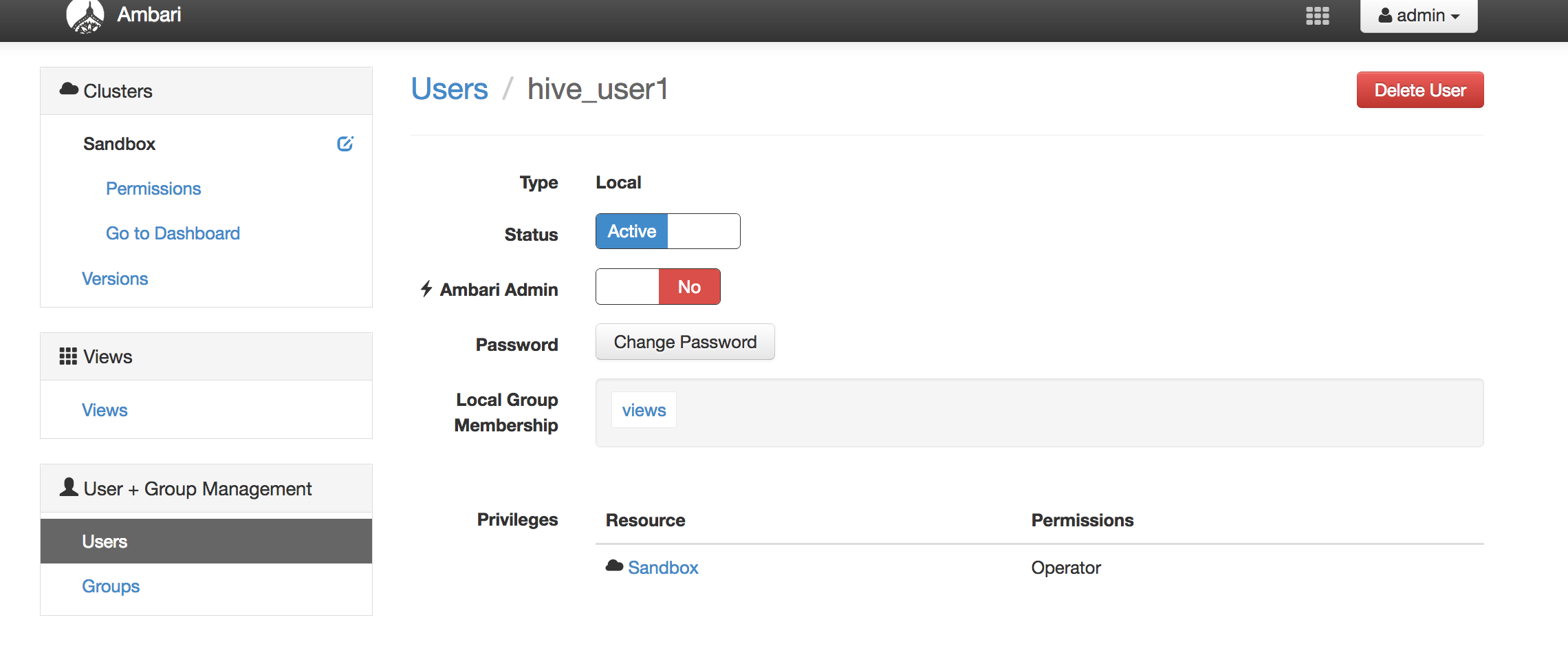
I've a kerberized HDP 2.4 - and i've created user - hive_user1
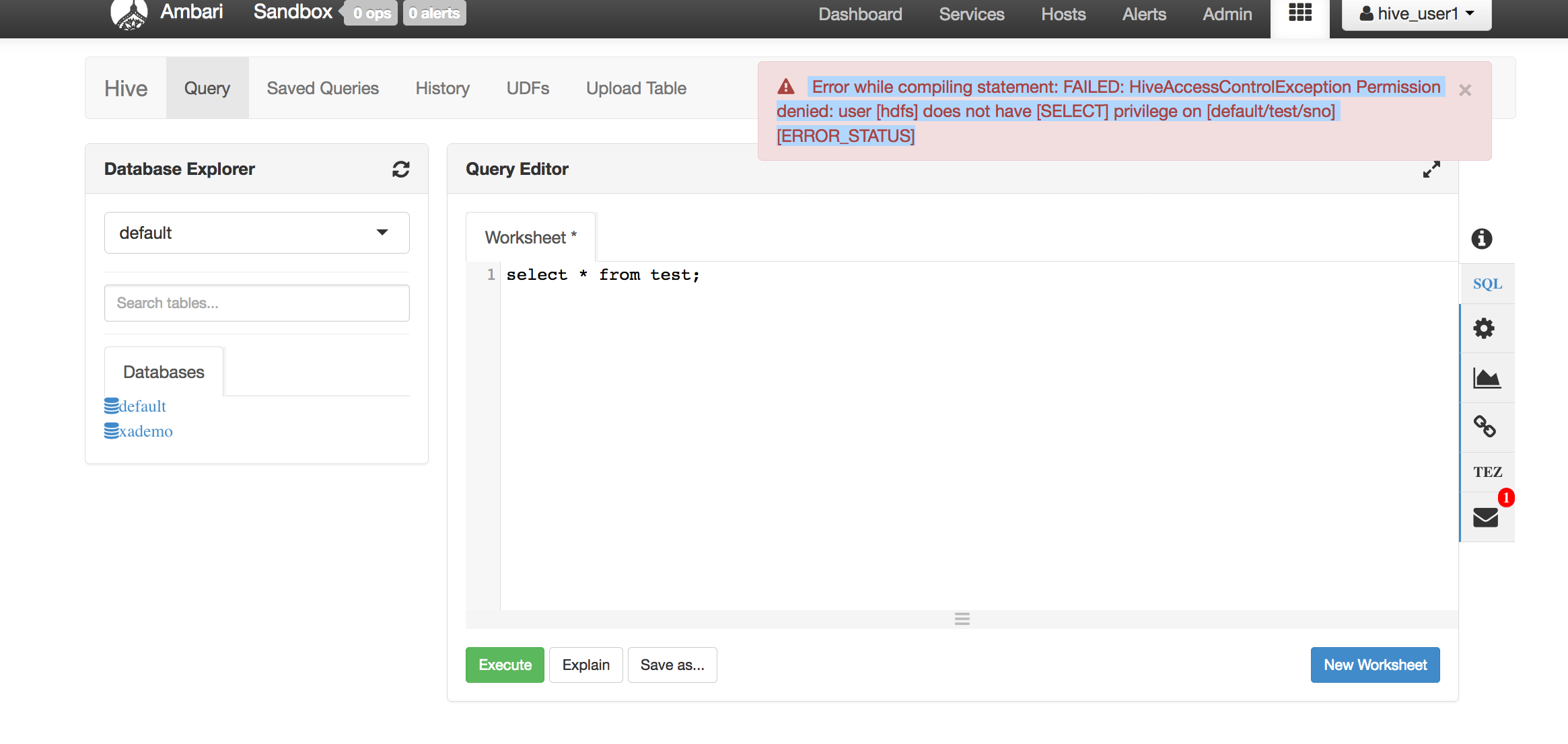
I logon to Hive View on Ambari, and fire simple query - select * from test
The error i get is shown below -
-------------------------------
Error while compiling statement: FAILED: HiveAccessControlException Permission denied: user [hdfs] does not have [SELECT] privilege on [default/test/sno] [ERROR_STATUS]
-----------------------------
Pls note - i've disabled Global access to Hive, but given access to user - hive_user1
But somehow, it is using hdfs user to access Hive.
Any ideas on this ?
attached is the screenshot of the user, and the error obtained.


Created 12-03-2016 06:35 AM
- Mark as New
- Bookmark
- Subscribe
- Mute
- Subscribe to RSS Feed
- Permalink
- Report Inappropriate Content
If you have Kerberized cluster - the usual things to check:
> Setup HDFS Proxy User - http://docs.hortonworks.com/HDPDocuments/Ambari-2.2.2.0/bk_ambari_views_guide/content/_setup_HDFS_pr...
> Set Up Kerberos for Ambari Server - http://docs.hortonworks.com/HDPDocuments/Ambari-2.1.1.0/bk_Ambari_Security_Guide/content/_optional_s...
> Kerberos Setup for Hive Views - http://docs.hortonworks.com/HDPDocuments/Ambari-2.2.1.0/bk_ambari_views_guide/content/section_kerber...
Created 12-05-2016 12:08 AM
- Mark as New
- Bookmark
- Subscribe
- Mute
- Subscribe to RSS Feed
- Permalink
- Report Inappropriate Content
@Daniel Kozlowski - pls see response to your note above.
Created 12-05-2016 06:57 AM
- Mark as New
- Bookmark
- Subscribe
- Mute
- Subscribe to RSS Feed
- Permalink
- Report Inappropriate Content
As previously mentioned:
> hive.server2.enable.doAs - Setting this property to true will have HiveServer2 execute Hive operations as the user making the calls to it - so set this property to TRUE
> review your hive view settings (see all 3 URLs I already posted) - based on what I can see, at least, Hive Authentication is incorrect. This is to be:
auth=KERBEROS;principal=hive/[email protected];hive.server2.proxy.user=${username} - where EXAMPLE.COM is your REALM
Created 12-05-2016 11:55 PM
- Mark as New
- Bookmark
- Subscribe
- Mute
- Subscribe to RSS Feed
- Permalink
- Report Inappropriate Content
@Daniel Kozlowski - thanks for your input on this, i was able to make this work !
The missing entry (as you mentioned) was ->
hive.server2.proxy.user=${username} in Hive Authorization
After adding this, i'm able to control access to Hive tables using Ranger .
However, there is still one issue which needs clarification .. the value of constant -> hive.server2.enable.doAs does not seem to be affecting behavior. Even when it is set to false (or true), the above behavior is seen.
Any ideas/comments on this ?
Created 12-06-2016 06:18 AM
- Mark as New
- Bookmark
- Subscribe
- Mute
- Subscribe to RSS Feed
- Permalink
- Report Inappropriate Content
Ensure you have: hive.server2.enable.doAs=true
Also set the following properties to *
hadoop.proxyuser.hive.hosts=*
hadoop.proxyuser.hive.groups=*
NOTE: I appreciate if you vote for all the answers that helped you fixing the problem.
Created 12-03-2016 07:23 AM
- Mark as New
- Bookmark
- Subscribe
- Mute
- Subscribe to RSS Feed
- Permalink
- Report Inappropriate Content
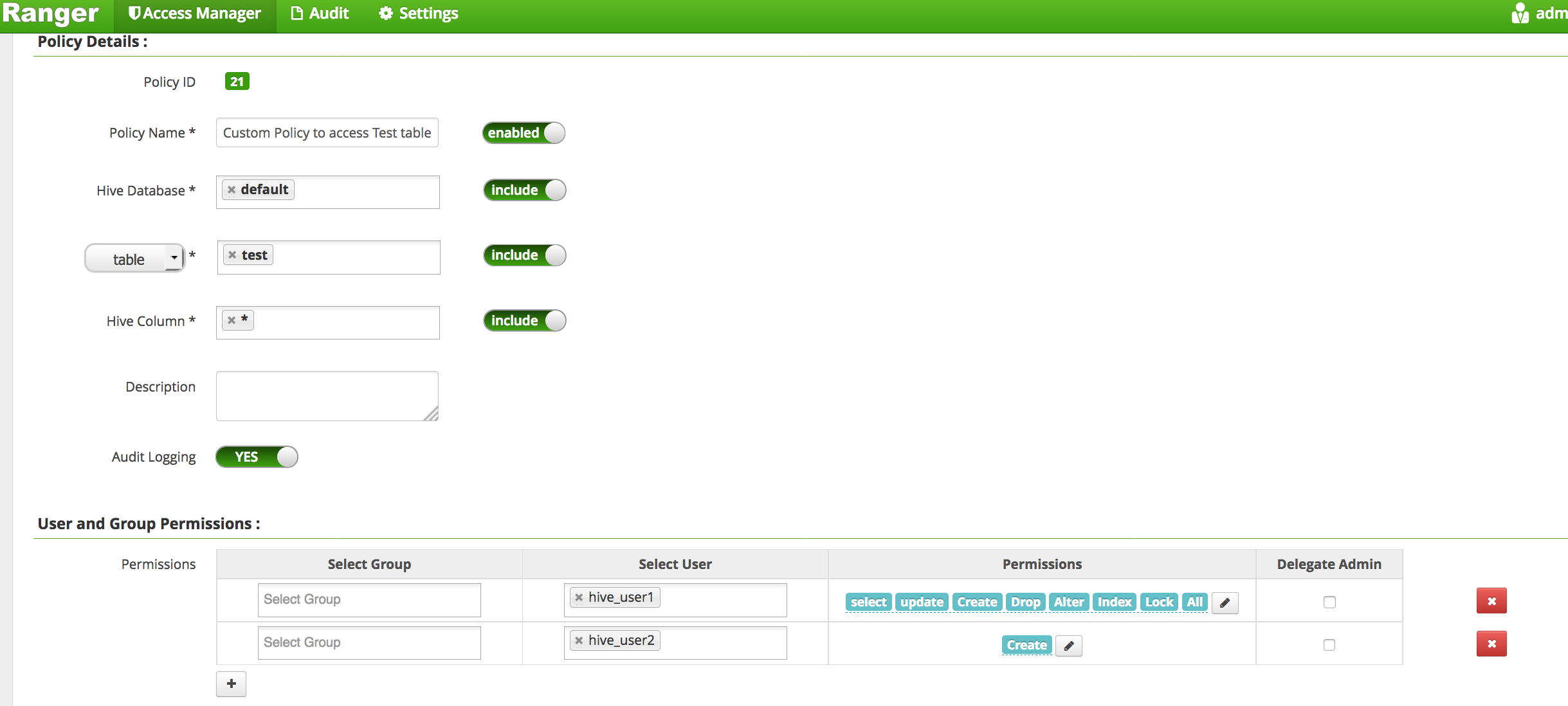
@Sunile Manjee, @Daniel Kozlowski, @jss - attaching the screenshot of permissions on Ranger.
if i add user - hdfs - and provide read access - i'm able to access the table using HIVE VIEW.
Created 12-05-2016 12:08 AM
- Mark as New
- Bookmark
- Subscribe
- Mute
- Subscribe to RSS Feed
- Permalink
- Report Inappropriate Content
@Kuldeep Kulkarni - any ides on how to fix this ?
Created 12-05-2016 12:34 AM
- Mark as New
- Bookmark
- Subscribe
- Mute
- Subscribe to RSS Feed
- Permalink
- Report Inappropriate Content
@Kuldeep Kulkarni, @Sunile Manjee, @Daniel Kozlowski
This is what i see in the logs ->
2016-12-04 23:54:35,491 INFO [HiveServer2-Handler-Pool: Thread-76]: security.SecureClientUtils (SecureClientUtils.java:getClientConnectionHandler(94)) - doAsUser: ambari-server
so, seem it is trying to access the HIve instance as user - ambari-user.. how do i get it to access Hive as custom users (hive_user1 or hive_user2)

- « Previous
-
- 1
- 2
- Next »