
Our Community is getting an upgrade! To get everything ready for the relaunch, we’ll be placing the site in read-only mode starting September 21st.
We really appreciate your understanding while we get things set up behind the scenes. Catch up on all the exciting details about the move here.
Need help or have questions? Drop us a line at [email protected]

Archives of Support Questions (Read Only)
- Cloudera Community
- Board Archive
- Archives of Support Questions (Read Only)
- Kerberos client failing on a client in cluster
- Subscribe to RSS Feed
- Mark Question as New
- Mark Question as Read
- Float this Question for Current User
- Bookmark
- Subscribe
- Mute
- Printer Friendly Page
- Subscribe to RSS Feed
- Mark Question as New
- Mark Question as Read
- Float this Question for Current User
- Bookmark
- Subscribe
- Mute
- Printer Friendly Page
Kerberos client failing on a client in cluster


Created 12-28-2016 07:38 PM
- Mark as New
- Bookmark
- Subscribe
- Mute
- Subscribe to RSS Feed
- Permalink
- Report Inappropriate Content
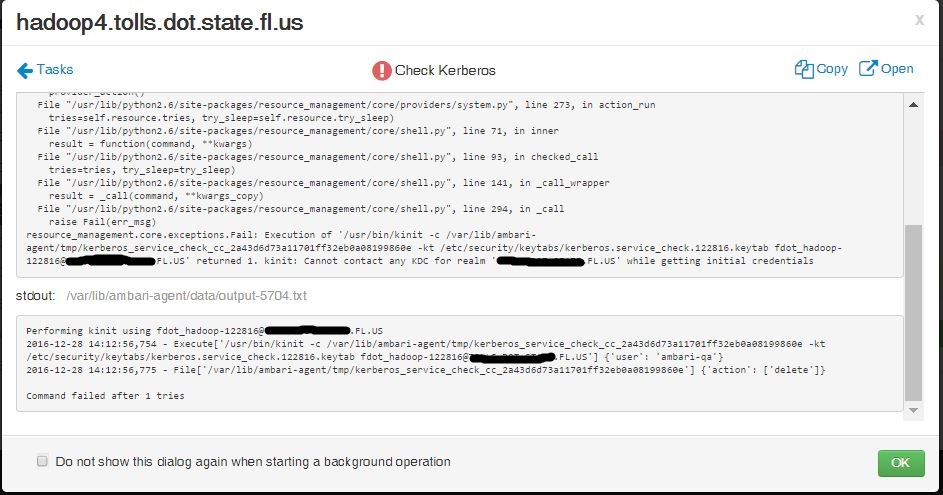
I am enabling Kerberos in Ambari and its failing on one of the clients in a 5 node cluster with the error below


Created 12-28-2016 09:20 PM
- Mark as New
- Bookmark
- Subscribe
- Mute
- Subscribe to RSS Feed
- Permalink
- Report Inappropriate Content
configure-kerberos.pngWhen enabling Kerberos on "configure Kerberos" page () please verify that all mandatory fields have been entered with correct value specially realm name. The value of realm name should be same as present in /etc/krb5.conf file on manually installed KDC server host
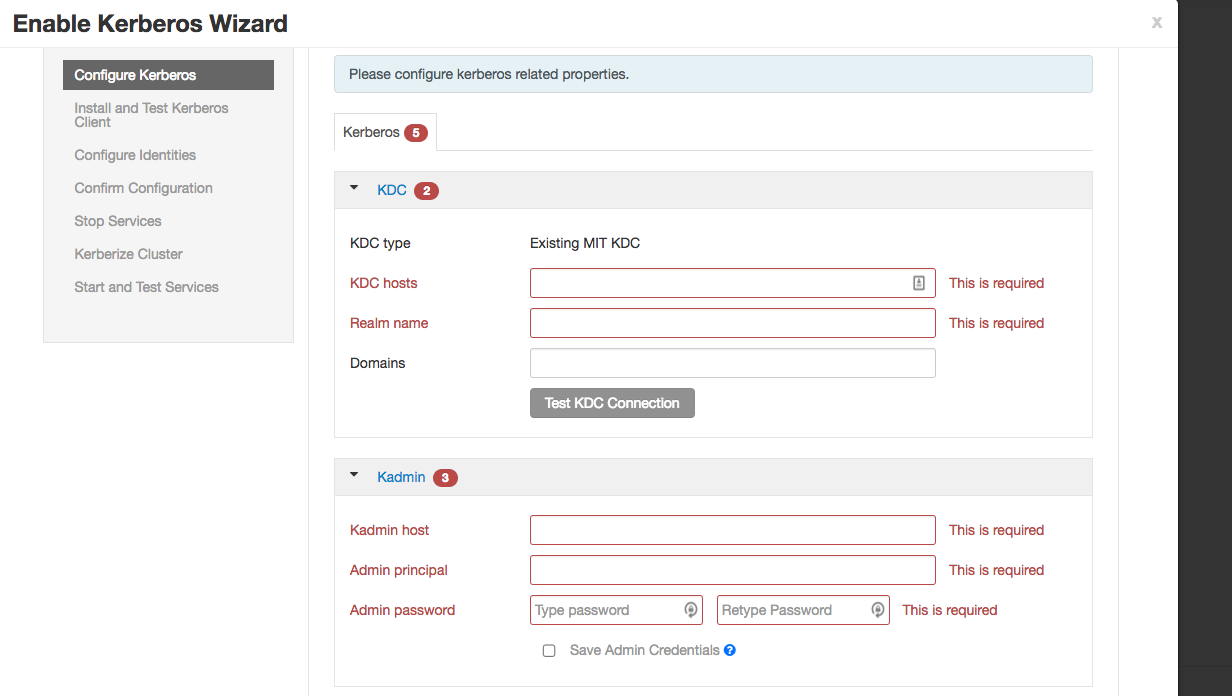
After that verify that "Test KDC Connection" works ok.
Verify that the admin principal and keytab that you have entered on this page can kinit successfully with the KDC server.
Hope this helps isolate the issue.
if you have customized any non-mandatory configuration on this page, please let us know so we can consider to analyze this issue.
Created 12-28-2016 10:28 PM
- Mark as New
- Bookmark
- Subscribe
- Mute
- Subscribe to RSS Feed
- Permalink
- Report Inappropriate Content
ah stupid mistake , In the krb5.conf file the kdc = localhost , it should be hadoop1 , after this correction the errors are gone .
thanks a lot for your help

Created 12-28-2016 10:29 PM
- Mark as New
- Bookmark
- Subscribe
- Mute
- Subscribe to RSS Feed
- Permalink
- Report Inappropriate Content
Good.... please accept the answer if this has helped to address the issue

- « Previous
-
- 1
- 2
- Next »

