
Our Community is getting an upgrade! To get everything ready for the relaunch, we’ll be placing the site in read-only mode starting September 21st.
We really appreciate your understanding while we get things set up behind the scenes. Catch up on all the exciting details about the move here.
Need help or have questions? Drop us a line at [email protected]

Archives of Support Questions (Read Only)
- Cloudera Community
- Board Archive
- Archives of Support Questions (Read Only)
- Metron 0.4 Alert UI is Empty
- Subscribe to RSS Feed
- Mark Question as New
- Mark Question as Read
- Float this Question for Current User
- Bookmark
- Subscribe
- Mute
- Printer Friendly Page
- Subscribe to RSS Feed
- Mark Question as New
- Mark Question as Read
- Float this Question for Current User
- Bookmark
- Subscribe
- Mute
- Printer Friendly Page
Metron 0.4 Alert UI is Empty


Created on 11-25-2017 12:34 PM - edited 08-17-2019 10:22 PM
- Mark as New
- Bookmark
- Subscribe
- Mute
- Subscribe to RSS Feed
- Permalink
- Report Inappropriate Content
I have installed Metron 0.4.x in Ubuntu 14.
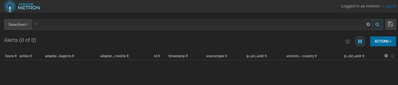
I have started REST, Metron Management and Alert UI. But Alert is always empty for any search criteria.
Is there any guideline to use alert UI.
Note: Data available in Elasticsearch


Created 11-26-2017 04:36 PM
- Mark as New
- Bookmark
- Subscribe
- Mute
- Subscribe to RSS Feed
- Permalink
- Report Inappropriate Content
@Uvaraj Seerangan, you might be running into METRON-1283. You can confirm that you are hitting this issue as follows - Go to http://node1:9200/snort*/_mappings. If you are missing the "alerts" field from the mapping, then your Alert UI will come up empty
In order to fix the issue, follow these steps:
* Clear all existing Elasticsearch indices
* Go to Ambari UI -> Services -> Metron -> 'Service Actions' dropdown -> Elasticsearch Template Install
* Re-ingest data into Elasticsearch (or let the sensor-stubs running, if this is on full-dev deployment).
And you should now be able to see entries in the Alerts UI.
Created 11-26-2017 04:36 PM
- Mark as New
- Bookmark
- Subscribe
- Mute
- Subscribe to RSS Feed
- Permalink
- Report Inappropriate Content
@Uvaraj Seerangan, you might be running into METRON-1283. You can confirm that you are hitting this issue as follows - Go to http://node1:9200/snort*/_mappings. If you are missing the "alerts" field from the mapping, then your Alert UI will come up empty
In order to fix the issue, follow these steps:
* Clear all existing Elasticsearch indices
* Go to Ambari UI -> Services -> Metron -> 'Service Actions' dropdown -> Elasticsearch Template Install
* Re-ingest data into Elasticsearch (or let the sensor-stubs running, if this is on full-dev deployment).
And you should now be able to see entries in the Alerts UI.
Created 11-27-2017 01:24 PM
- Mark as New
- Bookmark
- Subscribe
- Mute
- Subscribe to RSS Feed
- Permalink
- Report Inappropriate Content
Thanks @asubramanian,
I have cleared the existing Elasticsearch indices. We have installed the Metron 0.4.1 manually in Ubuntu 14 as per the steps provided below URL, https://community.hortonworks.com/articles/88843/manually-installing-apache-metron-on-ubuntu-1404.ht... Uploaded Elasticsearch templates into ES and executed sensor-stubs. Now it is working.


