
Our Community is getting an upgrade! To get everything ready for the relaunch, we’ll be placing the site in read-only mode starting September 21st.
We really appreciate your understanding while we get things set up behind the scenes. Catch up on all the exciting details about the move here.
Need help or have questions? Drop us a line at [email protected]

Archives of Support Questions (Read Only)
- Cloudera Community
- Board Archive
- Archives of Support Questions (Read Only)
- Sqoop Import triggering error
- Subscribe to RSS Feed
- Mark Question as New
- Mark Question as Read
- Float this Question for Current User
- Bookmark
- Subscribe
- Mute
- Printer Friendly Page
- Subscribe to RSS Feed
- Mark Question as New
- Mark Question as Read
- Float this Question for Current User
- Bookmark
- Subscribe
- Mute
- Printer Friendly Page
Sqoop Import triggering error
- Labels:
-
Apache Sqoop


Created on 07-27-2016 01:34 PM - edited 08-18-2019 05:49 AM
- Mark as New
- Bookmark
- Subscribe
- Mute
- Subscribe to RSS Feed
- Permalink
- Report Inappropriate Content
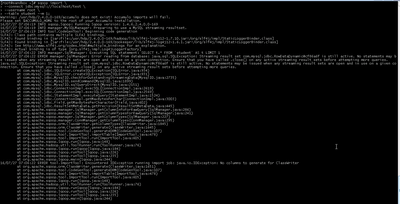


Created 07-27-2016 01:41 PM
- Mark as New
- Bookmark
- Subscribe
- Mute
- Subscribe to RSS Feed
- Permalink
- Report Inappropriate Content
--driver com.mysql.jdbc.Driver
Created 07-27-2016 01:41 PM
- Mark as New
- Bookmark
- Subscribe
- Mute
- Subscribe to RSS Feed
- Permalink
- Report Inappropriate Content
--driver com.mysql.jdbc.Driver
Created 07-27-2016 02:34 PM
- Mark as New
- Bookmark
- Subscribe
- Mute
- Subscribe to RSS Feed
- Permalink
- Report Inappropriate Content
@slachterman Thanks it worked now!!! where can i find that data in HDFS if no path is specified ?
So It has to be changed if i am importing from oracle/postgresql ?
Created 07-27-2016 02:47 PM
- Mark as New
- Bookmark
- Subscribe
- Mute
- Subscribe to RSS Feed
- Permalink
- Report Inappropriate Content
@Ravikumar Kumashi please see these docs. By default, Sqoop will import a table named foo to a directory named foo inside your home directory in HDFS. For example, if your username is someuser, then the import tool will write to /user/someuser/foo/(files). You can adjust the parent directory of the import with the--warehouse-dir argument. For example:
$ sqoop import --connnect <connect-str> --table foo --warehouse-dir /shared \You can also explicitly choose the target directory, like so:
$ sqoop import --connnect <connect-str> --table foo --target-dir /dest \
Created 07-27-2016 03:27 PM
- Mark as New
- Bookmark
- Subscribe
- Mute
- Subscribe to RSS Feed
- Permalink
- Report Inappropriate Content
@slachterman Understood, Thanks for the detailed explaination!!!
What if i have to re import again and output directory already exist, is there options for sqoop import with overwrite option?
Created 07-27-2016 03:34 PM
- Mark as New
- Bookmark
- Subscribe
- Mute
- Subscribe to RSS Feed
- Permalink
- Report Inappropriate Content
@Ravikumar Kumashi please see the --delete-target-dir option for sqoop import.
Created 07-27-2016 04:07 PM
- Mark as New
- Bookmark
- Subscribe
- Mute
- Subscribe to RSS Feed
- Permalink
- Report Inappropriate Content
@slachterman Thank you!!!


