
Our Community is getting an upgrade! To get everything ready for the relaunch, we’ll be placing the site in read-only mode starting September 21st.
We really appreciate your understanding while we get things set up behind the scenes. Catch up on all the exciting details about the move here.
Need help or have questions? Drop us a line at [email protected]

Archives of Support Questions (Read Only)
- Cloudera Community
- Board Archive
- Archives of Support Questions (Read Only)
- -bash: ambari-admin-password-reset: command not fo...
- Subscribe to RSS Feed
- Mark Question as New
- Mark Question as Read
- Float this Question for Current User
- Bookmark
- Subscribe
- Mute
- Printer Friendly Page
- Subscribe to RSS Feed
- Mark Question as New
- Mark Question as Read
- Float this Question for Current User
- Bookmark
- Subscribe
- Mute
- Printer Friendly Page
-bash: ambari-admin-password-reset: command not found


Created on 11-24-2016 07:50 PM - edited 09-16-2022 03:49 AM
- Mark as New
- Bookmark
- Subscribe
- Mute
- Subscribe to RSS Feed
- Permalink
- Report Inappropriate Content
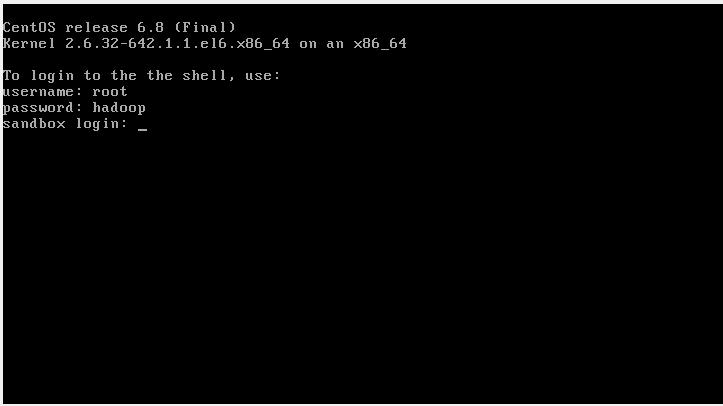
I am using HDP 2.5 Sandbox (Virtualbox). I log on as root but I can't execute the following command.
-bash: ambari-admin-password-reset: command not found
I also tried ambari-agent restart or mysql. I always get "-bash: ... command not found"
Any help is appreciated.
Marco


Created 11-24-2016 09:36 PM
- Mark as New
- Bookmark
- Subscribe
- Mute
- Subscribe to RSS Feed
- Permalink
- Report Inappropriate Content
@Marco Chou, make sure yo do ssh to docker container, not the VM. Do this:
ssh -p2222 [email protected]
and then try all the commands you want to.


Created 11-24-2016 08:02 PM
- Mark as New
- Bookmark
- Subscribe
- Mute
- Subscribe to RSS Feed
- Permalink
- Report Inappropriate Content
Created 11-24-2016 09:36 PM
- Mark as New
- Bookmark
- Subscribe
- Mute
- Subscribe to RSS Feed
- Permalink
- Report Inappropriate Content
@Marco Chou, make sure yo do ssh to docker container, not the VM. Do this:
ssh -p2222 [email protected]
and then try all the commands you want to.


Created 03-17-2017 12:28 AM
- Mark as New
- Bookmark
- Subscribe
- Mute
- Subscribe to RSS Feed
- Permalink
- Report Inappropriate Content
Mushtaq Rizvi - This isn't working for me, for HDP 2.5 Sandbox on Azure. See my other post 'Cannot log into Ambari Dashboard for HDP2.5 Azure Sandbox'. Any debugging tips?
I tried 'ssh -p2222 [email protected]' (where IP is that of my VM). Timed out.
Tried 'ssh -p2222 [email protected]'. Connection refused
Created 11-25-2016 04:47 PM
- Mark as New
- Bookmark
- Subscribe
- Mute
- Subscribe to RSS Feed
- Permalink
- Report Inappropriate Content
Thank you so much for your help. Have a nice weekend!
I do have another question if you don't mind. I can't connect thru any browsers (IE, Chrome, Firefox) using http://127.0.0.1:8888 Any suggestions?



Created 11-26-2016 06:08 PM
- Mark as New
- Bookmark
- Subscribe
- Mute
- Subscribe to RSS Feed
- Permalink
- Report Inappropriate Content
@Marco Chou: Use the ip allocated to the box (ip from ifconfig) instead of using 127.0.0.1 to connect through browser.


Created 12-05-2017 12:24 AM
- Mark as New
- Bookmark
- Subscribe
- Mute
- Subscribe to RSS Feed
- Permalink
- Report Inappropriate Content
try ssh -p2222 [email protected]' the allocated IP
then it will ask where you want to add
say yes
change unix password
then run command 'ambari-admin-password-reset'
it will allow you to change the password for ambari admin


