
Our Community is getting an upgrade! To get everything ready for the relaunch, we’ll be placing the site in read-only mode starting September 21st.
We really appreciate your understanding while we get things set up behind the scenes. Catch up on all the exciting details about the move here.
Need help or have questions? Drop us a line at [email protected]

Archives of Support Questions (Read Only)
- Cloudera Community
- Board Archive
- Archives of Support Questions (Read Only)
- Re: pig script status running but always remain at...
- Subscribe to RSS Feed
- Mark Question as New
- Mark Question as Read
- Float this Question for Current User
- Bookmark
- Subscribe
- Mute
- Printer Friendly Page
- Subscribe to RSS Feed
- Mark Question as New
- Mark Question as Read
- Float this Question for Current User
- Bookmark
- Subscribe
- Mute
- Printer Friendly Page
pig script status running but always remain at zero percent ?
- Labels:
-
Apache Pig


Created on 02-08-2016 10:06 AM - edited 08-19-2019 02:32 AM
- Mark as New
- Bookmark
- Subscribe
- Mute
- Subscribe to RSS Feed
- Permalink
- Report Inappropriate Content
s i am installed hadoop using hdp on ec2 amazon cloud.
architecture is :
1 node on which ambari server is installed
2 master nodes
3 data nodes
So i have total 6 machines in the cluster.
Now when i open the pig view in ambari and run my hello world tutorial script
a = LOAD 'geolocation' using org.apache.hive.hcatalog.pig.HCatLoader();
b = filter a by event != 'normal';
c = foreach b generate driverid, event, (int) '1' as occurance;
d = group c by driverid;
e = foreach d generate group as driverid, SUM(c.occurance) as t_occ;
g = LOAD 'drivermileage' using org.apache.hive.hcatalog.pig.HCatLoader();
h = join e by driverid, g by driverid; final_data = foreach h generate $0 as driverid, $1 as events, $3 as totmiles, (float) $3/$1 as riskfactor;
store final_data into 'riskfactor' using org.apache.hive.hcatalog.pig.HCatStorer();
Its status changes to accepted and then changes to running but always remain running for hours
Then i try to run this script in grunt shell . Here i create new file with the name "vi riskfactor.pig" and run it using the command " pig -useHCatalog -f riskfactor.pig". This job is submitted but never moves from zero percent . Here i attach the screen shots of my console.
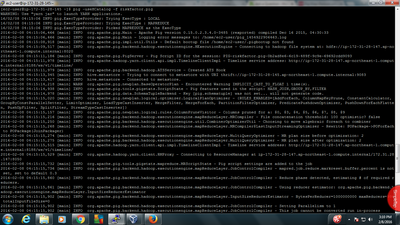
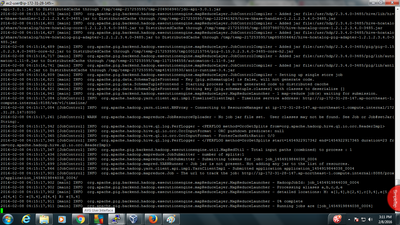
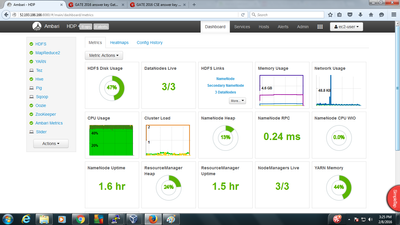
here i upload the screenshot of installed components in my cluster
Created 02-11-2016 05:04 AM
- Mark as New
- Bookmark
- Subscribe
- Mute
- Subscribe to RSS Feed
- Permalink
- Report Inappropriate Content
thanks @Neeraj Sabharwal, @Artem Ervits, @Geoffrey Shelton Okot and @Benjamin Leonhardi for your valuable replies my problem is solved with the help of your answers. Thank You 🙂 🙂


Created 02-09-2016 01:15 PM
- Mark as New
- Bookmark
- Subscribe
- Mute
- Subscribe to RSS Feed
- Permalink
- Report Inappropriate Content
First fix RM issues then go into Hive and execute show tables
I want to make sure table exists. But I think your issues is not pig script but your environment, @Rupinder Singh
Created 02-10-2016 04:13 AM
- Mark as New
- Bookmark
- Subscribe
- Mute
- Subscribe to RSS Feed
- Permalink
- Report Inappropriate Content
yes @Artem Ervits sir i already created the required tables for script but still i got same problem.
Created 02-10-2016 08:49 AM
- Mark as New
- Bookmark
- Subscribe
- Mute
- Subscribe to RSS Feed
- Permalink
- Report Inappropriate Content
@Rupinder Singh go to /var/log/hadoop/yarn and look for errors in resource manager log. You need to fix RM before anything

Created 02-09-2016 06:35 AM
- Mark as New
- Bookmark
- Subscribe
- Mute
- Subscribe to RSS Feed
- Permalink
- Report Inappropriate Content
Created on 02-09-2016 07:36 AM - edited 08-19-2019 02:31 AM
- Mark as New
- Bookmark
- Subscribe
- Mute
- Subscribe to RSS Feed
- Permalink
- Report Inappropriate Content
sir @Neeraj Sabharwal i found one more issue as i am unable to acess resource manager UI from my ambari

When i click on the resource manager ui of my ambari this window opens and this message is shown.
Actually my ambari server is installed on 1 different node.
i have 2 master nodes
1 node data +master
2 data nodes
total =6 nodes
master node 1 have :-
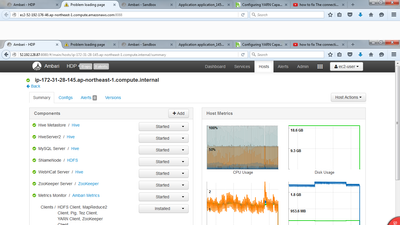

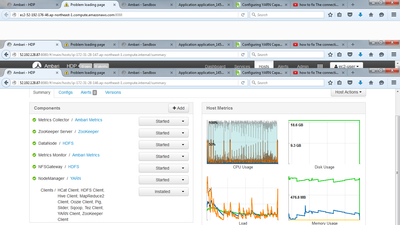
Other 2 nodes has only clients installed on it.
i also set security group for all nodes and give acess from anywhere to all node ports


Created 02-15-2016 04:43 PM
- Mark as New
- Bookmark
- Subscribe
- Mute
- Subscribe to RSS Feed
- Permalink
- Report Inappropriate Content
If you are using EC2, then make sure your OS has the properly defined hostnames. You can updated it using hostnamectl or set it on the sysconfig/network files based on your OS version.
Then to fix your hostnames in your server/agent, follow: https://ambari.apache.org/1.2.3/installing-hadoop-using-ambari/content/ambari-chap7a.html
Restart Ambari Server and Agent and you should be good !
Created 02-11-2016 05:04 AM
- Mark as New
- Bookmark
- Subscribe
- Mute
- Subscribe to RSS Feed
- Permalink
- Report Inappropriate Content
thanks @Neeraj Sabharwal, @Artem Ervits, @Geoffrey Shelton Okot and @Benjamin Leonhardi for your valuable replies my problem is solved with the help of your answers. Thank You 🙂 🙂
Created 02-15-2016 05:29 PM
- Mark as New
- Bookmark
- Subscribe
- Mute
- Subscribe to RSS Feed
- Permalink
- Report Inappropriate Content
@Rupinder Singh pick the best answer, I see people still trying to help you solve this :).
Created 02-23-2016 02:08 AM
- Mark as New
- Bookmark
- Subscribe
- Mute
- Subscribe to RSS Feed
- Permalink
- Report Inappropriate Content
@Rupinder Singh please choose the best answer that helped you as we need to close out this thread.

Created 01-10-2018 02:04 PM
- Mark as New
- Bookmark
- Subscribe
- Mute
- Subscribe to RSS Feed
- Permalink
- Report Inappropriate Content
Can you please elaborate the exact solution to this problem ? I am facing the same issue..


