
Our Community is getting an upgrade! To get everything ready for the relaunch, we’ll be placing the site in read-only mode starting September 21st.
We really appreciate your understanding while we get things set up behind the scenes. Catch up on all the exciting details about the move here.
Need help or have questions? Drop us a line at [email protected]

Archives of Support Questions (Read Only)
- Cloudera Community
- Board Archive
- Archives of Support Questions (Read Only)
- what kind of data type i am going to use as a time...
- Subscribe to RSS Feed
- Mark Question as New
- Mark Question as Read
- Float this Question for Current User
- Bookmark
- Subscribe
- Mute
- Printer Friendly Page
- Subscribe to RSS Feed
- Mark Question as New
- Mark Question as Read
- Float this Question for Current User
- Bookmark
- Subscribe
- Mute
- Printer Friendly Page
what kind of data type i am going to use as a timestamp while inserting date as a value in hive and elasticsearch
- Labels:
-
Apache Hadoop
-
Apache Hive


Created on 12-23-2016 12:12 PM - edited 08-18-2019 03:48 AM
- Mark as New
- Bookmark
- Subscribe
- Mute
- Subscribe to RSS Feed
- Permalink
- Report Inappropriate Content
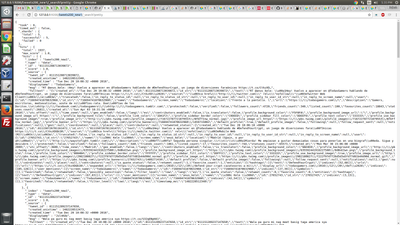
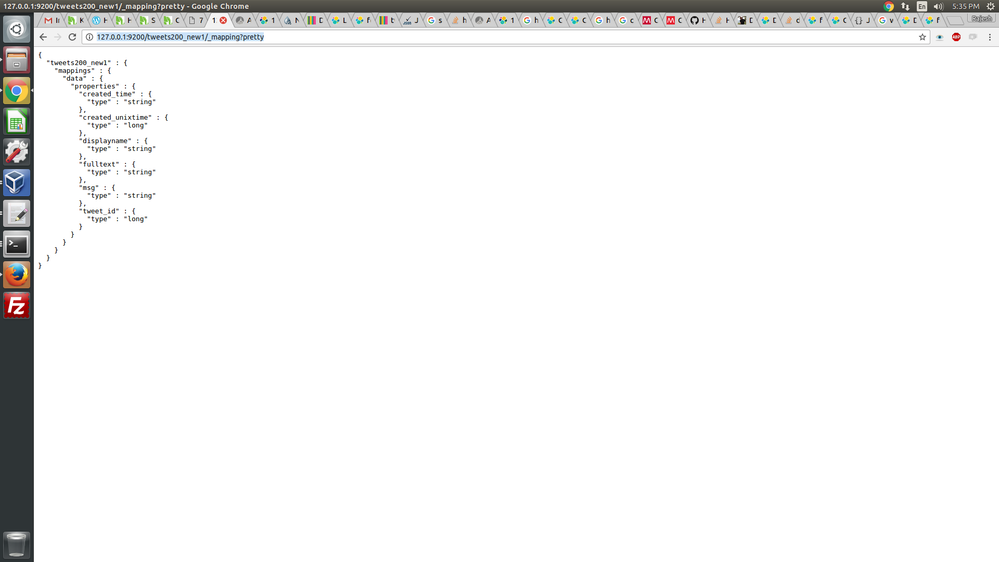
i get the twitter data and put those data into hdfs using nifi,it gives a data,but my date formate is in Tue Dec 20 10:04:31 +0000 2016 and i create a hive table with those twitter data.when i create that table i have created_time field and i need to set datatype as date,it shows an null value then i change the datatype as string it shows an value.then i need to transfer a that table into elasticsearch using es-hadoop but i confused what datatype i am going to use as time field.
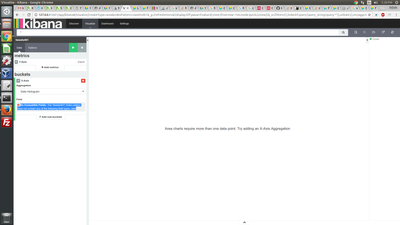
i tried string to that time filed,it shows a value but when i visualize that field in kibana,in show an error a date type is required,
my query is given below:
i also tried ->change my created_time field as date but i shows a null value
 create table if not exists tweets_text_partition(
  tweet_id bigint,
  created_unixtime bigint,
  created_time string,
  displayname string,
  msg string,
  fulltext string
)
row format delimited fields terminated by "|"
location "/tmp/tweets_staging";
*******************************************************************
curl -XPUT http://sandbox.hortonworks.com:9200/twitter_text1/?pretty -d'{"rels":{"properties":{"tweet_id":{"type":"bigint"},"created_unixtime":{"type":"bigint"},"created_time":{"type":"string"},"displayname":{"type":"string"},"msg":{"type":"string"},"fulltext":{"type":"string"}}}}'

***********************************************************************
ADD JAR /root/ elasticsearch-hadoop-5.1.1.jar;

ADD JAR /usr/hdp/current/hive-client/lib/commons-httpclient-3.0.1.jar;
**********************************************************************************
CREATE EXTERNAL TABLE test.twitter_es1
(
  tweet_id bigint,
  created_unixtime bigint,
  created_time string,
  displayname string,
  msg string,
  fulltext string
)
STORED BY 'org.elasticsearch.hadoop.hive.EsStorageHandler'
TBLPROPERTIES (
'es.resource' = 'twitterdata/data',
'es.nodes'='sandbox.hortonworks.com:9200',
'es.index.auto.create' = 'false',
'es.mapping.id'='tweet_id');
*************************************************************
INSERT OVERWRITE TABLE test.twitter_es1
SELECT
tweet_id,
created_unixtime,
created_time,
displayname,
msg,
fulltext
FROM
test.tweets_hive1;


Created 12-23-2016 12:50 PM
- Mark as New
- Bookmark
- Subscribe
- Mute
- Subscribe to RSS Feed
- Permalink
- Report Inappropriate Content
The most direct way is to transform the date to correct format in NiFi. Alternatively, you could land it in a hive table and CTAS to a new table while transforming to correct format. See this for Hive timestamp format to be used in either case: https://cwiki.apache.org/confluence/display/Hive/LanguageManual+Types#LanguageManualTypes-timestamp
NiFi: Before putting to hdfs or hive, use a ReplaceText processor. You will use regex to find the timestamp pattern from original twitter json and replace it with the timestamp pattern needed in Hive/Kibana. This article should help you out: https://community.hortonworks.com/articles/57803/using-nifi-gettwitter-updateattributes-and-replace....
Hive alternative: Here you either use a SerDe to transform the timestamp or you use regex. In both cases, you land the data in a Hive table, then CTAS (Create Table as Select) to a final table. This should help you out for this approach: https://community.hortonworks.com/questions/19192/how-to-transform-hive-table-using-serde.html
To me, the NiFi approach is superior (unless you must store the original with untransformed date into Hadoop).
Created 12-23-2016 12:50 PM
- Mark as New
- Bookmark
- Subscribe
- Mute
- Subscribe to RSS Feed
- Permalink
- Report Inappropriate Content
The most direct way is to transform the date to correct format in NiFi. Alternatively, you could land it in a hive table and CTAS to a new table while transforming to correct format. See this for Hive timestamp format to be used in either case: https://cwiki.apache.org/confluence/display/Hive/LanguageManual+Types#LanguageManualTypes-timestamp
NiFi: Before putting to hdfs or hive, use a ReplaceText processor. You will use regex to find the timestamp pattern from original twitter json and replace it with the timestamp pattern needed in Hive/Kibana. This article should help you out: https://community.hortonworks.com/articles/57803/using-nifi-gettwitter-updateattributes-and-replace....
Hive alternative: Here you either use a SerDe to transform the timestamp or you use regex. In both cases, you land the data in a Hive table, then CTAS (Create Table as Select) to a final table. This should help you out for this approach: https://community.hortonworks.com/questions/19192/how-to-transform-hive-table-using-serde.html
To me, the NiFi approach is superior (unless you must store the original with untransformed date into Hadoop).


