Created on 10-18-2018 09:27 PM - edited 06-09-2020 07:18 AM
Simple Apache NiFi Operations Dashboard - Part 2
To access data to display in our dashboard we will use some Spring Boot 2.06 Java 8 microservices to call Apache Hive 3.1.0 tables in HDP 3.0 on Hadoop 3.1.
We will have our web site hosted and make REST Calls to Apache NiFi, our microservices, YARN and other APIs.
As you can see we can easily incorporate data from HDP 3 - Apache Hive 3.1.0 in Spring Boot java applications with not much trouble. You can see the Maven build script (all code is in github.)
Our motivation is put all this data somewhere and show it in a dashboard that can use REST APIs for data access and updates. We may choose to use Apache NiFi for all REST APIs or we can do some in Apache NiFi. We are still exploring. We can also decide to change the backend to HBase 2.0, Phoenix or Druid or a combination. We will see.
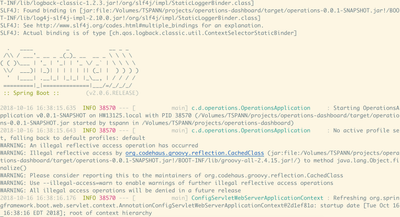
Spring Boot 2.0.6 Loading
92918-springboot206start.png
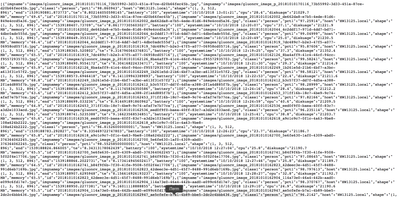
JSON Output
92919-springboothivemicroservice.png
Spring Boot Microservices and UI
https://github.com/tspannhw/operations-dashboard
To start I have a simple web page that calls one of the REST APIs.
The microservice can be run off of YARN 3.1, Kubernetes, CloudFoundry, OpenShift or any machine that can run a simple Java 8 jar.
We can have this HTML as part of a larger dashboard or hosted anywhere.
92948-runmicroservice.png
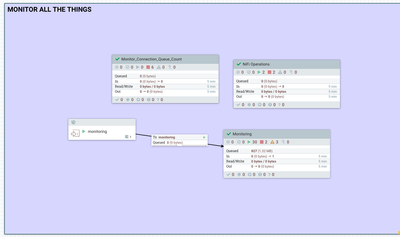
92949-monitoringinnififlow.png
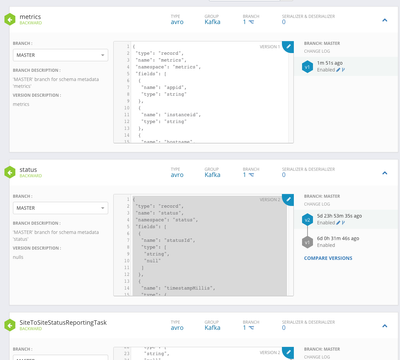
For Parsing the Monitoring Data We have some schemas for Metrics, Status and Bulletins.
92950-schemas.png
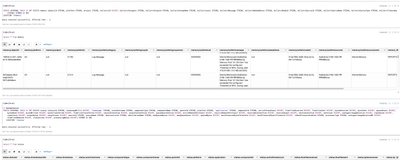
Now that monitoring data is in Apache Hive, I can query it with easy in Apache Zeppelin (or any JDBC/ODBC tool)
92951-monitoringmetricszepp.png
Apache Zeppelin Screens
92952-monitoringzepp.png
We have a lot of reporting tasks for Monitoring NiFi
92953-reportingtasks.png
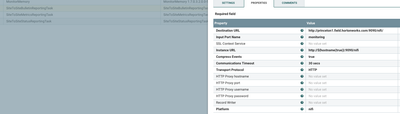
We read from NiFi and send to NiFi, would be nice to have a dedicated reporting cluster
92954-sitetositebulletinreportingconfig.png
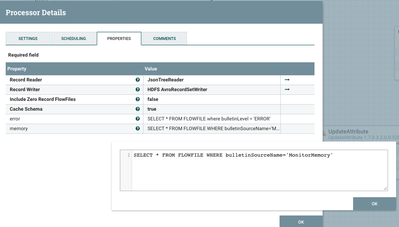
Just Show Me Bulletins for MonitorMemory (You can see that in Reporting Tasks)
92955-monitormemory.png
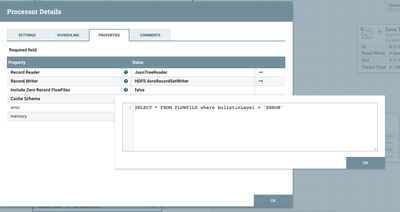
NiFi Query To Limit Which Bulletins We Are Storing In Hive (For Now Just grab Errors)
92956-flowfileforerrorbulletins.png
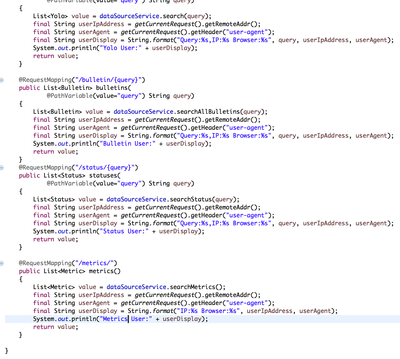
Spring Boot Code for REST APIs
92957-springbootrestapi.png
Metrics REST API Results
92959-restapimetrics.png
Bulletin REST API Results
92960-bulletinjsonresults.png
Metrics Home Page
92961-springbootscreen.png
Run The Microservice
java -Xms512m -Xmx2048m -Dhdp.version=3.0.0 -Djava.net.preferIPv4Stack=true -jar target/operations-0.0.1-SNAPSHOT.jar
Maven POM
<?xml version="1.0" encoding="UTF-8"?>
<project xmlns="http://maven.apache.org/POM/4.0.0" xmlns:xsi="http://www.w3.org/2001/XMLSchema-instance"
xsi:schemaLocation="http://maven.apache.org/POM/4.0.0 http://maven.apache.org/xsd/maven-4.0.0.xsd">
<modelVersion>4.0.0</modelVersion>
<groupId>com.dataflowdeveloper</groupId>
<artifactId>operations</artifactId>
<version>0.0.1-SNAPSHOT</version>
<packaging>jar</packaging>
<name>operations</name>
<description>Apache Hive Operations Spring Boot</description>
<parent>
<groupId>org.springframework.boot</groupId>
<artifactId>spring-boot-starter-parent</artifactId>
<version>2.0.5.RELEASE</version>
<relativePath/>
</parent>
<properties>
<java.version>1.8</java.version>
</properties>
<dependencies>
<dependency>
<groupId>org.springframework.boot</groupId>
<artifactId>spring-boot-starter-web</artifactId>
<exclusions>
<exclusion>
<groupId>org.springframework.boot</groupId>
<artifactId>spring-boot-starter-logging</artifactId>
</exclusion>
<exclusion>
<groupId>org.springframework.boot</groupId>
<artifactId>spring-boot-starter-tomcat</artifactId>
</exclusion>
</exclusions>
</dependency>
<dependency>
<groupId>org.springframework.boot</groupId>
<artifactId>spring-boot-starter-log4j2</artifactId>
</dependency>
<dependency>
<groupId>org.springframework.boot</groupId>
<artifactId>spring-boot-starter-jdbc</artifactId>
</dependency>
<dependency>
<groupId>org.apache.hive</groupId>
<artifactId>hive-jdbc</artifactId>
<version>3.1.0</version>
<exclusions>
<exclusion>
<groupId>org.eclipse.jetty.aggregate</groupId>
<artifactId>*</artifactId>
</exclusion>
<exclusion>
<artifactId>servlet-api</artifactId>
<groupId>javax.servlet</groupId>
</exclusion>
</exclusions>
</dependency>
<dependency>
<groupId>org.springframework.boot</groupId>
<artifactId>spring-boot-starter-test</artifactId>
<scope>test</scope>
</dependency>
<dependency>
<groupId>org.springframework.restdocs</groupId>
<artifactId>spring-restdocs-mockmvc</artifactId>
<scope>test</scope>
</dependency>
</dependencies>
<build>
<plugins>
<plugin>
<groupId>org.springframework.boot</groupId>
<artifactId>spring-boot-maven-plugin</artifactId>
</plugin>
</plugins>
</build>
<repositories>
<repository>
<id>spring-releases</id>
<url>https://repo.spring.io/libs-release</url>
</repository>
</repositories>
<pluginRepositories>
<pluginRepository>
<id>spring-releases</id>
<url>https://repo.spring.io/libs-release</url>
</pluginRepository>
</pluginRepositories>
</project>With some help from the Internet, we have a simple Javascript to read the Spring Boot /metrics REST API and fill some values:
HTML and Javascript (see src/main/resources/static/index.html)
<h1>Metrics</h1>
<div id="output" name="output" style="align: center; overflow:auto; height:400px; width:800px" class="white-frame">
<ul id="metrics"></ul>
</div>
<script language="javascript">var myList = document.querySelector('ul');var myRequest = new Request('./metrics/');fetch(myRequest).then(function(response) { return response.json(); }).then(function(data) {for (var i = 0; i < data.length; i++) {var listItem = document.createElement('li');listItem.innerHTML = '<strong>Timestamp' + data[i].timestamp + '</strong>Flow Files Received: ' +data[i].flowfilesreceivedlast5minutes + ' JVM Heap Usage:' + data[i].jvmheap_usage +' Threads Waiting:' + data[i].jvmthread_statestimed_waiting +' Thread Count: ' + data[i].jvmthread_count +' Total Task Duration: ' + data[i].totaltaskdurationnanoseconds +' Bytes Read Last 5 min: ' + data[i].bytesreadlast5minutes +' Flow Files Queued: ' + data[i].flowfilesqueued +' Bytes Queued: ' + data[i].bytesqueued;myList.appendChild(listItem);}});</script>Resources
Example API Calls to Spring Boot
http://localhost:8090/status/Update
http://localhost:8090/bulletin/error
http://localhost:8090/metrics/
TODO: We will add more calls directly to REST APIs of Apache NiFi clusters for display in our dashboard.
REST API for NiFi of Interest
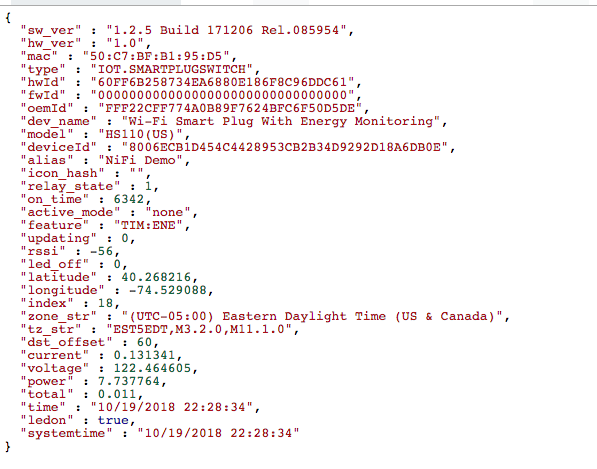
smartplugjson.png