

How to Create a Ranger Policy that Prohibits Combining Datasets
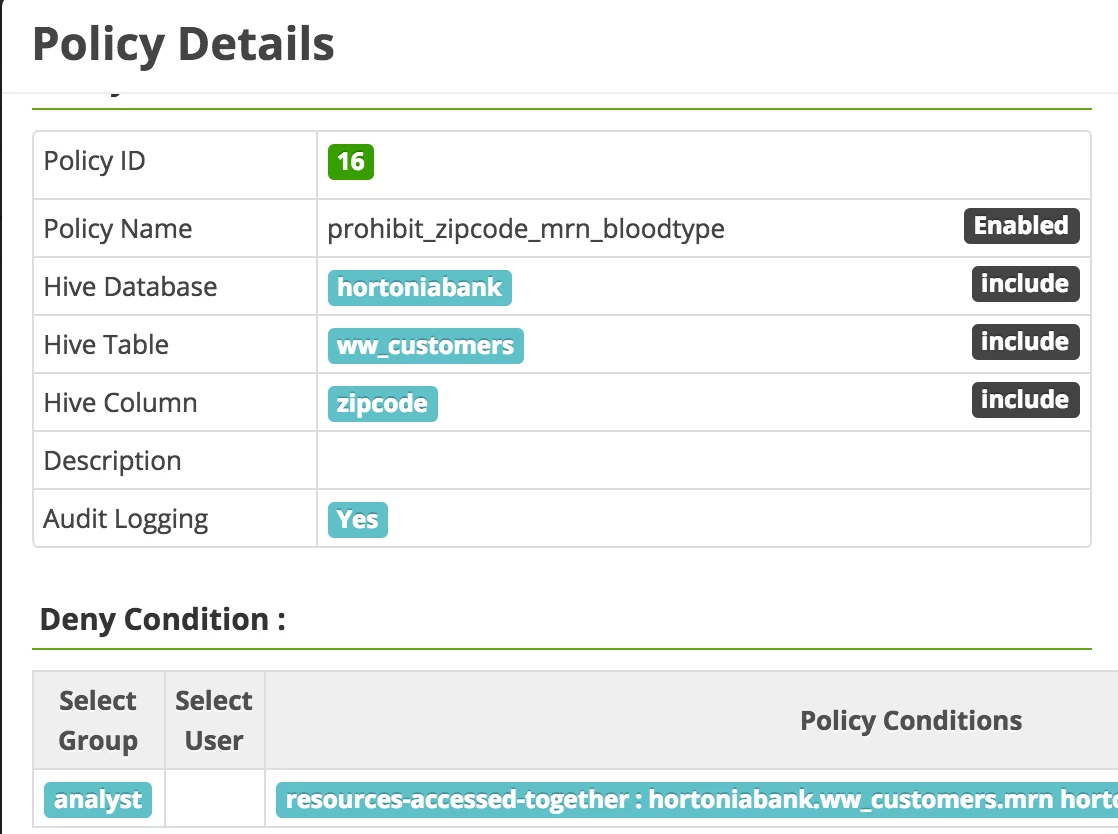
Our scenario for this walkthrough is as follows: we have a customer table that contains fields for Zip Code, MRN, and Blood Type. Per policy, users in the analyst group cannot access MRN and Blood Type together with Zip Code within the same query, as this would deanonymize sensitive Personal Health Information.
In order to make use of Ranger functionality to achieve this, we'll need to register a new policy condition using the Ranger API. Please see my HCC post on this topic for further details. In this case, the policy condition will have the following form (please note itemId value is specific to one's environment) within the policyConditions array contained in the /servicedef/name/hive resource:
{
      "itemId": 1,
      "name": "resources-accessed-together",
      "evaluator": "org.apache.ranger.plugin.conditionevaluator.RangerHiveResourcesAccessedTogetherCondition",
      "evaluatorOptions": {},
      "label": "Resources Accessed Together?",
      "description": "Resources Accessed Together?"
}
The RangerHiveResourcesAccessedTogetherCondition evaluator is included with Ranger. Once this condition is registered using the Ranger API, we can make use of it within a Deny condition for a resource-based policy in Ranger.
The policy will be associated with the zipcode field in our ww_customer table.
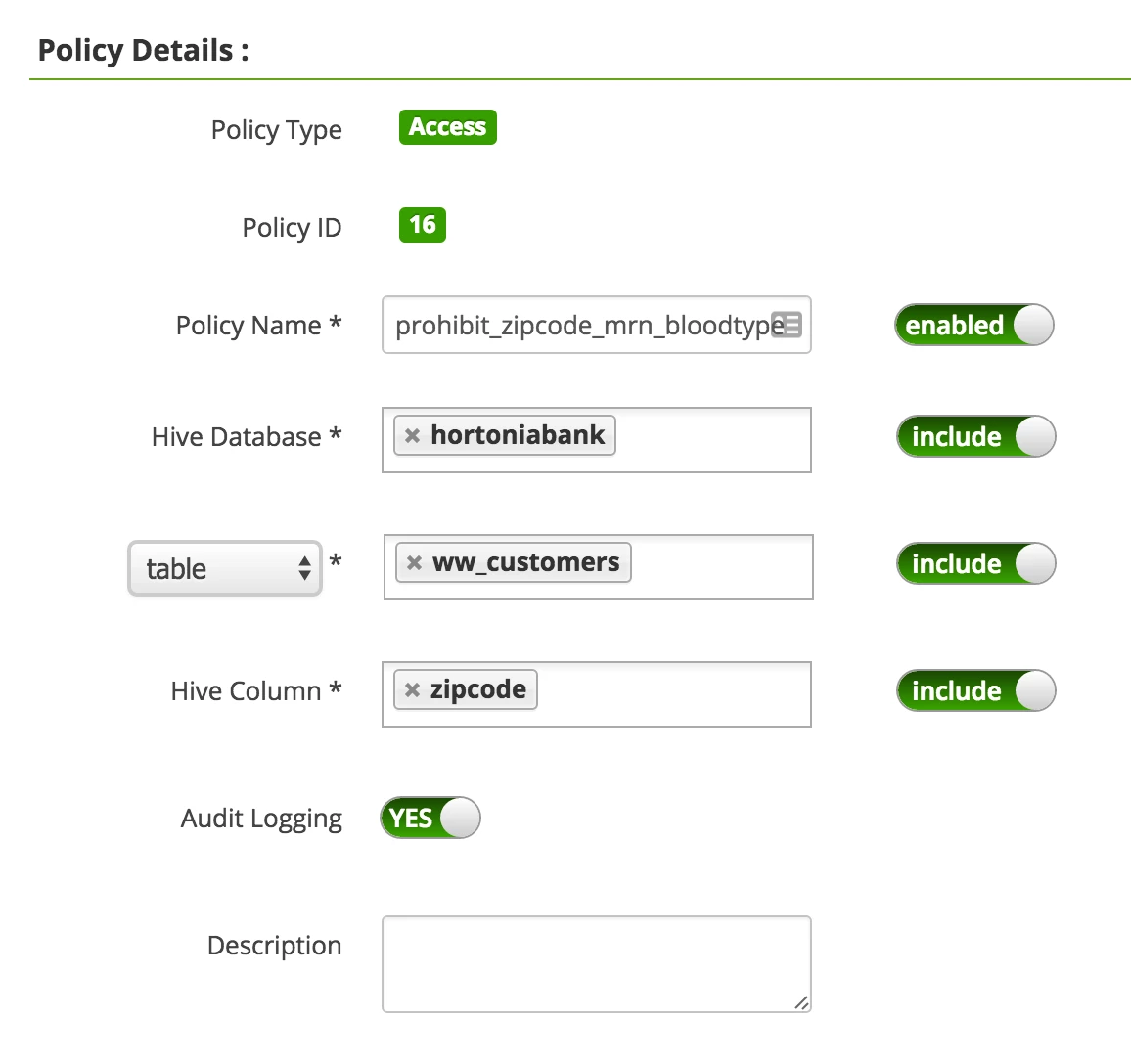
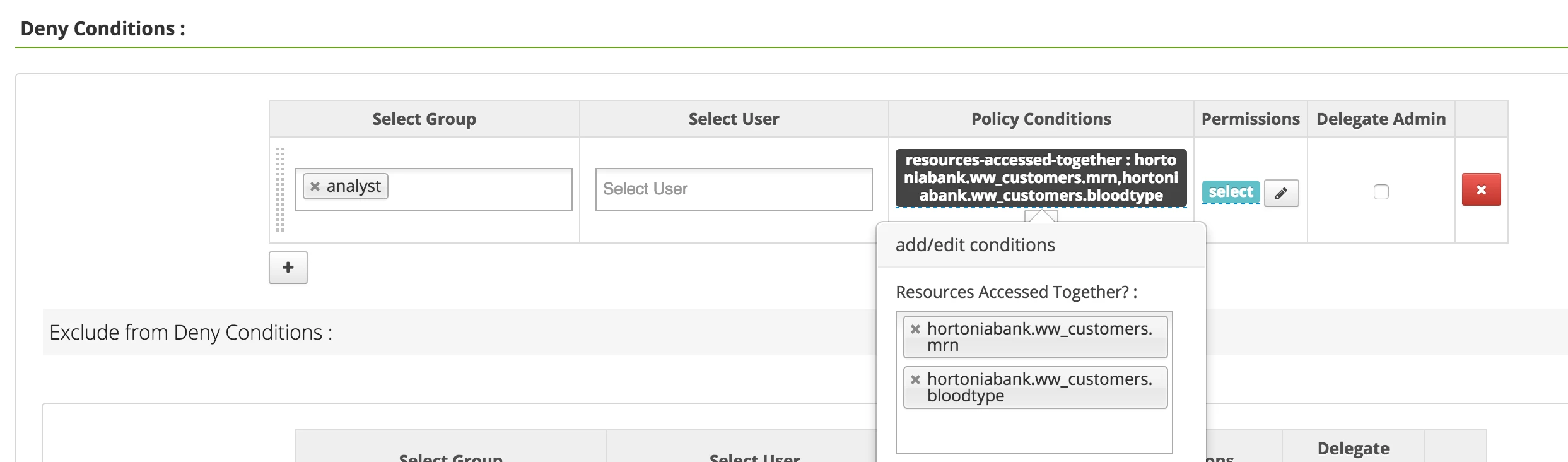
We then need to associate the Blood Type and MRN fields with the resources-accessed-together policy condition we registered above as Deny conditions.
Now when joe_analyst, a user in the analyst group, attempts to access these combined fields, they will be denied:

Please note that joe_analyst can query, say, Zip Code and Blood Type together, as no patient identifier like MRN is in play:


