Our Community is getting an upgrade! To get everything ready for the relaunch, we’ll be placing the site in read-only mode starting September 21st.
We really appreciate your understanding while we get things set up behind the scenes. Catch up on all the exciting details about the move here.
Need help or have questions? Drop us a line at [email protected]

Community Articles

Find and share helpful community-sourced technical articles.
Announcements
Share your experience with Cloudera on G2 and get a $25 Amazon Gift card.
Hi, I'm CLEO! Something exciting is coming to the Community. Stay Tuned!

Labels (1)
avatar
Guru

Question

How does a user generate an AWS keypair which is used during Environment Quickstart? 

Answer

At the last step of Environment Quickstart, user will be asked to enter AWS keypair. Following are the steps to create the keypair:


  1.  Sign into the https://console.aws.amazon.com
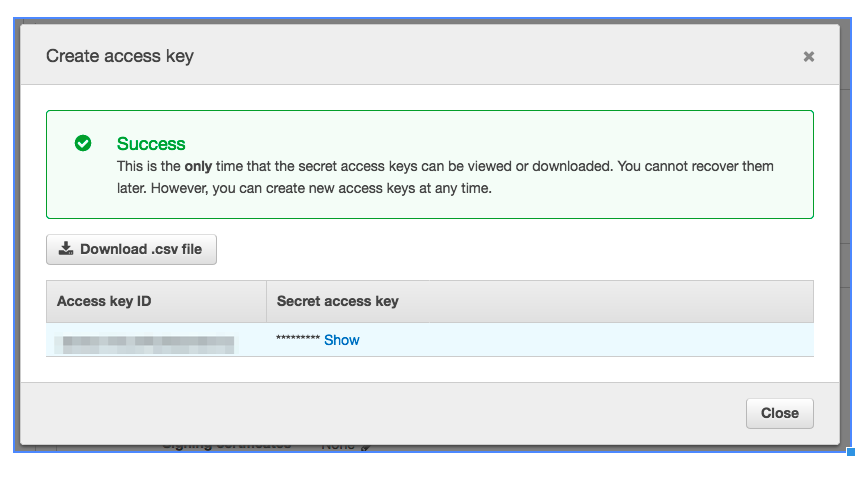
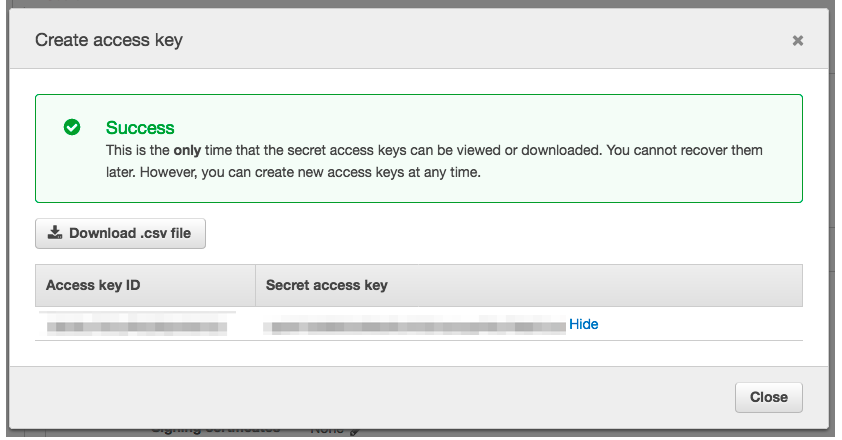
  2. Beneath IAM -> Users ->  Select your user ->  Security Credentials tab,  click the "Create access key" button to create a new AWS access key for your account
  3. Copy and paste Access Key ID and the access key value to a file for later usage.Creation the access keyCreation the access keyClick the Show to be able to copy the key valueClick the Show to be able to copy the key value
868 Views
Version history
Last update:
‎09-16-2022 08:38 AM
Updated by:
Contributors