Our Community is getting an upgrade! To get everything ready for the relaunch, we’ll be placing the site in read-only mode starting September 21st.
We really appreciate your understanding while we get things set up behind the scenes. Catch up on all the exciting details about the move here.
Need help or have questions? Drop us a line at [email protected]

Community Articles

Find and share helpful community-sourced technical articles.
Announcements
Share your experience with Cloudera on G2 and get a $25 Amazon Gift card.
Hi, I'm CLEO! Something exciting is coming to the Community. Stay Tuned!

Labels (1)
avatar
Master Guru

I have just started working on updated Apache Tika and Apache OpenNLP processors for Apache 1.5 and while testing found an interesting workflow I would like to share.

I am using a few of my processors in this flow:

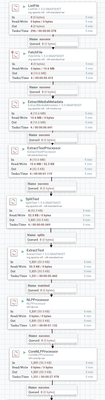
Here is the flow that I was working on.

54384-flowpart1.png

Step 1 - Load Some PDFs

Step 2 - Use the built-in Apache Tika Processor to extract metadata from the files

Step 3 - Pull Out the Text using my Apache Tika processor

Step 4 - Split this into individual lines

Step 5 - Extract out the text of the line into an attribute ((^.*$)) into a sentence

Step 6 - Run NLP to analyze for names and locations on that sentence

Step 7 - Run Stanford CoreNLP sentiment analysis on the sentence

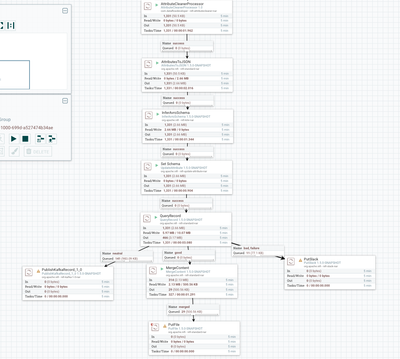
54385-flowpart2.png

Step 8 - I run my attribute cleaner to turn those attributes into AVRO safe names

Step 9 - I turn all the attributes into a JSON Flow File

Step 10 - I Infer an Avro schema ( I only needed this once, then I'll remove it)

Step 11 - I set the name of the Schema to be looked up from the Schema Registry

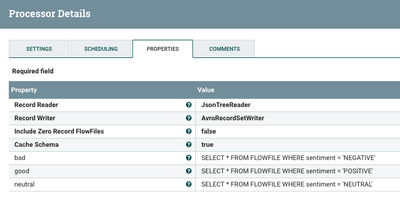
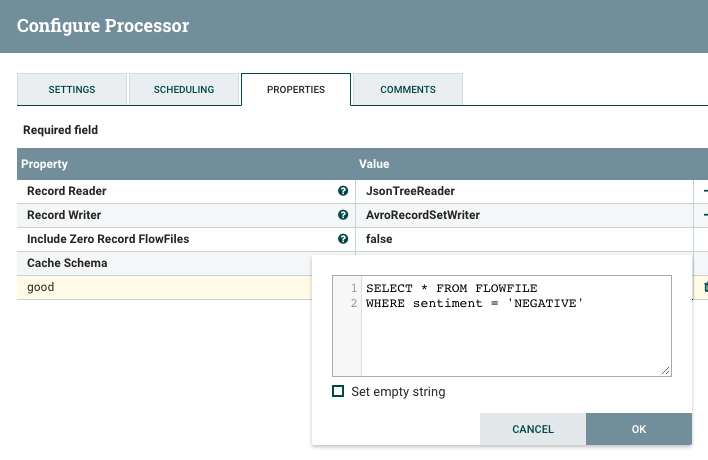
Step 12 - I run QueryRecord to route POSITIVE, NEURAL and NEGATIVE sentiment to different places. Example SQL: SELECT * FROM FLOWFILE WHERE sentiment = 'NEGATIVE' Thanks Apache Calcite! We also convert from JSON to AVRO for sending to Kafka also for easy conversion to Apache ORC for Apache Hive usage.

Step 13-14-15 - I send records to Kafka 1.0, Some get merged to store as a file and some get made into Slack messages.

Step 16. Done

54386-oneline.png

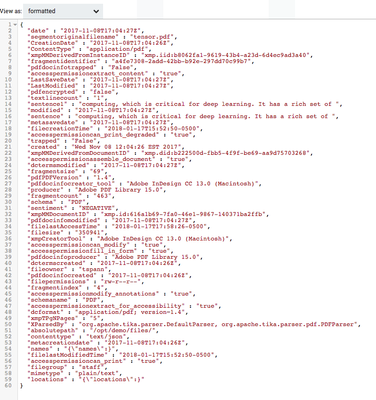
Here is an example of my generated JSON file.

54387-nlpvalues.png

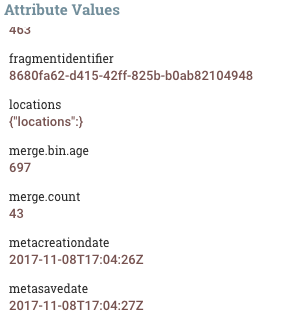
Here are some of the attributes after the run.

54388-queryrecord.png'

You can see the queries in the QueryRecord processor.

54389-attributes.png

The results of a run showing a sentence, file meta data and sentiment.

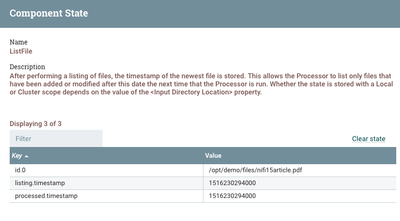
54390-listfilestate.png'

We are now waiting for new PDFs (and other file types) to arrive in the directory for immediate processing.

54392-readerwriterregistry.png

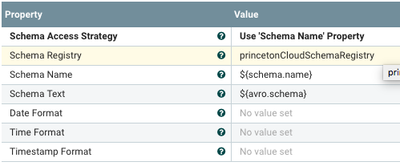
I have a JSONTreeReader, a Hortonworks Schema Registry and and AvroRecordSetWriter.

54393-jsontreereaderproperties.png

54394-avrorecordsetwriterproperties.png

We set the properties and the schema register for the reader and writer. Obviously we can use other readers and writers as needed for types like CSV.

54395-tikawithversioning.png

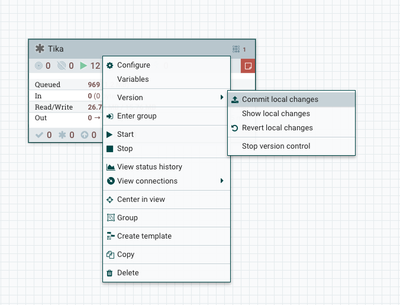
When I am done, since it's Apache NiFi 1.5, I commit my changes for versioning.

Bam!

tika.xml

For the upcoming processor I will be interfacing with:

Apache Tika has added some really cool updates, so I can't wait to dive in.


readerwriterregistry.pngqueryrecordsql.png
17,024 Views
Comments

Hi, When uploading the xml project I get the following error:

com.dataflowdeveloper.processors.process.CoreNLPProcessor is not known to this NiFi instance.


Please your help.


Karen

That is a custom processor I wrote, you need to install it in the lib directory and restart nifi


download nar from here .  https://github.com/tspannhw/nifi-corenlp-processor/releases


Thanks you. This Worked!