Our Community is getting an upgrade! To get everything ready for the relaunch, we’ll be placing the site in read-only mode starting September 21st. We really appreciate your understanding while we get things set up behind the scenes. Catch up on all the exciting details about the move here. Need help or have questions? Drop us a line at [email protected]
Created on 08-24-201608:04 PM - edited 08-17-201910:38 AM
Brandon Wilson has a great article that shows how to use the "CACHE TABLE" cmd in Tableau, however more recent drivers have come out and you can now connect directly to the thriftserver using a spark-sql driver. This is using HDP 2.5 and SimbaSparkOdbc.
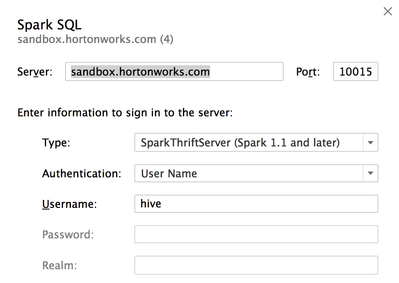
First pull up a Tableau connection and select the thriftServer. Additionally had to open the virtualbox port 10015.
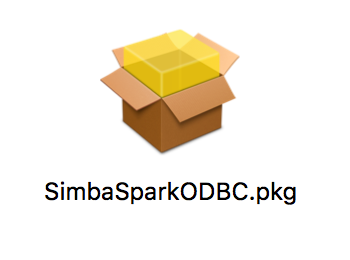
Next if you don't have the driver Tableau will jump you to a page where you can download a spark-sql driver and inside that package chose this driver.
Once you establish a valid connection you will see Tableau flag the connects based on the driver. Below you will see the Hive connection from Brandon's article and now the new Spark connection.
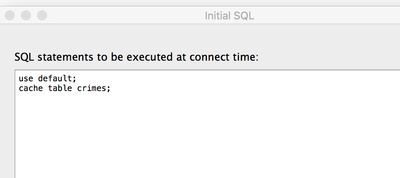
Next using the CACHE cmd enter the below into Tableau's initial SQL box.
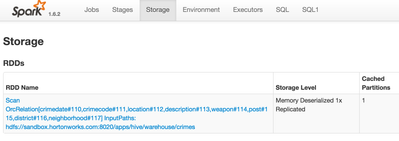
Finally check the storage of spark for the warehouse/crimes table in memory. Or any table of your chosing for that matter.