Our Community is getting an upgrade! To get everything ready for the relaunch, we’ll be placing the site in read-only mode starting September 21st. We really appreciate your understanding while we get things set up behind the scenes. Catch up on all the exciting details about the move here. Need help or have questions? Drop us a line at [email protected]
Created on 03-11-201712:14 AM - edited 08-17-201901:51 PM
When NiFi flow runs in mission critical production environment, customer would concern about how to change NiFi flow logic but don't impact business.
One solution was implemented in customer production is as follow steps:
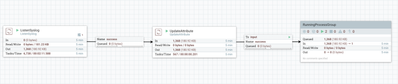
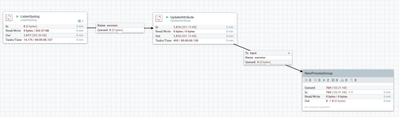
1. Add an extra non-logic processor, for example "UpdateAttribute", between ListenPort and main ProcessGroup
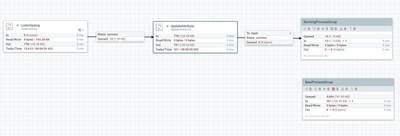
2. Updated NewProcessGroup, add into canvas
3. Stop "UpdateAttribute" process, make sure RunningProcessGroup consume all flowfiles in the previous queue. But client components can still send messages to Listen Port
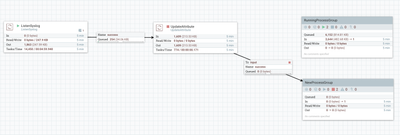
4. After all queued flowfiles are processed by RunningProcessGroup, move the queue end connection to the NewProcessGroup
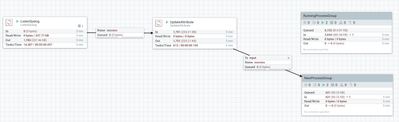
5. Start "UPdateAttribute" process and NewProcessGroup
6. At the end, remove the old RunningProcessGroup
Follow these steps, the production flow change is transparent for client components, and guarantee no data lost.