
Our Community is getting an upgrade! To get everything ready for the relaunch, we’ll be placing the site in read-only mode starting September 21st.
We really appreciate your understanding while we get things set up behind the scenes. Catch up on all the exciting details about the move here.
Need help or have questions? Drop us a line at [email protected]

Support Questions
 Hi, I'm CLEO! Something exciting is coming to the Community. Stay Tuned!
- Cloudera Community
- Support
- Support Questions
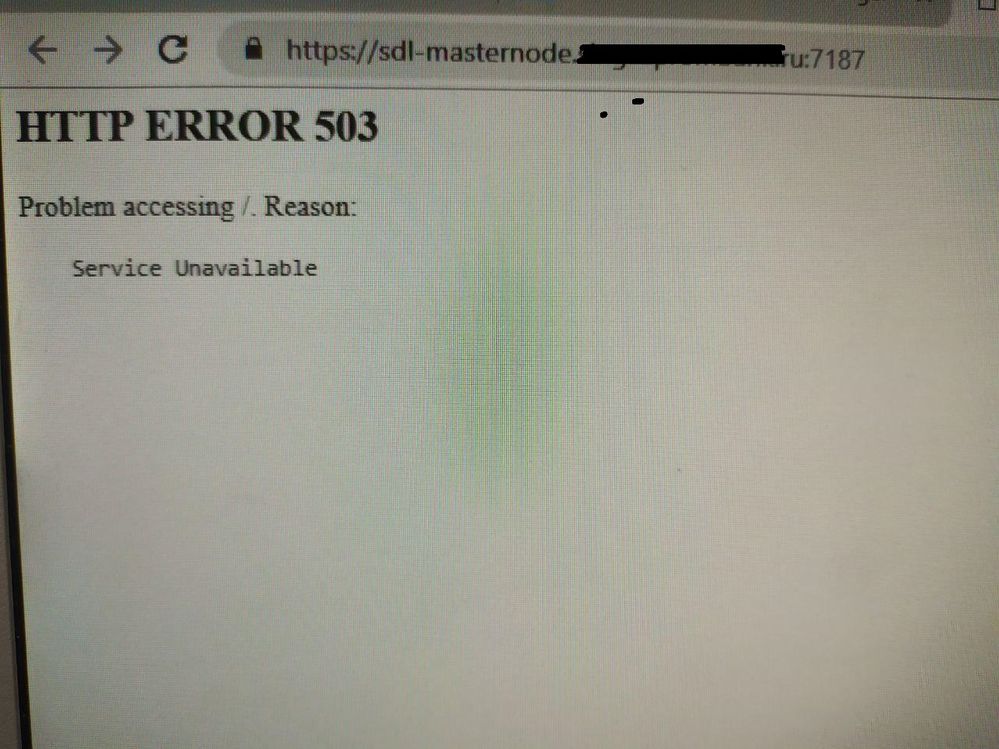
- Activity monitory(navigator) http error 503
- Subscribe to RSS Feed
- Mark Question as New
- Mark Question as Read
- Float this Question for Current User
- Bookmark
- Subscribe
- Mute
- Printer Friendly Page
- Subscribe to RSS Feed
- Mark Question as New
- Mark Question as Read
- Float this Question for Current User
- Bookmark
- Subscribe
- Mute
- Printer Friendly Page
Activity monitory(navigator) http error 503
- Labels:
-
Cloudera Navigator


Created 09-22-2020 07:16 AM
- Mark as New
- Bookmark
- Subscribe
- Mute
- Subscribe to RSS Feed
- Permalink
- Report Inappropriate Content
Hello.
I have activity monitor in green state.
In logs I have smth like this:
ps Sorry for quality, have no internet access in my cluster.
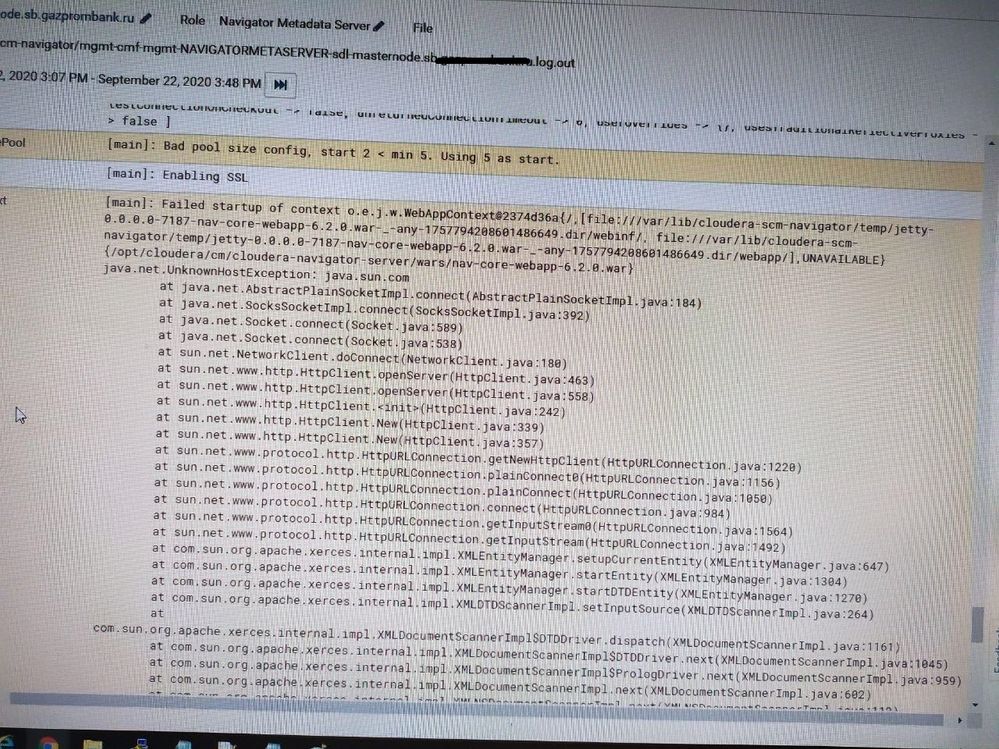
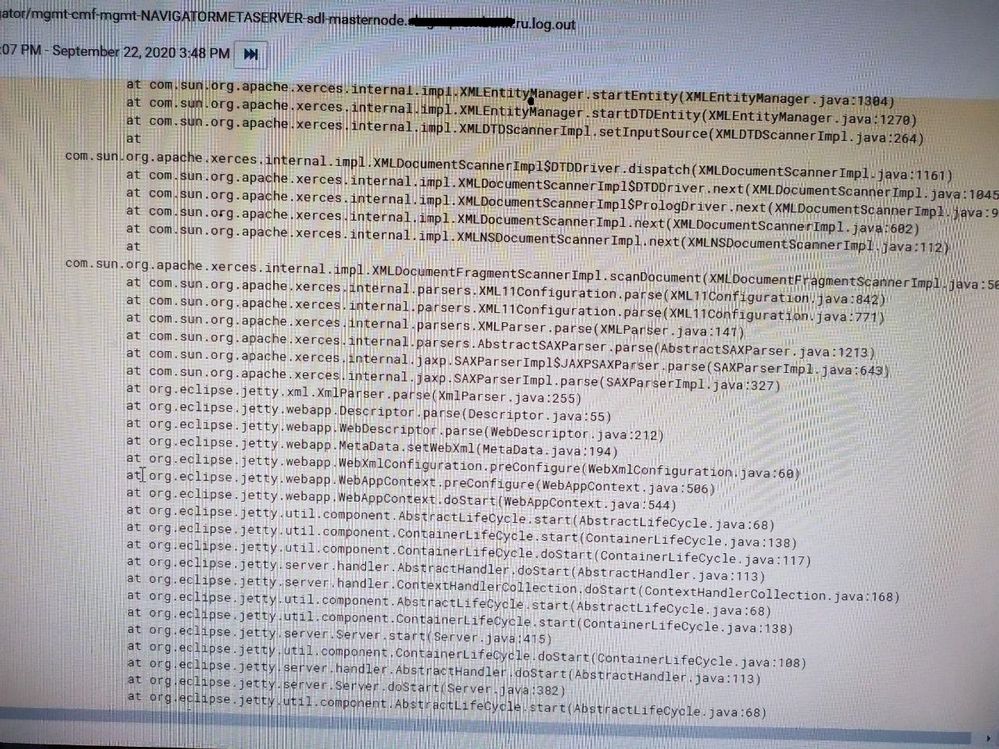
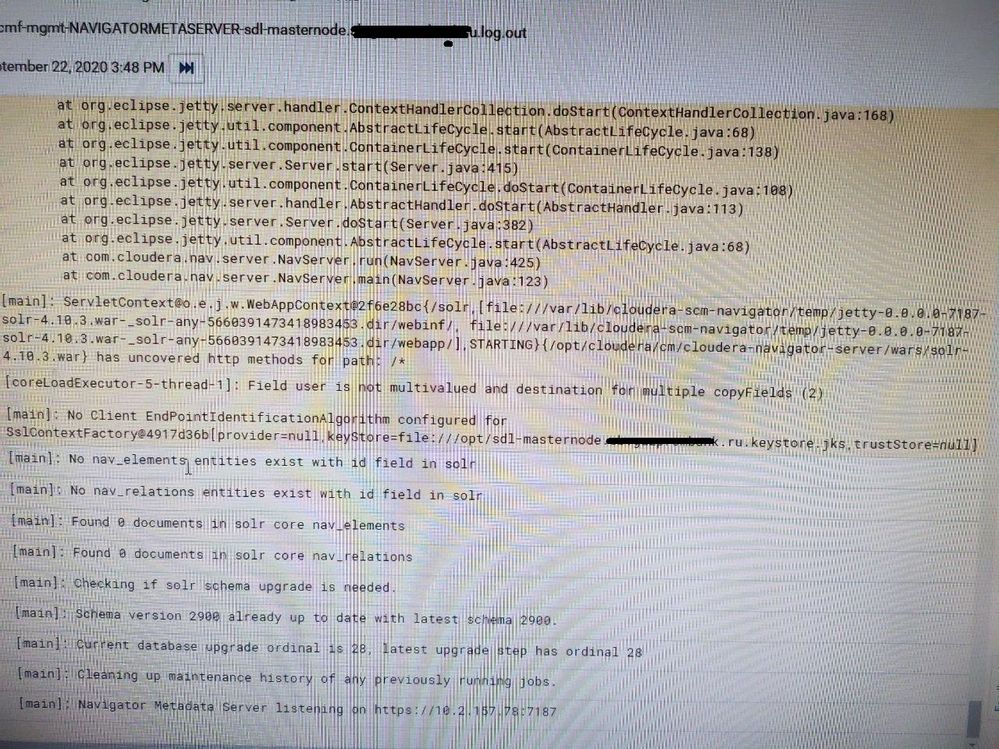
But when I open navigator web ui I see this:


Created 09-24-2020 01:22 AM
- Mark as New
- Bookmark
- Subscribe
- Mute
- Subscribe to RSS Feed
- Permalink
- Report Inappropriate Content
@Yuriy_but You are likely hitting some known issue.
If this is greater than CM 5.15.1 then please follow this step and see.
- From Cloudera Manager, stop Navigator Metadata Server
- On the host where Navigator Metadata Server is installed, navigate to the jars directory:
$ cd /usr/share/cmf/cloudera-navigator-server/jars
- List the contents that start with c3p0:
$ ls c3p0*
The list may include two jar files:c3p0-0.9.1.2.jar c3p0-0.9.5.2.jar
- If the file c3p0-0.9.5.2.jar is present, remove it:
$ rm c3p0-0.9.5.2.jar
- Navigate tothe Navigator wars directory:
$ cd /usr/share/cmf/cloudera-navigator-server/wars/
- Delete the same file c3p0-0.9.5.2.jar from the nav-core-webapp* war file:
$ zip -d nav-core-webapp-2.14.1.war WEB-INF/lib/c3p0-0.9.5.2.jar
- From Cloudera Manager, start Navigator Metadata Server
If this is air-gapped environment (No internet access) then you might need these:
1. Identify IP address of the NMS. (can be gathered in Cloudera Management services->instances->Navigator Metadata Server)
2. Add the following line to the bottom of /etc/hosts on the NMS
127.0.0.1 localhost localhost.localdomain localhost4 localhost4.localdomain4
::1 localhost localhost.localdomain localhost6 localhost6.localdomain6
<NMS_IP_ADDRESS> java.sun.com
3. On NMS, install httpd, depending on your Linux distribution. As this host does not have internet access, you will need to manually import and install rpms.
https://httpd.apache.org/docs/2.4/platform/rpm.html
4. Make a directory for java dtd file, and adjust permissions.
mkdir /var/www/html/dtd; chown 755 /var/www/html/dtd
5. Acquire Java DTD file from the following URL.
http://java.sun.com/dtd/web-app_2_3.dtd
6. Copy the file to /var/www/html/dtd directory on the NMS. Ensure the file is readable by "other".
7. Enable httpd server
sudo systemctl enable httpd; sudo systemctl start httpd
8. Start NMS.
NOTE: httpd must run for each NMS restart, this is not a one-off workaround. Systemctl command should ensure that this is the case. If the above workaround is not possible, a patch is also available from Cloudera Support until this is resolved in an upcoming release of Cloudera Manager.
Cheers!
Was your question answered? Make sure to mark the answer as the accepted solution.
If you find a reply useful, say thanks by clicking on the thumbs up button.
Created 09-24-2020 01:22 AM
- Mark as New
- Bookmark
- Subscribe
- Mute
- Subscribe to RSS Feed
- Permalink
- Report Inappropriate Content
@Yuriy_but You are likely hitting some known issue.
If this is greater than CM 5.15.1 then please follow this step and see.
- From Cloudera Manager, stop Navigator Metadata Server
- On the host where Navigator Metadata Server is installed, navigate to the jars directory:
$ cd /usr/share/cmf/cloudera-navigator-server/jars
- List the contents that start with c3p0:
$ ls c3p0*
The list may include two jar files:c3p0-0.9.1.2.jar c3p0-0.9.5.2.jar
- If the file c3p0-0.9.5.2.jar is present, remove it:
$ rm c3p0-0.9.5.2.jar
- Navigate tothe Navigator wars directory:
$ cd /usr/share/cmf/cloudera-navigator-server/wars/
- Delete the same file c3p0-0.9.5.2.jar from the nav-core-webapp* war file:
$ zip -d nav-core-webapp-2.14.1.war WEB-INF/lib/c3p0-0.9.5.2.jar
- From Cloudera Manager, start Navigator Metadata Server
If this is air-gapped environment (No internet access) then you might need these:
1. Identify IP address of the NMS. (can be gathered in Cloudera Management services->instances->Navigator Metadata Server)
2. Add the following line to the bottom of /etc/hosts on the NMS
127.0.0.1 localhost localhost.localdomain localhost4 localhost4.localdomain4
::1 localhost localhost.localdomain localhost6 localhost6.localdomain6
<NMS_IP_ADDRESS> java.sun.com
3. On NMS, install httpd, depending on your Linux distribution. As this host does not have internet access, you will need to manually import and install rpms.
https://httpd.apache.org/docs/2.4/platform/rpm.html
4. Make a directory for java dtd file, and adjust permissions.
mkdir /var/www/html/dtd; chown 755 /var/www/html/dtd
5. Acquire Java DTD file from the following URL.
http://java.sun.com/dtd/web-app_2_3.dtd
6. Copy the file to /var/www/html/dtd directory on the NMS. Ensure the file is readable by "other".
7. Enable httpd server
sudo systemctl enable httpd; sudo systemctl start httpd
8. Start NMS.
NOTE: httpd must run for each NMS restart, this is not a one-off workaround. Systemctl command should ensure that this is the case. If the above workaround is not possible, a patch is also available from Cloudera Support until this is resolved in an upcoming release of Cloudera Manager.
Cheers!
Was your question answered? Make sure to mark the answer as the accepted solution.
If you find a reply useful, say thanks by clicking on the thumbs up button.


