Our Community is getting an upgrade! To get everything ready for the relaunch, we’ll be placing the site in read-only mode starting September 21st.
We really appreciate your understanding while we get things set up behind the scenes. Catch up on all the exciting details about the move here.
Need help or have questions? Drop us a line at [email protected]
Created on 04-01-2019 03:14 AM - edited 04-01-2019 03:25 AM
Hi there!
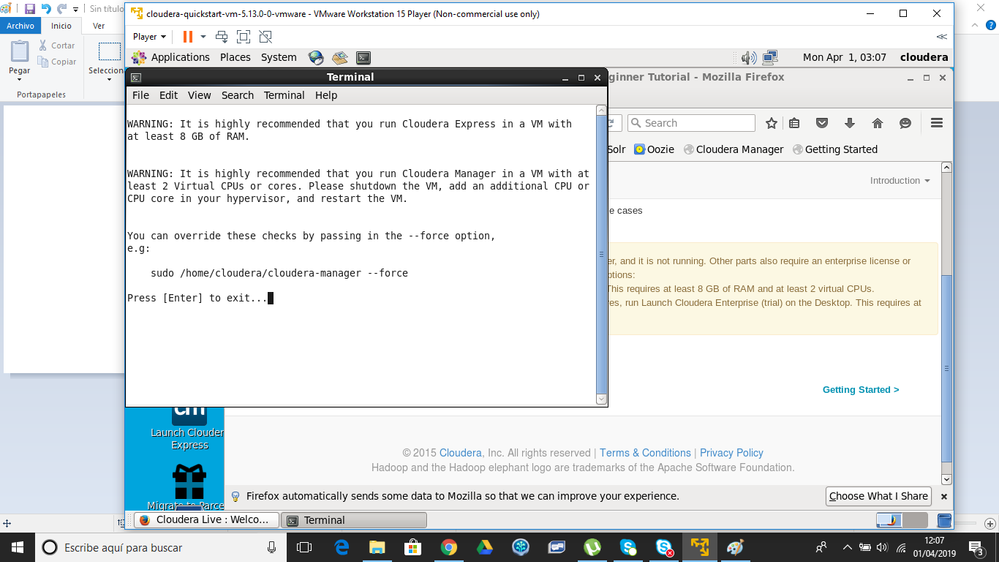
I have different warnings when I try to run Cloudera Express, such as 8 GB Ram, and at least 2 processors...
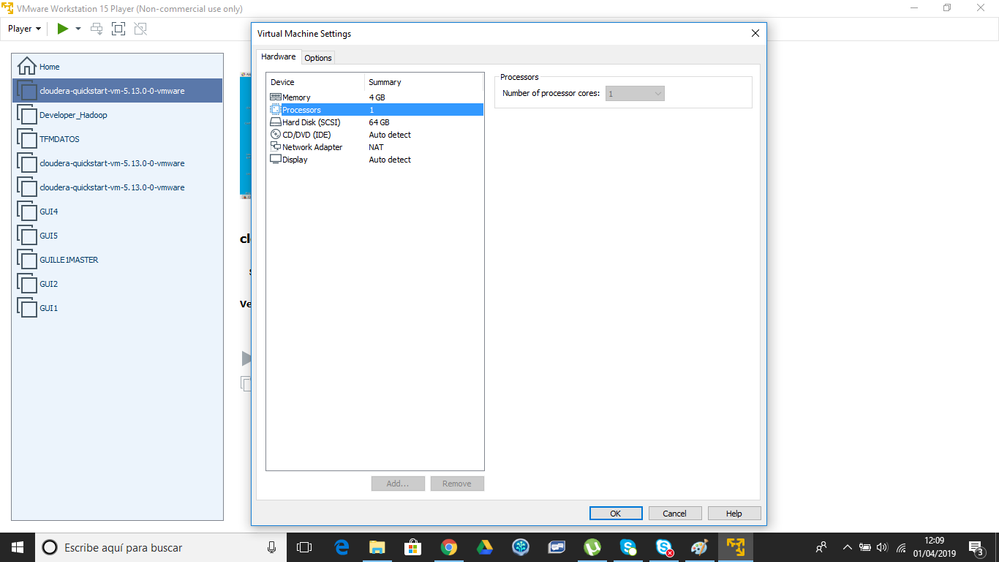
How can I check my configuration settings and in case I have to change it, how can I do it?
Is it disallowed because is it suspended? Do I have to power it off before? Do I have to create a new VM from zero again in order to change the configuration settings?
Thanks in advance!
Created 04-01-2019 09:47 AM
Hi again!
I've already solved it.
I had just to open a new VM and before playing it I configured the settings in order to be able to launch Express version of Cloudera.
2 processors and more than 8GB of RAM.
Hope it helps to others!
Created 04-01-2019 09:47 AM
Hi again!
I've already solved it.
I had just to open a new VM and before playing it I configured the settings in order to be able to launch Express version of Cloudera.
2 processors and more than 8GB of RAM.
Hope it helps to others!
Created 04-02-2019 05:57 AM
Congratulations on solving your issue. To make it easier for others to find an answer, can you mark your reply as the solution?