Our Community is getting an upgrade! To get everything ready for the relaunch, we’ll be placing the site in read-only mode starting September 21st.
We really appreciate your understanding while we get things set up behind the scenes. Catch up on all the exciting details about the move here.
Need help or have questions? Drop us a line at [email protected]

Support Questions

Find answers, ask questions, and share your expertise
Announcements
Share your experience with Cloudera on G2 and get a $25 Amazon Gift card.
Hi, I'm CLEO! Something exciting is coming to the Community. Stay Tuned!

Nifi || Mail || Display csv files content in tabular format.

avatar
Contributor

Hi All,


I have to display the records of csv file over mail body in tabular format using Putmail.


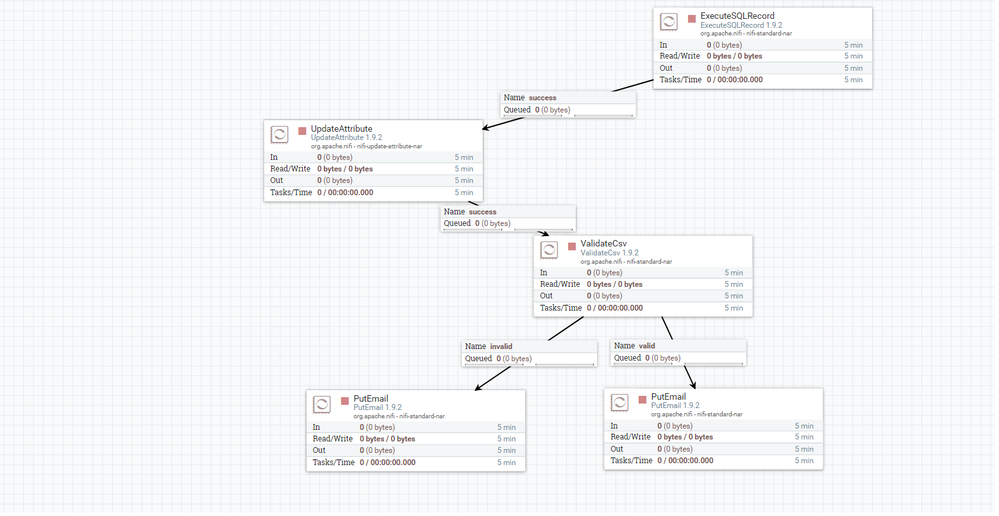
I am extracting records by executing sql which is scheduled at some duration and than forwarding the same using putmail to some specific users.


Can someone please tell me how to display the data of generated csv file in tabular format.current_flow_1.png


1 ACCEPTED SOLUTION

avatar
Super Guru

To get it into a table, you need something like this:


<table><tr><td>
${'$1':replace(',','</td><td>'):replace('\n','</td></tr>\n<tr><td>')}
</td></tr></table>


and it should output an HTML Table like this:


<table><tr><td>
Release Cause</td><td>Previous Count</td><td>Current Count</td><td>Change_Ratio</td><td>SEVERITY</td>
</tr><tr><td>SIP: [487] Request Terminated</td><td>173</td><td>393</td><td>1.271676300578034682</td><td>Critical
</td></tr></table>


You may have to play with the last </td></tr> depending on if you have an empty line on bottom or not.

You may also have to adjust \n to \r\n again depending on the source file actual return chars (not seen they are hidden).


View solution in original post

10 REPLIES 10

avatar
Contributor

Yes Sumita, it worked.