

Problem with nifi login Version 2.in Windows 10 PRO
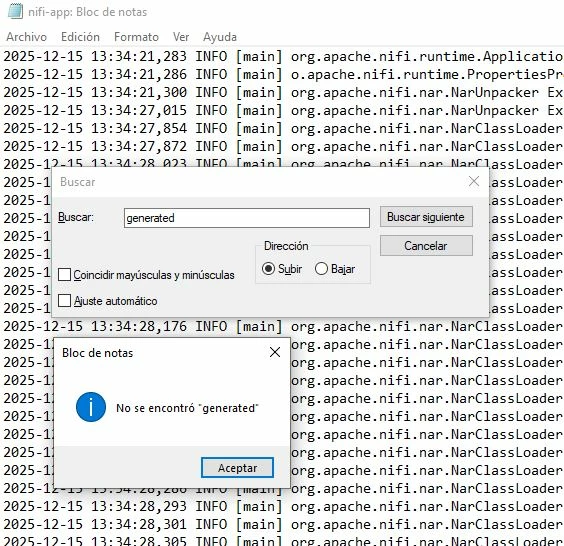 Hello community, greetings again. I'm currently analyzing how to migrate from NIFI 1.11.4 to 2.0. My strategy is to create and export my workflow template to version 1.9.2, which worked correctly. Now, from there, I want to migrate to version 2.0. Using the same method, all of this done locally on Windows, to later install the final version of the NiFi cluster from a Docker image, the problem I encountered is that version 2.0 of NiFi requires a username and password. Upon reviewing comments and documentation on the matter, I see that they indicate extracting the user from the nifi-app.log file, searching for "0" in the "Generated Username" file, but that doesn't appear in my log file, and I also can't find the Windows command to generate the user; I only see it for Linux. My question is, is there any method to generate users in Windows, or is there any... HOW TO DEFINE IT IN THE login-identity-providers.xml FILE?