

SPARK2.3.4 Cds installation issue - spark2 parcel activated hung
I've been trying to install CDS 2.3.4(SPARK2_ON_YARN-2.3.0.cloudera4) on my cluster with CM-5.13.1 + CDH5.13.1, the SPARK2 parcel distributed successfully but activated hung there, what could I do to continue the installation, or how to rollback it ? Appreciate your help!
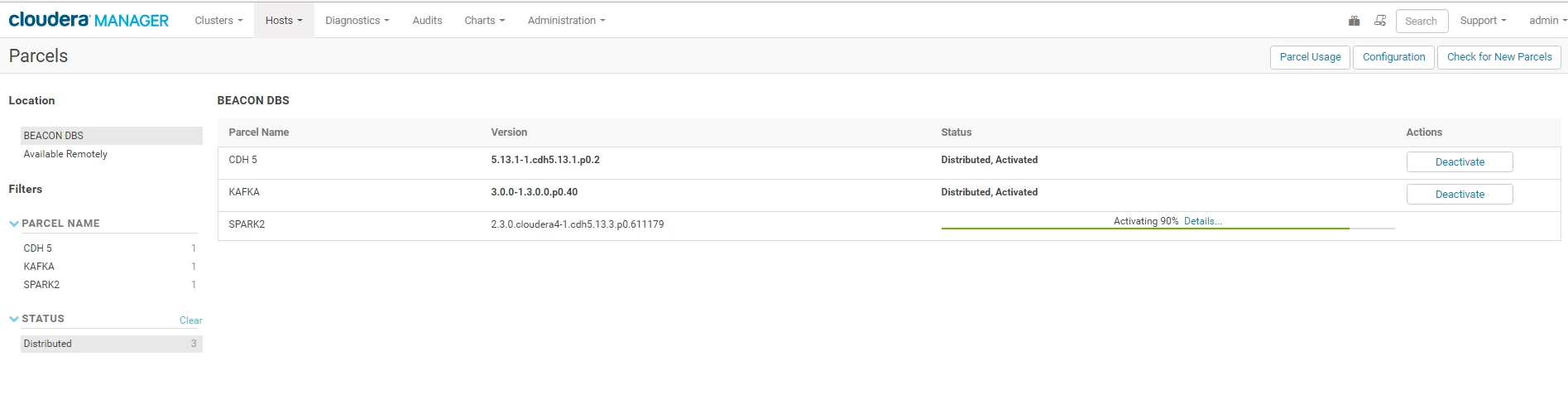
My environment,
- CM-5.13.1
- CDH-5.13.1 installed with parcels
- JDK-1.8.0_144
- Python2.7
- Scala-2.11
SPARK2 csd file and parcel file here,
[root@vm ~]# ls -ltr /opt/cloudera/csd/
total 28
-rw-r--r--. 1 root root 19037 Apr 3 13:58 SPARK2_ON_YARN-2.3.0.cloudera4.jar
[root@vm ~]#

[root@vm ~]# ls -ltr /opt/cloudera/parcel-repo/
total 2140796
-rw-r--r--. 1 root root  191904064 Apr  3 13:57 SPARK2-2.3.0.cloudera4-1.cdh5.13.3.p0.611179-el7.parcel
-rw-r--r--. 1 root root         41 Apr  3 13:57 SPARK2-2.3.0.cloudera4-1.cdh5.13.3.p0.611179-el7.parcel.sha
-rw-r--r--. 1 root root       5171 Apr  3 13:57 manifest.json
-rw-r-----. 1 root root       7521 Apr  3 14:00 SPARK2-2.3.0.cloudera4-1.cdh5.13.3.p0.611179-el7.parcel.torrent
[root@vm ~]#
I've tried the uninstallation steps to rollback the installation, but the SPARK2 parcel always stayed there hung at activated status, what could I do next? Need your help, thanks.

