
- Subscribe to RSS Feed
- Mark Question as New
- Mark Question as Read
- Float this Question for Current User
- Bookmark
- Subscribe
- Mute
- Printer Friendly Page
How to bind http_host to 0.0.0.0 in hue.ini ?
- Labels:
-
Cloudera Hue
-
Cloudera Manager


Created on 07-28-2015 02:16 AM - edited 09-16-2022 02:36 AM
- Mark as New
- Bookmark
- Subscribe
- Mute
- Subscribe to RSS Feed
- Permalink
- Report Inappropriate Content
In cloudera manager HUE configuration web page.
I can't find the "http_host" property, the default value is the server hostname but it bind to the LAN IP instead of 0.0.0.0.
So, i can't access the hue web page via the internet.
How to change the http_host in hue.ini (I want bind it to 0.0.0.0)?



Created 08-06-2015 09:41 AM
- Mark as New
- Bookmark
- Subscribe
- Mute
- Subscribe to RSS Feed
- Permalink
- Report Inappropriate Content
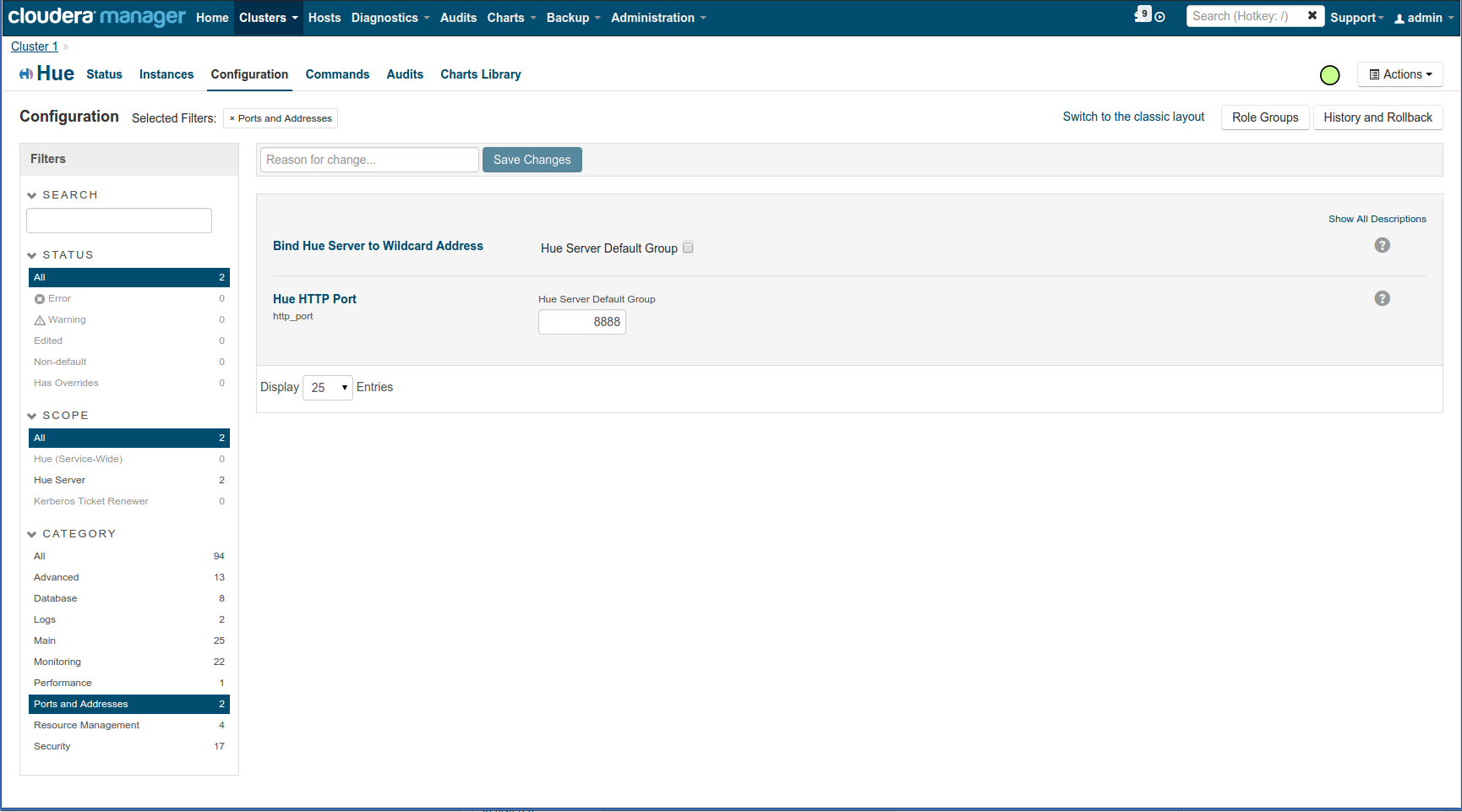
In CM this is what we use in demo.gethue.com
If you bind on 0.0.0.0 and it is not working, your network/host is probably not configured properly (e.g. hadoop101 is not accessible from outside):
Are you on Amazon?
Created 07-28-2015 08:25 AM
- Mark as New
- Bookmark
- Subscribe
- Mute
- Subscribe to RSS Feed
- Permalink
- Report Inappropriate Content
https://github.com/cloudera/hue/blob/master/desktop/conf.dist/hue.ini#L28
Where is your hue.ini? Check out
http://gethue.com/how-to-configure-hue-in-your-hadoop-cluster/
Romain
Created on 08-05-2015 02:15 AM - edited 08-05-2015 02:18 AM
- Mark as New
- Bookmark
- Subscribe
- Mute
- Subscribe to RSS Feed
- Permalink
- Report Inappropriate Content
i can find the hue.ini file in "/var/run/cloudera-scm-agent/process/XXX-hue-HUE_SERVER"
but it just a copy of the current configuration.
the property http_host is bind to the hostname not 0.0.0.0
i'm added "http_host=0.0.0.0" to "Hue Service Advanced Configuration Snippet (Safety Valve) for hue_safety_valve.ini" and "Hue Service Advanced Configuration Snippet (Safety Valve) for hue_safety_valve_server.ini" in CM
but it didn't take any effect. T_T
(just added "http_host=0.0.0.0" to the hue_safety_valve.ini and hue_safety_valve_server.ini, the property "http_host" in hue.ini is still the hostname)
Created 08-05-2015 06:56 AM
- Mark as New
- Bookmark
- Subscribe
- Mute
- Subscribe to RSS Feed
- Permalink
- Report Inappropriate Content
But if you see 0.0.0.0 already on the /dump_config page of Hue in the
[desktop] section it means it is setup correctly.
Did you check the firewall if it was not blocked from the outside?
Romain
Created 08-05-2015 06:29 PM
- Mark as New
- Bookmark
- Subscribe
- Mute
- Subscribe to RSS Feed
- Permalink
- Report Inappropriate Content
the property value in dump_config page is the same as hue.ini
the firewall has been closed
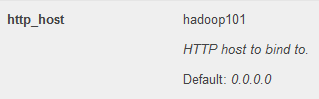
hadoop101 is the hostname
Created 08-06-2015 09:41 AM
- Mark as New
- Bookmark
- Subscribe
- Mute
- Subscribe to RSS Feed
- Permalink
- Report Inappropriate Content
In CM this is what we use in demo.gethue.com
If you bind on 0.0.0.0 and it is not working, your network/host is probably not configured properly (e.g. hadoop101 is not accessible from outside):
Are you on Amazon?
Created 08-06-2015 08:31 PM
- Mark as New
- Bookmark
- Subscribe
- Mute
- Subscribe to RSS Feed
- Permalink
- Report Inappropriate Content
aha.... the property "Bind Hue Server to Wildcard Address" is the solution...
thank you very much.~~ 🙂


