
Our Community is getting an upgrade! To get everything ready for the relaunch, we’ll be placing the site in read-only mode starting September 21st.
We really appreciate your understanding while we get things set up behind the scenes. Catch up on all the exciting details about the move here.
Need help or have questions? Drop us a line at [email protected]

Archives of Support Questions (Read Only)
- Cloudera Community
- Board Archive
- Archives of Support Questions (Read Only)
- Can Ambari server and agent run on same host ?
- Subscribe to RSS Feed
- Mark Question as New
- Mark Question as Read
- Float this Question for Current User
- Bookmark
- Subscribe
- Mute
- Printer Friendly Page
- Subscribe to RSS Feed
- Mark Question as New
- Mark Question as Read
- Float this Question for Current User
- Bookmark
- Subscribe
- Mute
- Printer Friendly Page
Can Ambari server and agent run on same host ?
- Labels:
-
Apache Ambari


Created 01-14-2016 06:05 AM
- Mark as New
- Bookmark
- Subscribe
- Mute
- Subscribe to RSS Feed
- Permalink
- Report Inappropriate Content
Hello,
I am a newbie to horton and ambari. I am trying to make a 2 node hadoop cluster with physical server.
I am thinking of using Ambari to do provisioning. However since i only have 2 nodes, can i use Ambari server and ambari-agent on same node?
Right now if i do that, ambari-agent fails to startup and gives java unknown host exception . when i used FQDN
Thanks


Created 01-14-2016 06:31 AM
- Mark as New
- Bookmark
- Subscribe
- Mute
- Subscribe to RSS Feed
- Permalink
- Report Inappropriate Content
Yes thats possible and necessary if you want to add services to your Ambari-server node.
How does your Ambari Agent configuration look like?
Make sure you have prepared the environment according to http://docs.hortonworks.com/HDPDocuments/Ambari-2.1.2.1/bk_Installing_HDP_AMB/content/_prepare_the_e..., especially DNS settings.
Created 02-04-2016 06:29 AM
- Mark as New
- Bookmark
- Subscribe
- Mute
- Subscribe to RSS Feed
- Permalink
- Report Inappropriate Content
Thanks Geoffrey for the reply.
Nodes hostname are krplhadoop,kaimrc and krplhadoop2.kaimrc .
tail -f /var/log/ambar-server/ambari-server.log
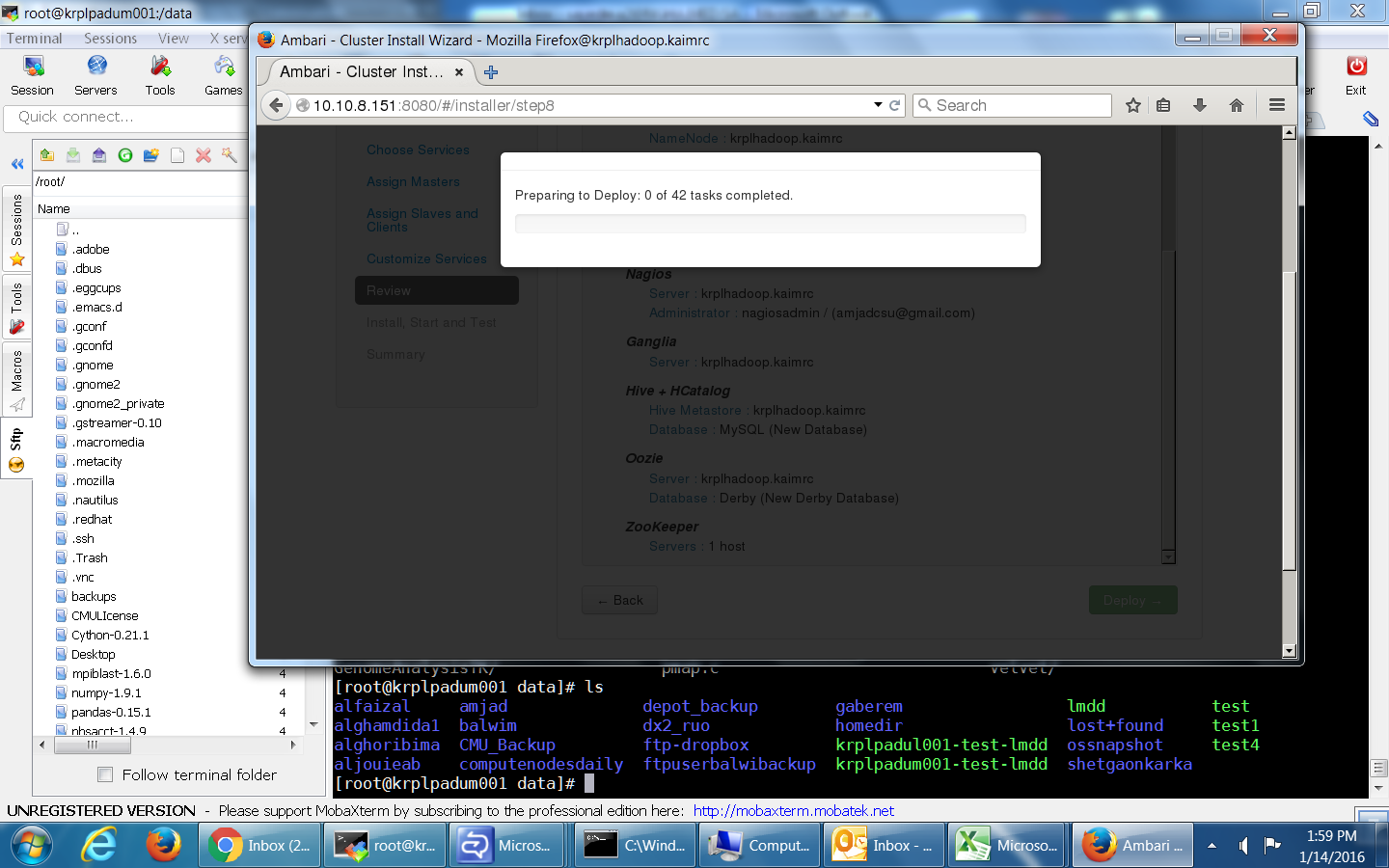
08:19:01,618 INFO HeartBeatHandler:108 - Received heartbeat from host, hostname=krplhadoop2.kaimrc, currentResponseId=25038, receivedResponseId=25038 08:19:01,618 INFO AgentResource:109 - Sending heartbeat response with response id 25039 08:19:11,579 INFO


Created 02-15-2016 07:13 AM
- Mark as New
- Bookmark
- Subscribe
- Mute
- Subscribe to RSS Feed
- Permalink
- Report Inappropriate Content
@Majid Ali Syed Amjad Ali Sayed
Did you check all the above steps ignoring any will cause your deployment to stall!

Created 02-03-2016 02:59 PM
- Mark as New
- Bookmark
- Subscribe
- Mute
- Subscribe to RSS Feed
- Permalink
- Report Inappropriate Content
@Majid Ali Syed Amjad Ali Sayed
please post the results of the following command:
hostname -f
then post the contents of /etc/ambari-agent/conf/ambari-agent.ini
Created 02-04-2016 06:33 AM
- Mark as New
- Bookmark
- Subscribe
- Mute
- Subscribe to RSS Feed
- Permalink
- Report Inappropriate Content
hostname -f
krplhadoop.kaimrc
hostname -f
krplhadoop2.kaimrc
There is no file that is /etc/ambari-server/conf/ambari-server.ini
Created 02-04-2016 09:27 AM
- Mark as New
- Bookmark
- Subscribe
- Mute
- Subscribe to RSS Feed
- Permalink
- Report Inappropriate Content
Sorry, my mistake, I edited the question. Please paste the contents of 2nd command
Created 02-04-2016 10:54 AM
- Mark as New
- Bookmark
- Subscribe
- Mute
- Subscribe to RSS Feed
- Permalink
- Report Inappropriate Content
Artem attaching the contents of 2 command
Created 02-04-2016 10:55 AM
- Mark as New
- Bookmark
- Subscribe
- Mute
- Subscribe to RSS Feed
- Permalink
- Report Inappropriate Content
@Majid Ali Syed Amjad Ali Sayed can you post the first 20 lines, I want to see your server proprties
Created 02-04-2016 11:02 AM
- Mark as New
- Bookmark
- Subscribe
- Mute
- Subscribe to RSS Feed
- Permalink
- Report Inappropriate Content
Licensed to the Apache Software Foundation (ASF) under one or more # contributor license agreements. See the NOTICE file distributed with # this work for additional information regarding copyright ownership.
# The ASF licenses this file to You under the Apache License, Version 2.0 # (the "License"); you may not use this file except in compliance with # the License. You may obtain a copy of the License at
# # http://www.apache.org/licenses/LICENSE-2.0 # #
Unless required by applicable law or agreed to in writing, software # distributed under the License is distributed on an "AS IS" BASIS, # WITHOUT WARRANTIES OR CONDITIONS OF ANY KIND, either express or implied. # See the License for the specific
[server]
hostname=krplhadoop.kaimrc
url_port=8440
secured_url_port=8441
Created 02-04-2016 11:06 AM
- Mark as New
- Bookmark
- Subscribe
- Mute
- Subscribe to RSS Feed
- Permalink
- Report Inappropriate Content
Now paste output of /etc/hosts @Majid Ali Syed Amjad Ali Sayed
Created 02-04-2016 11:10 AM
- Mark as New
- Bookmark
- Subscribe
- Mute
- Subscribe to RSS Feed
- Permalink
- Report Inappropriate Content
127.0.0.1 localhost localhost.localdomain localhost4 localhost4.localdomain4
::1 localhost localhost.localdomain localhost6 localhost6.localdomain6
10.10.8.151 krplhadoop.kaimrc
10.10.8.152 krplhadoop2.kaimrc


