
Our Community is getting an upgrade! To get everything ready for the relaunch, we’ll be placing the site in read-only mode starting September 21st.
We really appreciate your understanding while we get things set up behind the scenes. Catch up on all the exciting details about the move here.
Need help or have questions? Drop us a line at [email protected]

Archives of Support Questions (Read Only)
- Cloudera Community
- Board Archive
- Archives of Support Questions (Read Only)
- Re: [Closed] : How to store output of shell script...
- Subscribe to RSS Feed
- Mark Question as New
- Mark Question as Read
- Float this Question for Current User
- Bookmark
- Subscribe
- Mute
- Printer Friendly Page
- Subscribe to RSS Feed
- Mark Question as New
- Mark Question as Read
- Float this Question for Current User
- Bookmark
- Subscribe
- Mute
- Printer Friendly Page
[Closed] : How to store output of shell script in HDFS
- Labels:
-
Apache Hadoop


Created on 06-15-2018 11:07 AM - edited 08-17-2019 05:51 PM
- Mark as New
- Bookmark
- Subscribe
- Mute
- Subscribe to RSS Feed
- Permalink
- Report Inappropriate Content
HI All,
I have a shell script on HDFS as well as the locally named script.sh contains echo Hi.
I could execute the script.sh file on locally and store output on locally of course.
But I want to execute script.sh file (wherever on local or on HDFS) and store output on HDFS.
I have done following;
script.sh
#!/bin/bash
echo "`date` hi" > /tmp/output
bash script.sh
above command ran successfully. but if I changed the output path it is giving me an error that ;
script.sh: line 2: hdfs://<host>:<port>/user/oozie/output/shell: No such file or directory
#!/bin/bash
echo "`date` hi" > hdfs://<HOST>:<PORT>/user/oozie/output/shell
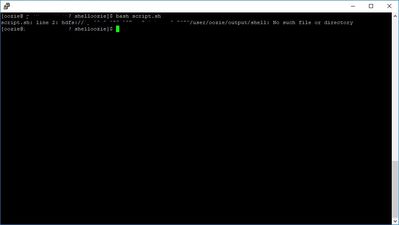
Kindly help me for this.
Thank you,
Jay.


Created 06-15-2018 11:58 AM
- Mark as New
- Bookmark
- Subscribe
- Mute
- Subscribe to RSS Feed
- Permalink
- Report Inappropriate Content
You cannot directly write the output of echo to hdfs file. Instead you can do like below
echo "`date` hi" > /tmp/output ; hdfs dfs -appendToFile /tmp/output /tmp/abc.txt
.
-Aditya
Created 06-15-2018 11:58 AM
- Mark as New
- Bookmark
- Subscribe
- Mute
- Subscribe to RSS Feed
- Permalink
- Report Inappropriate Content
You cannot directly write the output of echo to hdfs file. Instead you can do like below
echo "`date` hi" > /tmp/output ; hdfs dfs -appendToFile /tmp/output /tmp/abc.txt
.
-Aditya
Created 06-16-2018 06:28 AM
- Mark as New
- Bookmark
- Subscribe
- Mute
- Subscribe to RSS Feed
- Permalink
- Report Inappropriate Content
Thank you Aditya. Your observation worked for me.
NOTE:
echo "`date` hi">/tmp/output ; hdfs dfs -appendToFile <local_directory_path> <hdfs_directory_path>
Regards,
Jay.


Created 12-27-2018 04:04 PM
- Mark as New
- Bookmark
- Subscribe
- Mute
- Subscribe to RSS Feed
- Permalink
- Report Inappropriate Content
This can be done without first writing to local disk...
echo "`date` hi" | hdfs dfs -appendToFile - /tmp/abc.txt
The hyphen "-" reads from stdin


Created 02-07-2019 06:18 PM
- Mark as New
- Bookmark
- Subscribe
- Mute
- Subscribe to RSS Feed
- Permalink
- Report Inappropriate Content
Awesome!!!


