
Our Community is getting an upgrade! To get everything ready for the relaunch, we’ll be placing the site in read-only mode starting September 21st.
We really appreciate your understanding while we get things set up behind the scenes. Catch up on all the exciting details about the move here.
Need help or have questions? Drop us a line at [email protected]

Archives of Support Questions (Read Only)
- Cloudera Community
- Board Archive
- Archives of Support Questions (Read Only)
- Cloudera scm server unable to start
- Subscribe to RSS Feed
- Mark Question as New
- Mark Question as Read
- Float this Question for Current User
- Bookmark
- Subscribe
- Mute
- Printer Friendly Page
- Subscribe to RSS Feed
- Mark Question as New
- Mark Question as Read
- Float this Question for Current User
- Bookmark
- Subscribe
- Mute
- Printer Friendly Page
Cloudera scm server unable to start
- Labels:
-
Cloudera Manager


Created on 03-07-2016 11:51 PM - edited 09-16-2022 03:07 AM
- Mark as New
- Bookmark
- Subscribe
- Mute
- Subscribe to RSS Feed
- Permalink
- Report Inappropriate Content
Hi there,
I have been using centos 7 and database for my cloudera manager is postgresql.My project is in secure enviornment where there is no internet connection so I choosed path C for my installtion using tarball.I got stucked at one point my server is unable to start following is the screenshots of cloudera-scm-server log file where there are two problems :
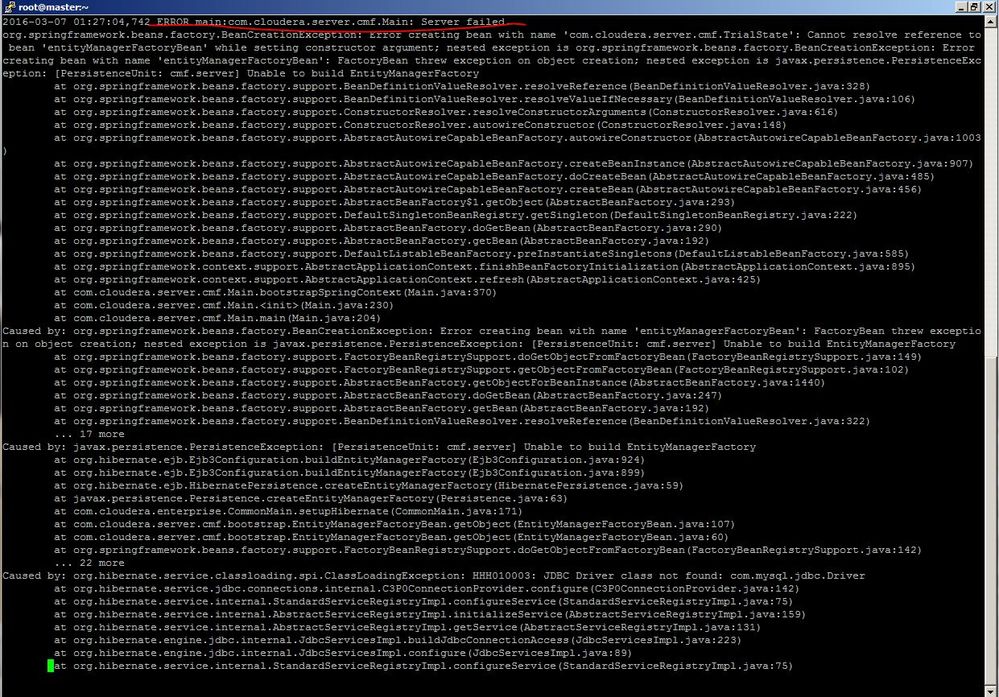
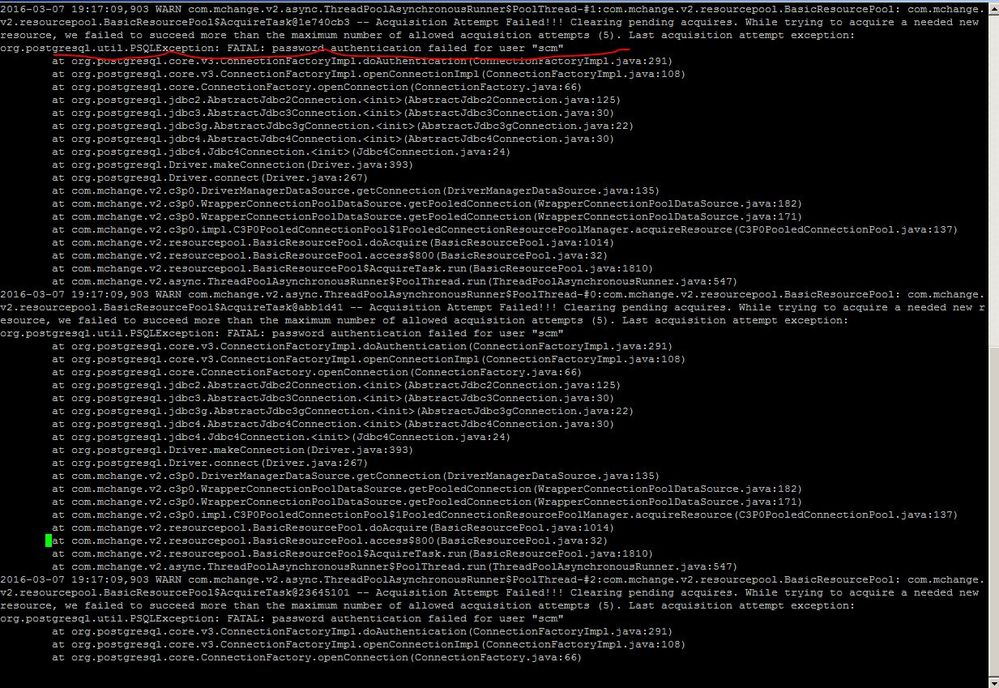
Please anyone suggest me what can be done to make this work I am breaking my head to make this work
????
Created 03-08-2016 07:00 PM
- Mark as New
- Bookmark
- Subscribe
- Mute
- Subscribe to RSS Feed
- Permalink
- Report Inappropriate Content
You need to check scm db user name password. Collect details from /etc/cloudera-scm-server/db.properties and take user name password. Try to connect postgres if it doesnt work you need to modify pg_hba.conf


Created 03-08-2016 03:31 PM
- Mark as New
- Bookmark
- Subscribe
- Mute
- Subscribe to RSS Feed
- Permalink
- Report Inappropriate Content
I'd suggest you not to count on community members being able to see anything in the screenshots you sent (;
Please copy/paste the log.
Ilya
Created 03-08-2016 07:00 PM
- Mark as New
- Bookmark
- Subscribe
- Mute
- Subscribe to RSS Feed
- Permalink
- Report Inappropriate Content
You need to check scm db user name password. Collect details from /etc/cloudera-scm-server/db.properties and take user name password. Try to connect postgres if it doesnt work you need to modify pg_hba.conf


