
Our Community is getting an upgrade! To get everything ready for the relaunch, we’ll be placing the site in read-only mode starting September 21st.
We really appreciate your understanding while we get things set up behind the scenes. Catch up on all the exciting details about the move here.
Need help or have questions? Drop us a line at [email protected]

Archives of Support Questions (Read Only)
- Cloudera Community
- Board Archive
- Archives of Support Questions (Read Only)
- Re: How do i set java heap size for Secondary Name...
- Subscribe to RSS Feed
- Mark Question as New
- Mark Question as Read
- Float this Question for Current User
- Bookmark
- Subscribe
- Mute
- Printer Friendly Page
- Subscribe to RSS Feed
- Mark Question as New
- Mark Question as Read
- Float this Question for Current User
- Bookmark
- Subscribe
- Mute
- Printer Friendly Page
How do i set java heap size for Secondary Name Node
- Labels:
-
Cloudera Manager


Created on 12-18-2013 10:40 AM - edited 09-16-2022 01:51 AM
- Mark as New
- Bookmark
- Subscribe
- Mute
- Subscribe to RSS Feed
- Permalink
- Report Inappropriate Content
Hi - when I had a config warning for java heap on Name Node, i was taken to a settings page (withing cloudera manager) to change the settings.
I forgot to change the Secondary Name Node heap size to match and now I can't seem to get back to that settings page.
Appreciate any help.
Thanks,
BC



Created 12-18-2013 11:47 AM
- Mark as New
- Bookmark
- Subscribe
- Mute
- Subscribe to RSS Feed
- Permalink
- Report Inappropriate Content
Hi BC,
Click on HDFS, then on Configuration -> View and Edit, then look for the secondary name node heap. The easiest way to find it is to enter "heap" or maybe "secondary heap" into the search box on the left. You can also navigate the config groups and categories on the left to find it under Secondary NameNode -> Resource Management.
Thanks,
Darren
Created 12-18-2013 12:49 PM
- Mark as New
- Bookmark
- Subscribe
- Mute
- Subscribe to RSS Feed
- Permalink
- Report Inappropriate Content
It looks like you tried to put up a picture, but it isn't displaying.
Did you try using the search box on the left?
I'm guessing you are just not clicking in the right group / category on the left, or not using the search box.
Created 12-18-2013 11:47 AM
- Mark as New
- Bookmark
- Subscribe
- Mute
- Subscribe to RSS Feed
- Permalink
- Report Inappropriate Content
Hi BC,
Click on HDFS, then on Configuration -> View and Edit, then look for the secondary name node heap. The easiest way to find it is to enter "heap" or maybe "secondary heap" into the search box on the left. You can also navigate the config groups and categories on the left to find it under Secondary NameNode -> Resource Management.
Thanks,
Darren
Created 12-18-2013 12:12 PM
- Mark as New
- Bookmark
- Subscribe
- Mute
- Subscribe to RSS Feed
- Permalink
- Report Inappropriate Content
Thanks, but none of those bring up the heap space parameter.
The only config option i get for secondary name node is:
"HDFS Checkpoint Directory"
Weird.
Is there perhaps a link i can use within CM to get to these settings?
Thanks
Created 12-18-2013 12:24 PM
- Mark as New
- Bookmark
- Subscribe
- Mute
- Subscribe to RSS Feed
- Permalink
- Report Inappropriate Content
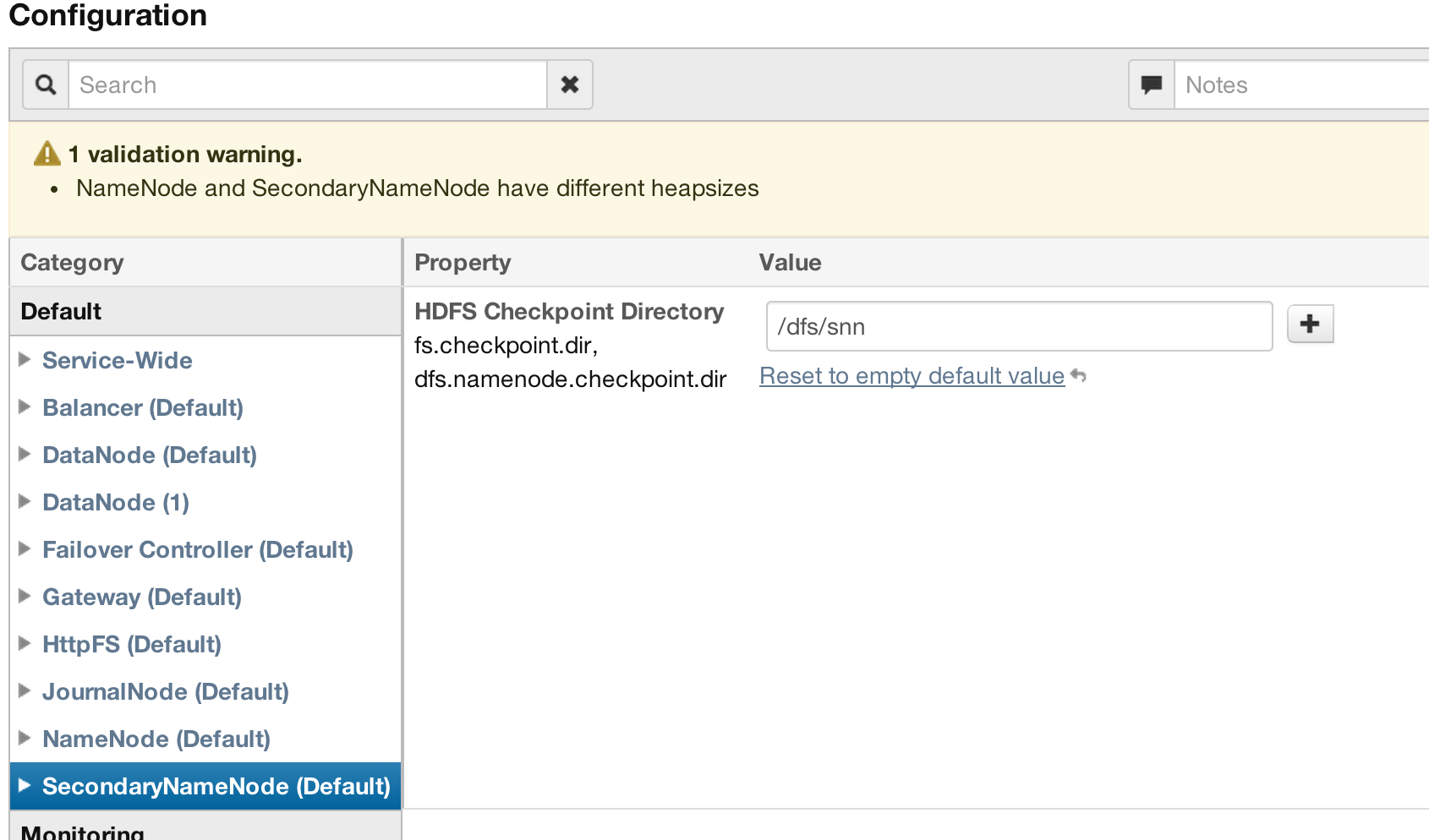
Created 12-18-2013 12:49 PM
- Mark as New
- Bookmark
- Subscribe
- Mute
- Subscribe to RSS Feed
- Permalink
- Report Inappropriate Content
It looks like you tried to put up a picture, but it isn't displaying.
Did you try using the search box on the left?
I'm guessing you are just not clicking in the right group / category on the left, or not using the search box.
Created 12-18-2013 12:52 PM
- Mark as New
- Bookmark
- Subscribe
- Mute
- Subscribe to RSS Feed
- Permalink
- Report Inappropriate Content
ohhhh the search box on the left 
I missed that somehow. Thanks very much!
Created 12-18-2013 01:00 PM
- Mark as New
- Bookmark
- Subscribe
- Mute
- Subscribe to RSS Feed
- Permalink
- Report Inappropriate Content


