
Archives of Support Questions (Read Only)
- Cloudera Community
- Board Archive
- Archives of Support Questions (Read Only)
- Re: NIFI : weird situation about data provenance
- Subscribe to RSS Feed
- Mark Question as New
- Mark Question as Read
- Float this Question for Current User
- Bookmark
- Subscribe
- Mute
- Printer Friendly Page
- Subscribe to RSS Feed
- Mark Question as New
- Mark Question as Read
- Float this Question for Current User
- Bookmark
- Subscribe
- Mute
- Printer Friendly Page
NIFI : weird situation about data provenance
- Labels:
-
Apache NiFi


Created on 03-16-2017 03:24 PM - edited 08-18-2019 04:59 AM
- Mark as New
- Bookmark
- Subscribe
- Mute
- Subscribe to RSS Feed
- Permalink
- Report Inappropriate Content
Hi all,
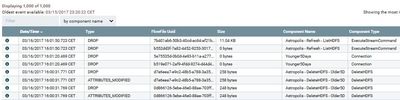
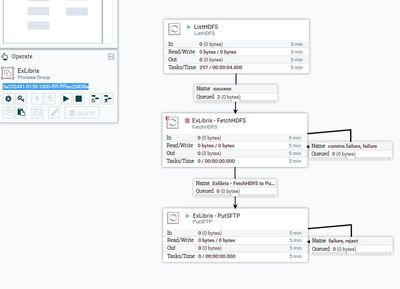
There are something strange with data provenance of listHDFS (name listHDFS) processor in process group ExLibris.
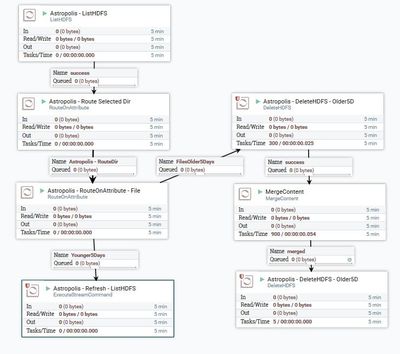
When I see the data provenance of this processor and i'm suprising that it is talk about the component that is outside of this process group. The data provenance seems get info from process group AutoClean.
I think it is more clear with these images :
data provenance of listHDFS from process group EXLIBRIS, in the data provenance we can see about component come from AUTOCLEAN dataflow !
process group AUTOCLEAN


Created on 03-16-2017 03:50 PM - edited 08-18-2019 04:58 AM
- Mark as New
- Bookmark
- Subscribe
- Mute
- Subscribe to RSS Feed
- Permalink
- Report Inappropriate Content
How are you executing your provenance query?
Are you selecting "Data Provenance" from within the hamburger menu in the upper right of the Ui or are you selecting "Data provenance" from the context menu that appears by right clicking on your listHDFS processor?
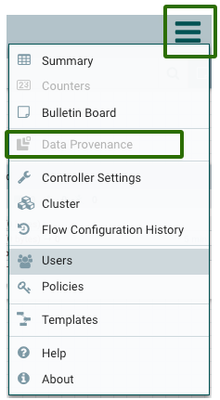
The above performs a global provenance query of all your dataflows by default unless you add a filter.
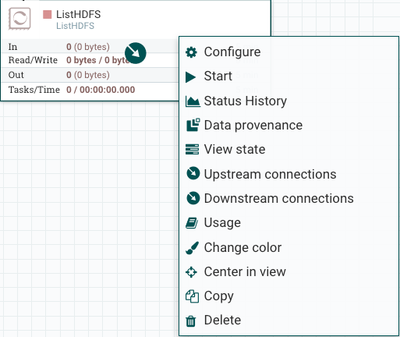
triggering a provenance query through a specific components context menu will add a filter based upon that components UUID.
Thanks,
Matt
Created on 03-16-2017 03:50 PM - edited 08-18-2019 04:58 AM
- Mark as New
- Bookmark
- Subscribe
- Mute
- Subscribe to RSS Feed
- Permalink
- Report Inappropriate Content
How are you executing your provenance query?
Are you selecting "Data Provenance" from within the hamburger menu in the upper right of the Ui or are you selecting "Data provenance" from the context menu that appears by right clicking on your listHDFS processor?
The above performs a global provenance query of all your dataflows by default unless you add a filter.
triggering a provenance query through a specific components context menu will add a filter based upon that components UUID.
Thanks,
Matt
Created 03-16-2017 04:01 PM
- Mark as New
- Bookmark
- Subscribe
- Mute
- Subscribe to RSS Feed
- Permalink
- Report Inappropriate Content
@Matt Clarke : thanks 🙂


