
Our Community is getting an upgrade! To get everything ready for the relaunch, we’ll be placing the site in read-only mode starting September 21st.
We really appreciate your understanding while we get things set up behind the scenes. Catch up on all the exciting details about the move here.
Need help or have questions? Drop us a line at [email protected]

Archives of Support Questions (Read Only)
- Cloudera Community
- Board Archive
- Archives of Support Questions (Read Only)
- Re: This alert is used to ensure that the Ranger A...
- Subscribe to RSS Feed
- Mark Question as New
- Mark Question as Read
- Float this Question for Current User
- Bookmark
- Subscribe
- Mute
- Printer Friendly Page
- Subscribe to RSS Feed
- Mark Question as New
- Mark Question as Read
- Float this Question for Current User
- Bookmark
- Subscribe
- Mute
- Printer Friendly Page
This alert is used to ensure that the Ranger Admin password in Ambari is correct.
- Labels:
-
Apache Ranger


Created 02-27-2016 10:31 PM
- Mark as New
- Bookmark
- Subscribe
- Mute
- Subscribe to RSS Feed
- Permalink
- Report Inappropriate Content
Getting Alert: amb_user_admin credentials in Ambari UI is not in sync with Ranger.
Where can I make them in Sync..


Created 02-27-2016 11:46 PM
- Mark as New
- Bookmark
- Subscribe
- Mute
- Subscribe to RSS Feed
- Permalink
- Report Inappropriate Content
@Prakash Punj See this http://docs.hortonworks.com/HDPDocuments/HDP2/HDP-2.3.4/bk_Ranger_Install_Guide/content/updating_ran...
Read it carefully.
There are 2 settings
- Ranger Admin user -- The credentials for this user are set in Configs > Advanced ranger-env in the fields labeledadmin_username (default value:
admin) and admin_password (default value:admin). - Admin user used by Ambari to create repo/policies -- The user name for this user is set in Configs > Admin Settings in the field labeled Ranger Admin username for Ambari (default value:
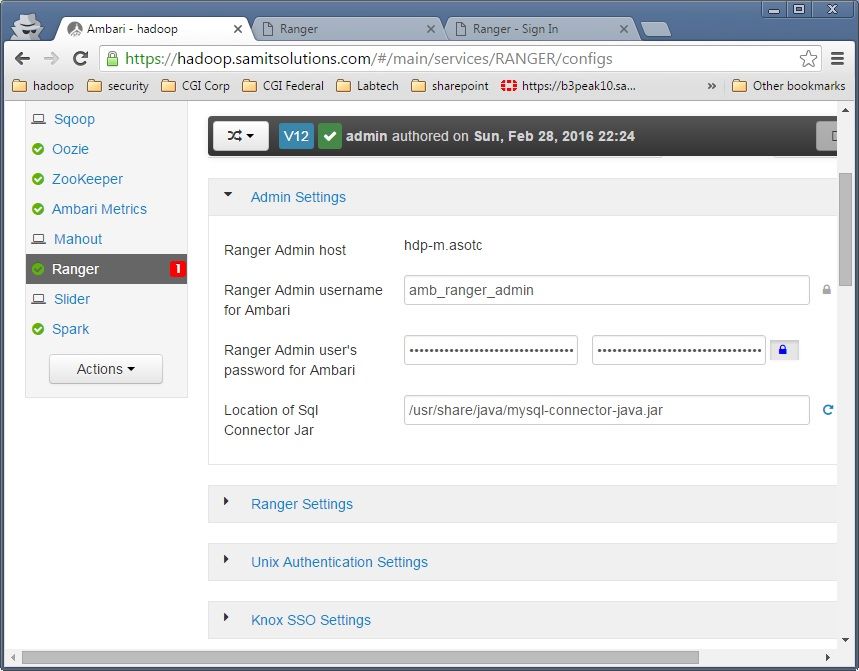
amb_ranger_admin). The password for this user is set in the field labeled Ranger Admin user's password for Ambari. This password is specified during the Ranger installation.


Created 02-29-2016 01:28 AM
- Mark as New
- Bookmark
- Subscribe
- Mute
- Subscribe to RSS Feed
- Permalink
- Report Inappropriate Content
I was getting same alert, ambari 2.2.0, hdp 2.3.4. I updated both passwords (admin and amb_user_admin), alert turned green after few minutes.


Created 03-11-2017 10:15 PM
- Mark as New
- Bookmark
- Subscribe
- Mute
- Subscribe to RSS Feed
- Permalink
- Report Inappropriate Content
Neeraj, do you mean amb_ranger_admin ?
Created on 02-29-2016 03:33 AM - edited 08-18-2019 04:51 AM
- Mark as New
- Bookmark
- Subscribe
- Mute
- Subscribe to RSS Feed
- Permalink
- Report Inappropriate Content
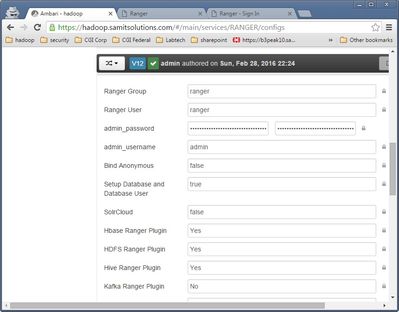
I made sure all the following account password is same:
Ambari account for admin / password

In the Advanced config of ranger service (screen shot)

Ranger Interface:  Admin: admin / password

Created 04-27-2018 12:51 PM
- Mark as New
- Bookmark
- Subscribe
- Mute
- Subscribe to RSS Feed
- Permalink
- Report Inappropriate Content
Even i faced the same problem while upgrading the HDP version.
I just logged into Ranger UI as admin user, and in the user section i reset the same password for "admin" and "amb_ranger_admin" users and restarted ranger service. This worked for me.

- « Previous
-
- 1
- 2
- Next »

