
Our Community is getting an upgrade! To get everything ready for the relaunch, we’ll be placing the site in read-only mode starting September 21st.
We really appreciate your understanding while we get things set up behind the scenes. Catch up on all the exciting details about the move here.
Need help or have questions? Drop us a line at [email protected]

Archives of Support Questions (Read Only)
- Cloudera Community
- Board Archive
- Archives of Support Questions (Read Only)
- Re: When trying to install cluster via Ambari it's...
- Subscribe to RSS Feed
- Mark Question as New
- Mark Question as Read
- Float this Question for Current User
- Bookmark
- Subscribe
- Mute
- Printer Friendly Page
- Subscribe to RSS Feed
- Mark Question as New
- Mark Question as Read
- Float this Question for Current User
- Bookmark
- Subscribe
- Mute
- Printer Friendly Page
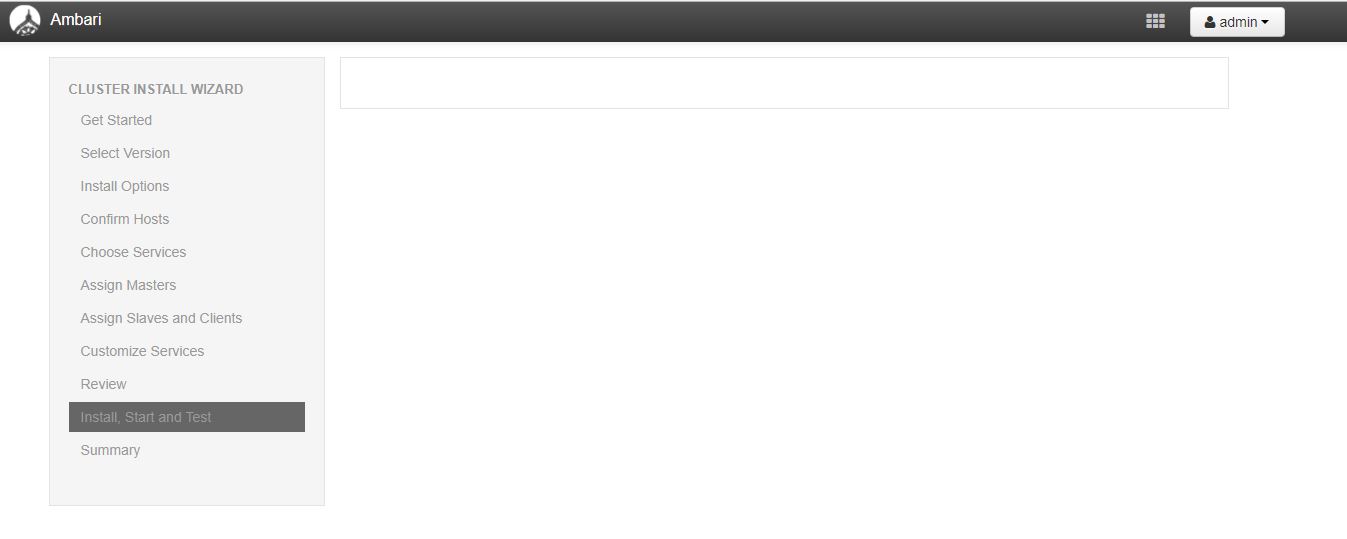
When trying to install cluster via Ambari it's stopping blank at the step 9 (Install, Start and Test step). Any suggestions on why it's tuck at that step?
- Labels:
-
Apache Ambari


Created 09-15-2017 03:54 PM
- Mark as New
- Bookmark
- Subscribe
- Mute
- Subscribe to RSS Feed
- Permalink
- Report Inappropriate Content



Created 09-15-2017 05:43 PM
- Mark as New
- Bookmark
- Subscribe
- Mute
- Subscribe to RSS Feed
- Permalink
- Report Inappropriate Content
Hi @ajay vembu
I haven't seen this yet, are there any details in the ambari log files that would help narrow down the issue? If you want to try again, you can perhaps stop/start the ambari-server. If it happens again, it might be a good idea to clear it and start over:
ambari-server stop
ambari-server reset, then follow prompts
ambari-server start
Created 09-15-2017 05:43 PM
- Mark as New
- Bookmark
- Subscribe
- Mute
- Subscribe to RSS Feed
- Permalink
- Report Inappropriate Content
Hi @ajay vembu
I haven't seen this yet, are there any details in the ambari log files that would help narrow down the issue? If you want to try again, you can perhaps stop/start the ambari-server. If it happens again, it might be a good idea to clear it and start over:
ambari-server stop
ambari-server reset, then follow prompts
ambari-server start
Created 09-18-2017 07:25 PM
- Mark as New
- Bookmark
- Subscribe
- Mute
- Subscribe to RSS Feed
- Permalink
- Report Inappropriate Content
hi @Sonu Sahi : After reseting the Ambari I was able to get back the installation screen again. Thanks
Created 09-18-2017 07:47 PM
- Mark as New
- Bookmark
- Subscribe
- Mute
- Subscribe to RSS Feed
- Permalink
- Report Inappropriate Content
@ajay vembu Awesome, glad to hear. Best of luck with the remainder of the installation.


Created 09-15-2017 06:14 PM
- Mark as New
- Bookmark
- Subscribe
- Mute
- Subscribe to RSS Feed
- Permalink
- Report Inappropriate Content
Can you copy the URL open another window and replace 9 by 8 and hit enter to go back a step and see the reaction

Created 09-15-2017 09:02 PM
- Mark as New
- Bookmark
- Subscribe
- Mute
- Subscribe to RSS Feed
- Permalink
- Report Inappropriate Content
Please post the error messages that you see in the web console. Right click anywhere on the page and click "Inspect" in Google Chrome to open Inspector. Clicking on console tab should show messages logged there.


