Archives of Support Questions (Read Only)

This is an archived board for historical reference. Information and links may no longer be available or relevant
Announcements
This board is archived and read-only for historical reference. To ask a new question, please post a new topic on the appropriate active board.

cloudera-quickstart-vm-5.8.0-0-vmware - Unable to launch on Windows 10

avatar
Explorer

Hadoop newbie here, so pardon the question if redundant and already answered elsewhere.. I did see a couple of other similar posts with the same problem that I am experiencing, but a different (lower) version of CDH.


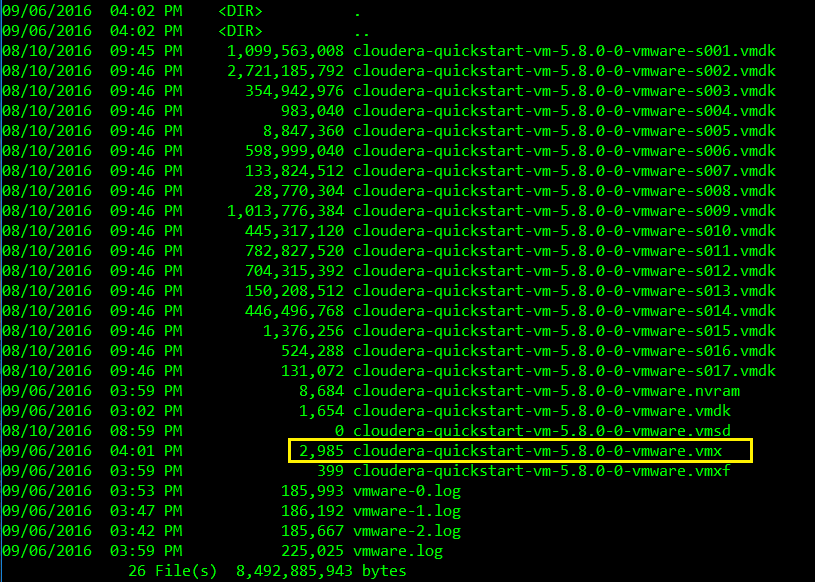
1) Downloaded the 'VMWare' image for CDH 5.8

http://www.cloudera.com/downloads/quickstart_vms/5-8.html

 CDH58_Files_Unzipped_Listing.png

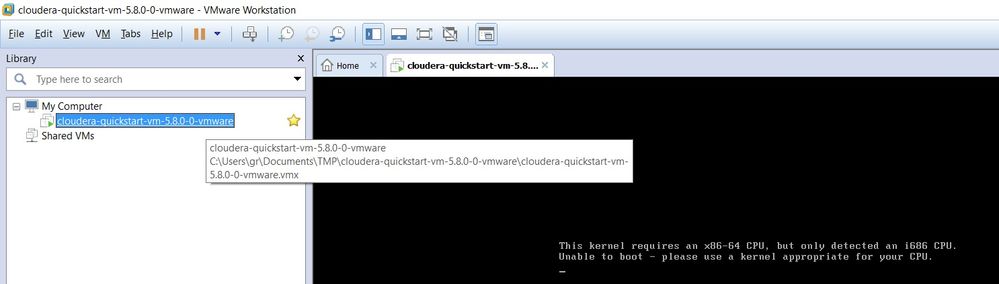
2) When starting up the VM, get the following error message

This kernel requires an x86-64 CPU, but only detected an i686 CPU. Unable to boot – please use a kernel appropriate for your CPU

VM_Startup_Error.jpg

My guest OS is set by default to Linux.


I am on a Window 10 64 bit OS. Please advise if the BIOS settings need to be updated?


Thank you


1 ACCEPTED SOLUTION

avatar
Rising Star
In the BIOS, possibly under CPU setting, enable virtualization: enable VT-x/AMD-V.

View solution in original post

1 REPLY 1

avatar
Rising Star
In the BIOS, possibly under CPU setting, enable virtualization: enable VT-x/AMD-V.