Our Community is getting an upgrade! To get everything ready for the relaunch, we’ll be placing the site in read-only mode starting September 21st.
We really appreciate your understanding while we get things set up behind the scenes. Catch up on all the exciting details about the move here.
Need help or have questions? Drop us a line at [email protected]

Archives of Support Questions (Read Only)
- Cloudera Community
- Board Archive
- Archives of Support Questions (Read Only)
- how can i start hbase from ambari ?
- Subscribe to RSS Feed
- Mark Question as New
- Mark Question as Read
- Float this Question for Current User
- Bookmark
- Subscribe
- Mute
- Printer Friendly Page
- Subscribe to RSS Feed
- Mark Question as New
- Mark Question as Read
- Float this Question for Current User
- Bookmark
- Subscribe
- Mute
- Printer Friendly Page
how can i start hbase from ambari ?
- Labels:
-
Apache HBase


Created 03-07-2016 03:11 PM
- Mark as New
- Bookmark
- Subscribe
- Mute
- Subscribe to RSS Feed
- Permalink
- Report Inappropriate Content



Created 03-07-2016 03:14 PM
- Mark as New
- Bookmark
- Subscribe
- Mute
- Subscribe to RSS Feed
- Permalink
- Report Inappropriate Content
@amira chaari is HBase installed as part of Ambari? Do you see HBase as one of the services in your Ambari UI? If you see it, then go to services > HBase and then on the right there's a drop down that you can click and click start service.
Created 03-07-2016 03:14 PM
- Mark as New
- Bookmark
- Subscribe
- Mute
- Subscribe to RSS Feed
- Permalink
- Report Inappropriate Content
@amira chaari is HBase installed as part of Ambari? Do you see HBase as one of the services in your Ambari UI? If you see it, then go to services > HBase and then on the right there's a drop down that you can click and click start service.
Created 03-07-2016 04:17 PM
- Mark as New
- Bookmark
- Subscribe
- Mute
- Subscribe to RSS Feed
- Permalink
- Report Inappropriate Content
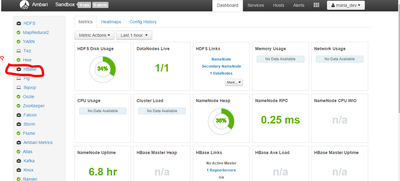
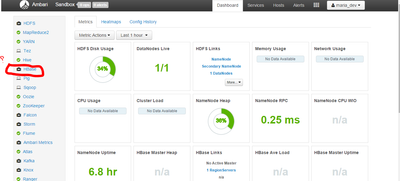
@amira chaari you are using HDP 2.4 sandbox with maria_dev account. You need to use admin account to start/stop services in Ambari. Please follow the step by step guide in release notes to reset admin password and login with that account. Then turn off maintenance mode for HBase and you can start it. Here are instructions to reset password for admin. http://hortonworks.com/wp-content/uploads/2016/03/ReleaseNotes_3_3_2016.pdf
Created 03-08-2016 08:26 AM
- Mark as New
- Bookmark
- Subscribe
- Mute
- Subscribe to RSS Feed
- Permalink
- Report Inappropriate Content
thanks, hbase is started 🙂
Created on 03-07-2016 04:07 PM - edited 08-19-2019 04:00 AM
- Mark as New
- Bookmark
- Subscribe
- Mute
- Subscribe to RSS Feed
- Permalink
- Report Inappropriate Content
it exists but i can't start it 😕