Archives of Support Questions (Read Only)

This is an archived board for historical reference. Information and links may no longer be available or relevant
Announcements
This board is archived and read-only for historical reference. To ask a new question, please post a new topic on the appropriate active board.

incremental load from mysql to hdfs in hadoop

avatar
New Member

From mysql to hdfs directory.

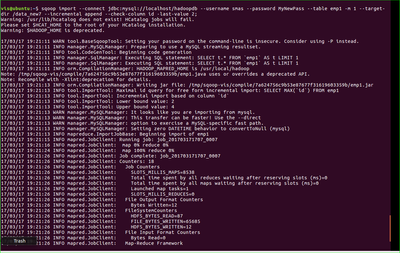
sqoop import --connect jdbc:mysql://localhost/hadoopdb --username smas --password MyNewPass --table emp1 -m 1 --target-dir /data_new7 --incremental append --check-column id -last-value 2

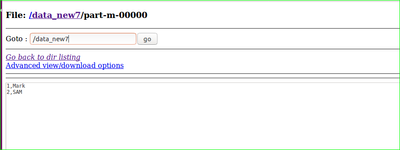
i have /date_new7/part-m-00000 also it didnot work ?

13761-1.png

13762-2.png

13763-3.png

how to make sure that part-m-00000 is updated with 3rd row or id .

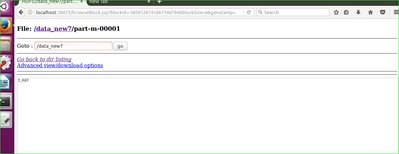
it is updating as a seperate table ? any suggestion ?

1 ACCEPTED SOLUTION

avatar
Master Guru

It worked. part-m-00001 is not a separate table, it's just another file in your import directory. If you create an external table on /date_new7, Hive will see a single table with 3 rows. Ditto for Map-reduce jobs taking /date_new7 as their input. If you end up with many small files you can merge them into one (from time to time) by using for example hadoop-streaming, see this example and set "mapreduce.job.reduces=1".

View solution in original post

1 REPLY 1

avatar
Master Guru

It worked. part-m-00001 is not a separate table, it's just another file in your import directory. If you create an external table on /date_new7, Hive will see a single table with 3 rows. Ditto for Map-reduce jobs taking /date_new7 as their input. If you end up with many small files you can merge them into one (from time to time) by using for example hadoop-streaming, see this example and set "mapreduce.job.reduces=1".