
Our Community is getting an upgrade! To get everything ready for the relaunch, we’ll be placing the site in read-only mode starting September 21st.
We really appreciate your understanding while we get things set up behind the scenes. Catch up on all the exciting details about the move here.
Need help or have questions? Drop us a line at [email protected]

Archives of Support Questions (Read Only)
- Cloudera Community
- Board Archive
- Archives of Support Questions (Read Only)
- Re: oozie/bin/oozie.distro: line 59: java: command...
- Subscribe to RSS Feed
- Mark Question as New
- Mark Question as Read
- Float this Question for Current User
- Bookmark
- Subscribe
- Mute
- Printer Friendly Page
- Subscribe to RSS Feed
- Mark Question as New
- Mark Question as Read
- Float this Question for Current User
- Bookmark
- Subscribe
- Mute
- Printer Friendly Page
oozie/bin/oozie.distro: line 59: java: command not found
- Labels:
-
Apache Oozie


Created 02-01-2016 05:02 AM
- Mark as New
- Bookmark
- Subscribe
- Mute
- Subscribe to RSS Feed
- Permalink
- Report Inappropriate Content
I have an HDP Hadoop Cluster 2.3 where the JAVA_HOME is set to:
(cluster etc/profile)
JAVA_HOME=/usr/local/cloud/java/jdk1.8.0_65
PATH=$PATH:$JAVA_HOME/bin
and i checked the oozie and JDK by this way:
>java -version
java version "1.8.0_65"
Java(TM) SE Runtime Environment (build 1.8.0_65-b17)
Java HotSpot(TM) 64-Bit Server VM (build 25.65-b01, mixed mode)

>oozie version
Oozie client build version: 4.2.0.2.3.2.0-2950
but when i running any oozie command we get an error, e.g. :
>oozie job -run -config ./job.properties -oozie {my oozie server url}
/usr/hdp/2.3.2.0-2950/oozie/bin/oozie.distro: line 59: java: command not found
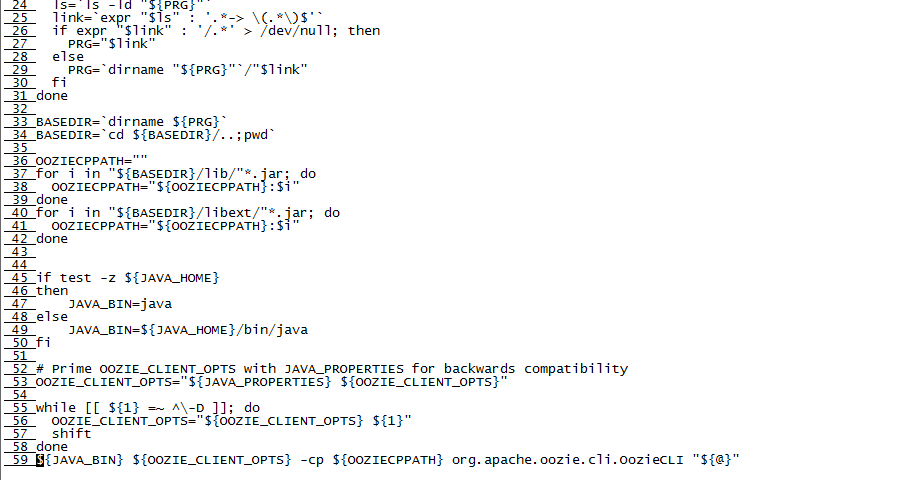
and the oozie.distro file content is:
  1 #!/bin/bash
  2 #
  3 # Licensed to the Apache Software Foundation (ASF) under one
  4 # or more contributor license agreements.  See the NOTICE file
  5 # distributed with this work for additional information
  6 # regarding copyright ownership.  The ASF licenses this file
  7 # to you under the Apache License, Version 2.0 (the
  8 # "License"); you may not use this file except in compliance
  9 # with the License.  You may obtain a copy of the License at
 10 #
 11 #      http://www.apache.org/licenses/LICENSE-2.0
 12 #
 13 # Unless required by applicable law or agreed to in writing, software
 14 # distributed under the License is distributed on an "AS IS" BASIS,
 15 # WITHOUT WARRANTIES OR CONDITIONS OF ANY KIND, either express or implied.
 16 # See the License for the specific language governing permissions and
 17 # limitations under the License.
 18 #
 19
 20 # resolve links - $0 may be a softlink
 21 PRG="${0}"
 22
 23 while [ -h "${PRG}" ]; do
 24   ls=`ls -ld "${PRG}"`
 25   link=`expr "$ls" : '.*-> \(.*\)$'`
 26   if expr "$link" : '/.*' > /dev/null; then
 27     PRG="$link"
 28   else
 29     PRG=`dirname "${PRG}"`/"$link"
 30   fi
 31 done
 32
 33 BASEDIR=`dirname ${PRG}`
 34 BASEDIR=`cd ${BASEDIR}/..;pwd`
 35
 36 OOZIECPPATH=""
 37 for i in "${BASEDIR}/lib/"*.jar; do
 38   OOZIECPPATH="${OOZIECPPATH}:$i"
 39 done
 40 for i in "${BASEDIR}/libext/"*.jar; do
 41   OOZIECPPATH="${OOZIECPPATH}:$i"
 42 done
 43
 44
 45 if test -z ${JAVA_HOME}
 46 then
 47     JAVA_BIN=java
 48 else
 49     JAVA_BIN=${JAVA_HOME}/bin/java
 50 fi
 51
 52 # Prime OOZIE_CLIENT_OPTS with JAVA_PROPERTIES for backwards compatibility
 53 OOZIE_CLIENT_OPTS="${JAVA_PROPERTIES} ${OOZIE_CLIENT_OPTS}"
 54
 55 while [[ ${1} =~ ^\-D ]]; do
 56   OOZIE_CLIENT_OPTS="${OOZIE_CLIENT_OPTS} ${1}"
 57   shift
 58 done
 59 ${JAVA_BIN} ${OOZIE_CLIENT_OPTS} -cp ${OOZIECPPATH} org.apache.oozie.cli.OozieCLI "${@}"
Thanks in advance!
Created 02-01-2016 06:50 AM
- Mark as New
- Bookmark
- Subscribe
- Mute
- Subscribe to RSS Feed
- Permalink
- Report Inappropriate Content
add this line as below into /usr/hdp/2.3.2.0-2950/oozie/bin/oozie.distro, then it works ok.
JAVA_HOME="YOUR_JDK_INSTALLED_PATH"


Created 02-01-2016 05:14 AM
- Mark as New
- Bookmark
- Subscribe
- Mute
- Subscribe to RSS Feed
- Permalink
- Report Inappropriate Content
Edit /usr/hdp/2.3.2.0-2950/oozie/bin/oozie.distro and add below line before line 59 to see what value JAVA_BIN is taking. This may happen if you have updated/reinstalled Java and script is referring to old path.
echo ${JAVA_BIN}
Created 02-01-2016 06:16 AM
- Mark as New
- Bookmark
- Subscribe
- Mute
- Subscribe to RSS Feed
- Permalink
- Report Inappropriate Content
i added this line into oozie.distro file. and the console output is java, linke below:
echo ${JAVA_BIN}
java
Created 02-01-2016 06:48 AM
- Mark as New
- Bookmark
- Subscribe
- Mute
- Subscribe to RSS Feed
- Permalink
- Report Inappropriate Content
i add JAVA_HOME="" line into /usr/hdp/2.3.2.0-2950/oozie/bin/oozie.distro. then it works ok.
Thank you for your advice.
Created 02-01-2016 06:50 AM
- Mark as New
- Bookmark
- Subscribe
- Mute
- Subscribe to RSS Feed
- Permalink
- Report Inappropriate Content
add this line as below into /usr/hdp/2.3.2.0-2950/oozie/bin/oozie.distro, then it works ok.
JAVA_HOME="YOUR_JDK_INSTALLED_PATH"


