Archives of Support Questions (Read Only)

This is an archived board for historical reference. Information and links may no longer be available or relevant
Announcements
This board is archived and read-only for historical reference. To ask a new question, please post a new topic on the appropriate active board.

pig view missing from Ambari console

avatar
Super Collaborator

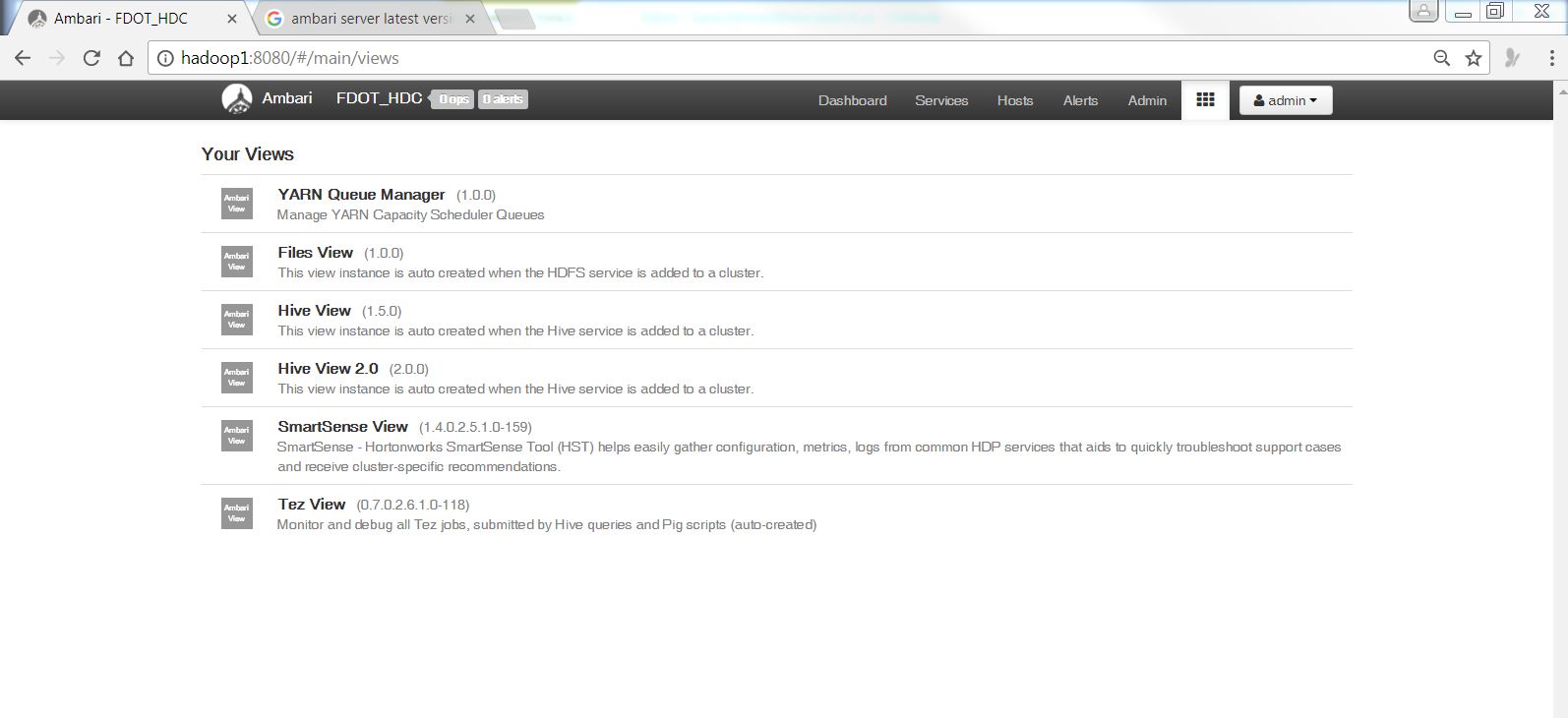
I have installed the pig service but in the views I don't see any pig view? ambari version is 2.5.1.0.

please see the attached screenshot of all the views.capture.jpg

I did follow the steps as per link below

https://docs.hortonworks.com/HDPDocuments/Ambari-2.5.0.3/bk_ambari-views/content/setup_HDFS_user_dir...

[root@hadoop1 ~]# pig -i
Apache Pig version 0.16.0.2.5.3.0-37 (rexported)
compiled Nov 30 2016, 02:28:11
1 ACCEPTED SOLUTION

avatar
Guru

hi @Sami Ahmad

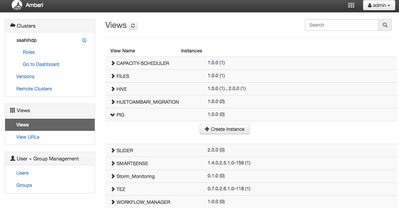
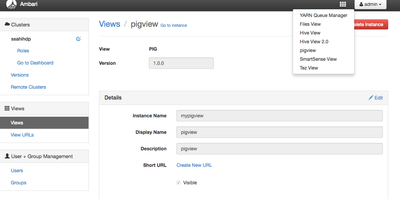
The pig view isnt created by default, nor created with teh installation of the pig service. Using an admin account in Ambari, navigate to Manage Ambari -> Views -> Pig and click the Create Instance view and fill out the details. The view will then appear in the dropdown list.

16704-screen-shot-2017-07-06-at-94614-am.png

16705-screen-shot-2017-07-06-at-94853-am.png

View solution in original post

1 REPLY 1

avatar
Guru

hi @Sami Ahmad

The pig view isnt created by default, nor created with teh installation of the pig service. Using an admin account in Ambari, navigate to Manage Ambari -> Views -> Pig and click the Create Instance view and fill out the details. The view will then appear in the dropdown list.

16704-screen-shot-2017-07-06-at-94614-am.png

16705-screen-shot-2017-07-06-at-94853-am.png