Created on 02-03-201704:48 AM - edited 08-17-201905:09 AM
Sentiment CoreNLP Processor
[pool-1-thread-1] INFO edu.stanford.nlp.pipeline.StanfordCoreNLP -
Adding annotator tokenize[pool-1-thread-1] INFO edu.stanford.nlp.pipeline.TokenizerAnnotator
- No tokenizer type provided. Defaulting to PTBTokenizer.[pool-1-thread-1] INFO edu.stanford.nlp.pipeline.StanfordCoreNLP -
Adding annotator ssplit[pool-1-thread-1] INFO edu.stanford.nlp.pipeline.StanfordCoreNLP -
Adding annotator parse[pool-1-thread-1] INFO edu.stanford.nlp.parser.common.ParserGrammar
- Loading parser from serialized file edu/stanford/nlp/models/lexparser/englishPCFG.ser.gz
... done [0.4 sec].[pool-1-thread-1] INFO edu.stanford.nlp.pipeline.StanfordCoreNLP -
Adding annotator sentimentFILE:Header,Header2,Header3Value,Value2,Value3Value4,Value5,Value6Attribute: {"names":"NEGATIVE"}
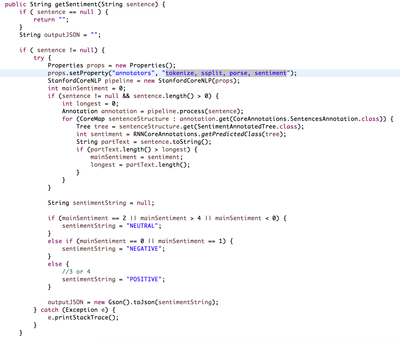
Service Source Code
12062-corenlpsourcecode.png
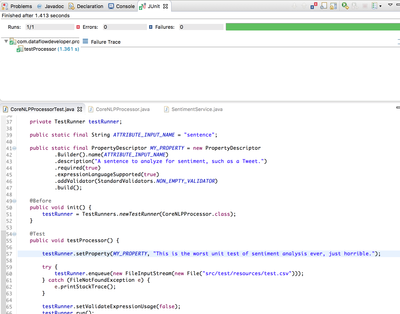
JUnit Test for Processor
12063-corenlpjunit.png
To Add Sentiment Analysis to Your NiFi Data Flow, just add the custom processor, CoreNLPProcessor. You can downloada pre-built NAR from the github listed below. Add to your NiFi/lib directory and restart each node.
12064-corenlpaddprocessor.png
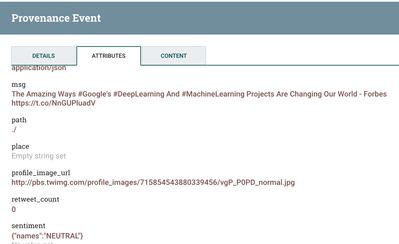
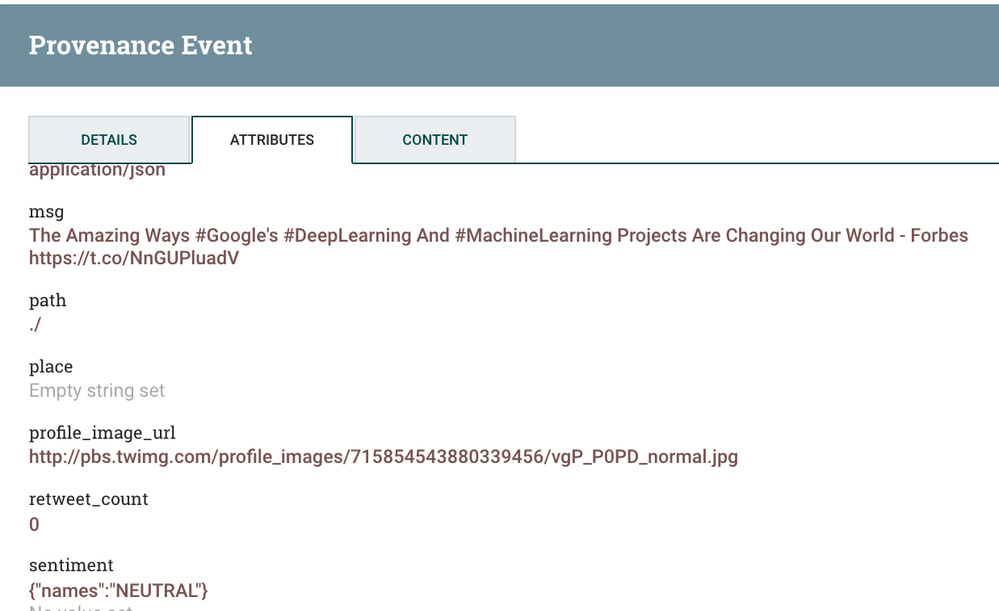
The results of the run will be an attribute named sentiment:
12067-corenlp-results.png
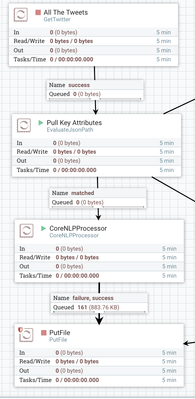
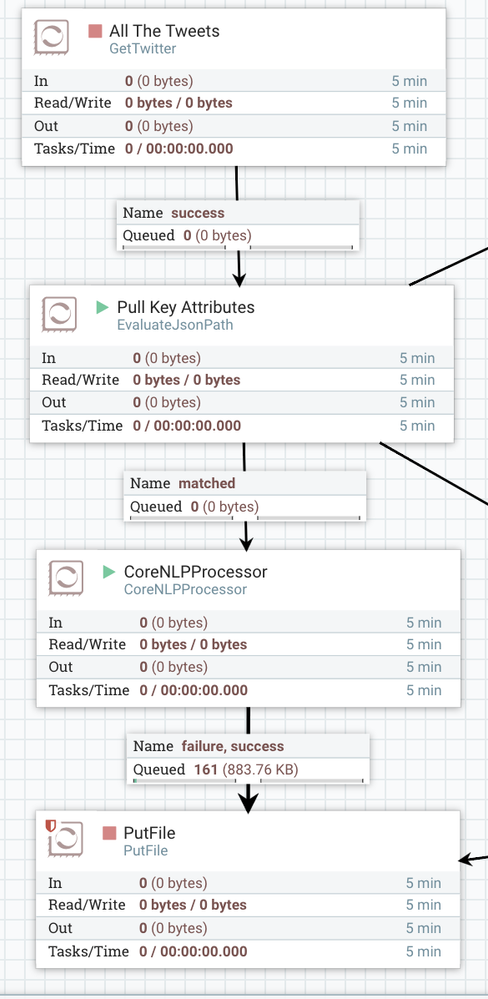
You can see how easy it is to add to your dataflows.
12069-corenlpoverview.png
If you would like to add more features to this processor, please fork the github below.
This is not an official NiFi processor, just one I wrote in a couple of hours for my own use and for testing.
There are four easy ways to add Sentiment Analysis to your Big Data pipelines: executescript of Python NLP scripts, call my custom processor, make a REST call to a Stanford CoreNLP sentiment server, make a REST call to a public sentiment as a service and send a message via Kafka (or JMS) to Spark or Storm to run other JVM sentiment analysis tools.