Our Community is getting an upgrade! To get everything ready for the relaunch, we’ll be placing the site in read-only mode starting September 21st.
We really appreciate your understanding while we get things set up behind the scenes. Catch up on all the exciting details about the move here.
Need help or have questions? Drop us a line at [email protected]

Community Articles

Find and share helpful community-sourced technical articles.
Announcements
Share your experience with Cloudera on G2 and get a $25 Amazon Gift card.
Hi, I'm CLEO! Something exciting is coming to the Community. Stay Tuned!

Labels (1)
avatar
Master Guru

Sentiment CoreNLP Processor

[pool-1-thread-1] INFO edu.stanford.nlp.pipeline.StanfordCoreNLP -
Adding annotator tokenize[pool-1-thread-1] INFO edu.stanford.nlp.pipeline.TokenizerAnnotator
- No tokenizer type provided. Defaulting to PTBTokenizer.[pool-1-thread-1] INFO edu.stanford.nlp.pipeline.StanfordCoreNLP -
Adding annotator ssplit[pool-1-thread-1] INFO edu.stanford.nlp.pipeline.StanfordCoreNLP -
Adding annotator parse[pool-1-thread-1] INFO edu.stanford.nlp.parser.common.ParserGrammar
- Loading parser from serialized file edu/stanford/nlp/models/lexparser/englishPCFG.ser.gz
... done [0.4 sec].[pool-1-thread-1] INFO edu.stanford.nlp.pipeline.StanfordCoreNLP -
Adding annotator sentimentFILE:Header,Header2,Header3Value,Value2,Value3Value4,Value5,Value6Attribute: {"names":"NEGATIVE"}

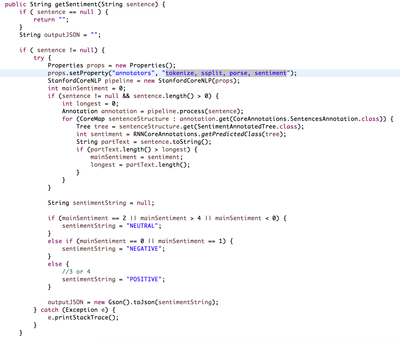
Service Source Code

12062-corenlpsourcecode.png

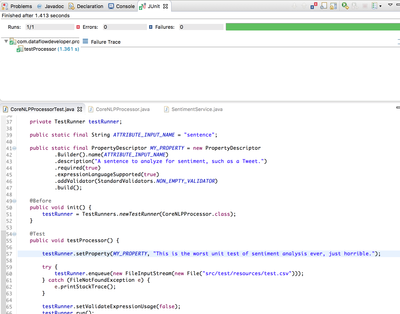
JUnit Test for Processor

12063-corenlpjunit.png

To Add Sentiment Analysis to Your NiFi Data Flow, just add the custom processor, CoreNLPProcessor. You can downloada pre-built NAR from the github listed below. Add to your NiFi/lib directory and restart each node.

12064-corenlpaddprocessor.png

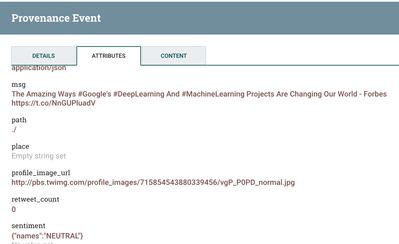
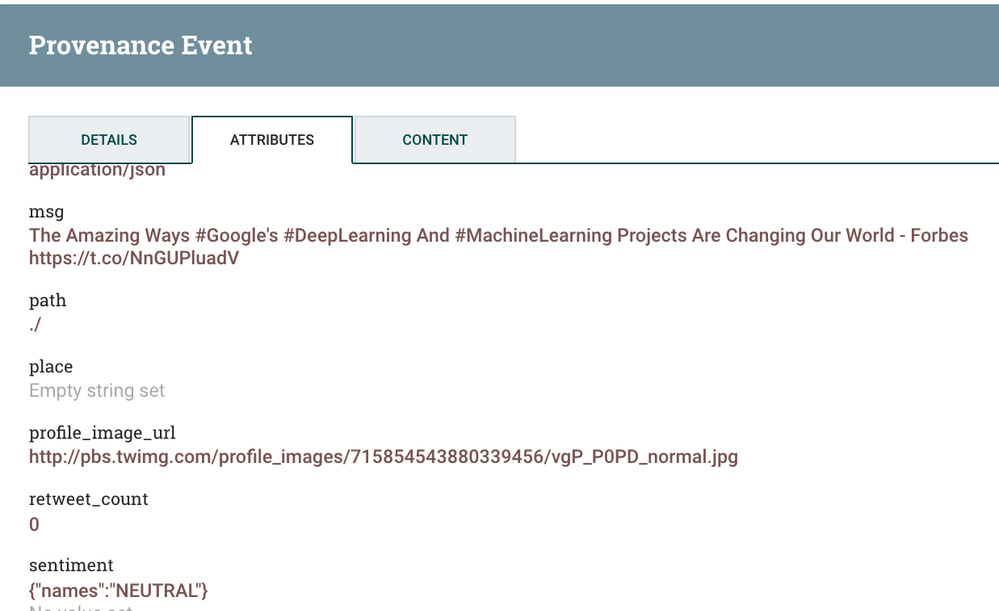
The results of the run will be an attribute named sentiment:

12067-corenlp-results.png

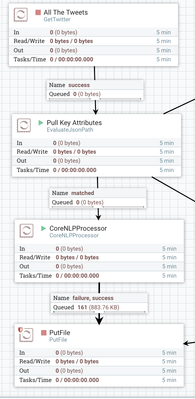
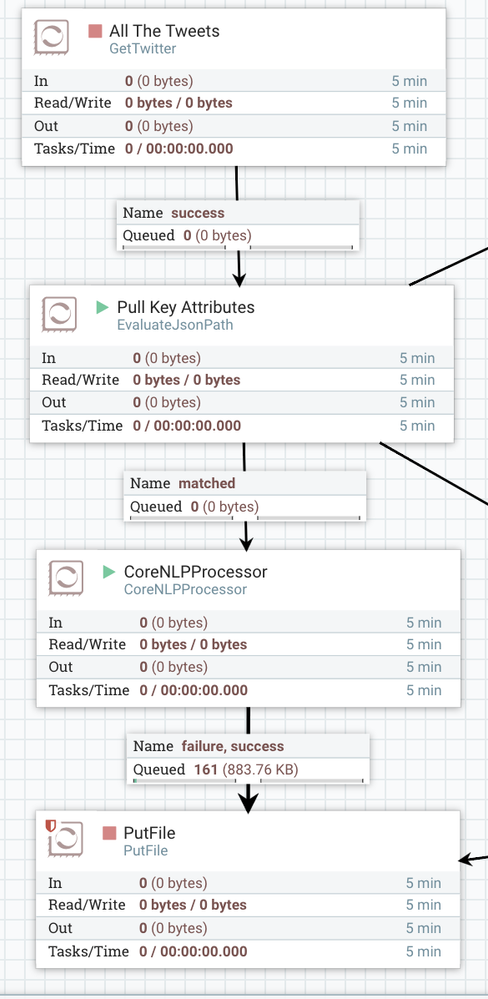
You can see how easy it is to add to your dataflows.

12069-corenlpoverview.png

If you would like to add more features to this processor, please fork the github below.

This is not an official NiFi processor, just one I wrote in a couple of hours for my own use and for testing.

There are four easy ways to add Sentiment Analysis to your Big Data pipelines: executescript of Python NLP scripts, call my custom processor, make a REST call to a Stanford CoreNLP sentiment server, make a REST call to a public sentiment as a service and send a message via Kafka (or JMS) to Spark or Storm to run other JVM sentiment analysis tools.

Download a release

corenlp-results.png12068corenlpoverview.pngcorenlpoverview.png
4,106 Views