Our Community is getting an upgrade! To get everything ready for the relaunch, we’ll be placing the site in read-only mode starting September 21st.
We really appreciate your understanding while we get things set up behind the scenes. Catch up on all the exciting details about the move here.
Need help or have questions? Drop us a line at [email protected]

Community Articles

Find and share helpful community-sourced technical articles.
Announcements
Share your experience with Cloudera on G2 and get a $25 Amazon Gift card.
Hi, I'm CLEO! Something exciting is coming to the Community. Stay Tuned!

Labels (1)
avatar
Master Guru

Automating Social Media: Sending Tweets with Apache NiFi: Building A Smart Bot


72659-tweetflow1.png

72660-tweetflow2.png

72661-tweetflow3.png

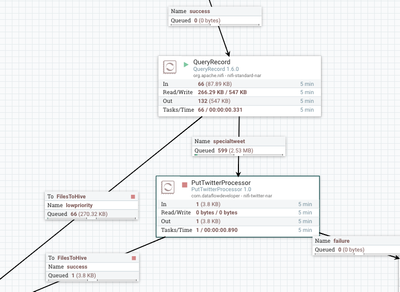
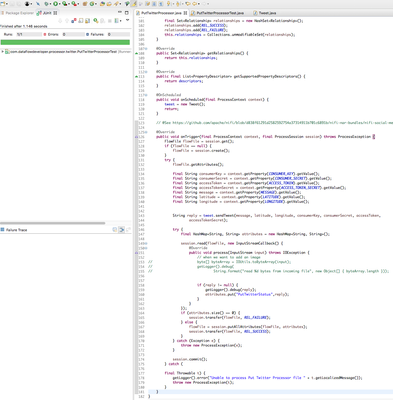
This is the new processor, PutTwitterProcessor, it will use Twitter4J to send tweets from a parameter you set.

72662-tweetautomatedtwitter.png

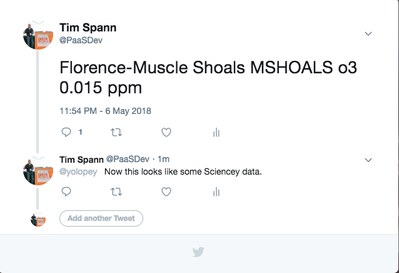
This is an example tweet and my reply to it. It's a regular tweet.

72663-puttweetresults.png

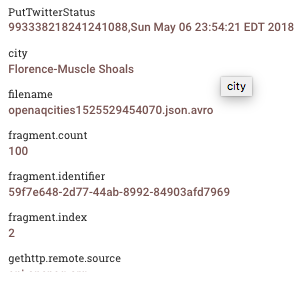
This is the result of a run. I put the tweet id and datetime stamp in the result attribute.

72664-puttweetatmos.png

Another example:

72668-puttweetparameters.png

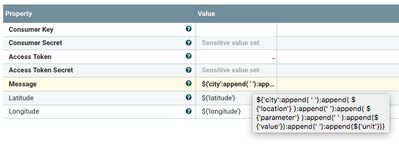
You need to create a Twitter application and obtain the Consumer Key, Consumer Secret, Access Token and Access secret. If you have a lat and long in your data you can send that. It's optional. The message takes expression language and lets you build a message.

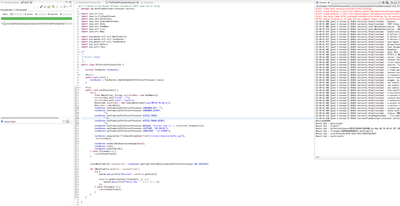
JUnit Test of my Processor

72665-tweetcode1.png

JUnit Run Results

72666-tweetcodejunit.png

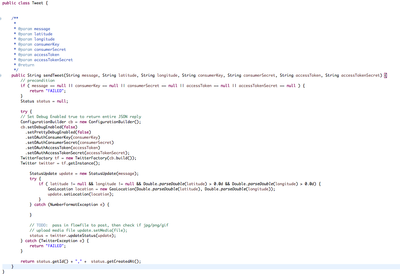
Most of the code is using the very easy to use Twitter4J library.

72667-tweetcodeviatwitter4j.png


So what can I do with this? In my flow I am ingesting Tweets and with a streaming SQL query I can retweet ones where there's no existing retweet and the followers of the tweet are more than 1,000. I can also feed all this information to a Hive table and then run some machine learning on it to figure out other parameters to filter on for my bot.

This is a start. I put a scheduler on my PutTweet to only tweet every 10 minutes (600 seconds). Let's see how this goes.

SQL for QueryRecord

SELECT * FROM FLOWFILE
WHERE CAST(retweet_count AS DOUBLE) <= 0
AND CAST(followers_count AS DOUBLE) > 1000

Example Message Building

${'user_name':append( ' '):append( ${'location'} ):append(' '):append( ${'hashtags'} ):append(' ' ):append(${'msg'})}

Source:

https://github.com/tspannhw/nifi-puttwitter-processor

Download NAR to install in Apache NiFi lib directory and then restart:

https://github.com/tspannhw/nifi-puttwitter-processor/releases/tag/1.0

3,778 Views
Comments

Quick tip: When you create a free Twitter app at apps.twitter.com, they will let you read and write but not a lot. Don't tweet every 5 minutes for hours or you will get that app's write ability blocked. Also be sure you are no reposting SPAM.

Version history
Last update:
‎08-17-2019 07:33 AM
Updated by:
Contributors