Our Community is getting an upgrade! To get everything ready for the relaunch, we’ll be placing the site in read-only mode starting September 21st. We really appreciate your understanding while we get things set up behind the scenes. Catch up on all the exciting details about the move here. Need help or have questions? Drop us a line at [email protected]
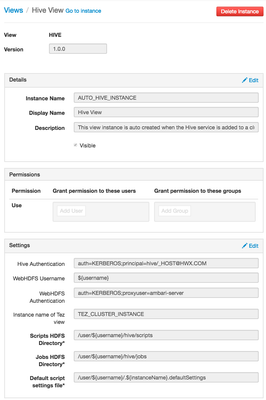
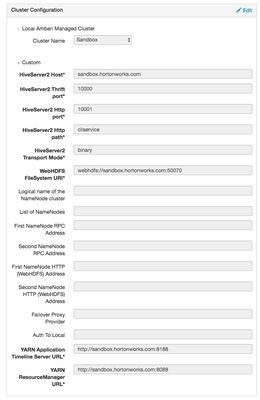
Step 4 - Goto Admin tab --> Click on Manage Ambari --> Views --> Edit Hive view ( Create a new one if it doesn't exist already ) and configure settings as given below
.
Note - You may need to modify values as per your environment settings!
.
.
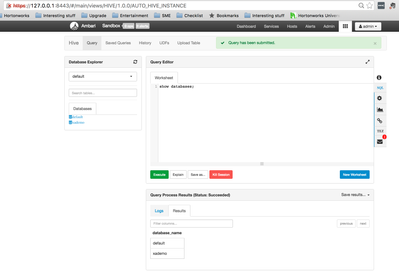
After above steps, you should be able to access your hive view without any issues. If you receive any error(s) then please check /var/log/ambari-server/ambari-server.log for more details and troubleshooting.
.
.
Please comment if you have any feedback/questions/suggestions. Happy Hadooping!!
The screen shot is out of date? I have Ambari 2.4.2 and they are different. I have tried to configure as close to you steps as I can, I got "Service Hive check failed: Server Error"