TIP: In this version of Apache NiFi, you need to use double quotes (") instead of single quotes (') in your Python code.
Python Code for NiFi ExecuteSparkInteractive
See Github
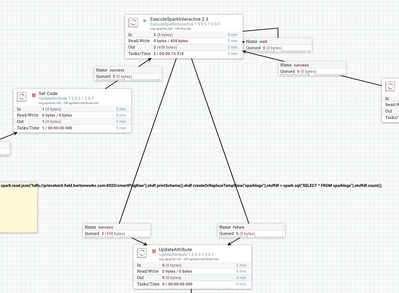
Simple Apache NiFi Flow To Execute TensorFlow Python Applications via Apache Livy
78432-nifi-tensorflow-flow.png
I am just using Apache Livy as the transport call from Apache NiFi to Apache Spark. My Apache Spark 2.3 cluster is not doing any Spark specific processing. PySpark is just running a vanilla TensorFlow python application in this version. We could also call TensorFlow on Spark code in this way. My goal was to run TensorFlow on my Spark cluster trigger from Apache NiFi and get back results.
Results Returned in Success From ExecuteSparkInteractive Call
{
"text/plain" : "273\tracer, race car, racing car\t37.4601334333%\n\n274\tsports car, sport car\t25.3520905972%\n\n267\tcab, hack, taxi, taxicab\t11.1182622612%\n\n268\tconvertible\t9.85431224108%\n\n271\tminivan\t3.22951599956%"
}
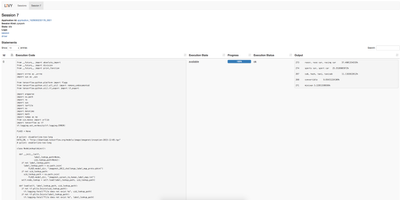
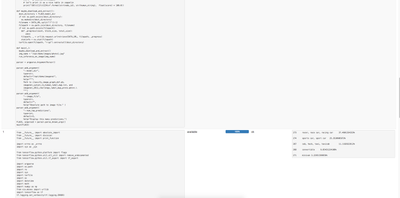
Apache Livy UI Showing Results of Runs
78433-tensorflowlivysessions.png
78434-tensorflow-livysession1.png
78435-tensorflow-livysession2.png
This is the ExecuteSparkInteractive Processor. We can put the code in the Code property or pass it in.
78436-tensorflow-executesparkinteractive.png
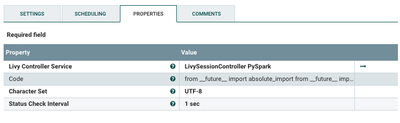
Let's Configure a PySpark Apache Livy Controller
78437-tensorflow-pysparkconfig.png
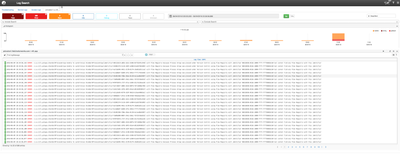
LogSearch
78438-logsearchnifi.png
There is a technical preview of LogSearch which is great for finding issues in HDF components or HDP components. This is easier then searching logs. Though I can easily write NiFi code to search logs as well.