Created on 05-05-202006:24 PM - edited on 04-21-202604:29 AM by GrazittiAPI
Recently I came around an interesting problem: how to use boto to get data from a secure bucket in a Jupyter notebook in Cloudera Machine Learning.
The missing piece was: I needed to get my code integrated with my AWS permissions given by IDBroker.
Since CML already authenticated me to Kerberos, all I need was getting the goods from IDBroker.
In this article, I will show you pseudo code on how to get these access keys both in bash and python.
Note: Special thanks to @Kevin Risden to whom I owe this article and many more things.
Find your IDBroker URL
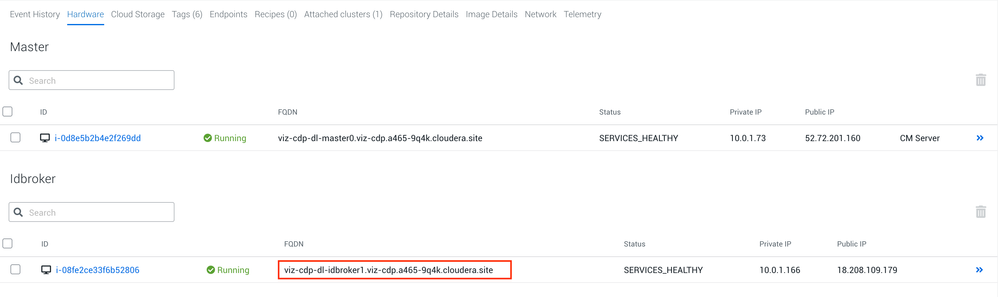
Regardless of the method, you will need to get the URL for your IDBroker host. This is done simply in the management console of your datalake. The following is an example:
Getting Access Keys in bash
After you are connected to one of your cluster's node and ensure you kinit, run the following:
The credentials can be found in the $IDBROKER_CREDENTIAL_OUTPUT variable.
Getting Access Keys in Python
Before getting started, the following libraries are installed:
pip3 install requests requests-kerberos boto3
Then, run the following code:
import requests
from requests_kerberos import HTTPKerberosAuth r = requests.get("https://[IDBROKER_URL]:8444/gateway/dt/knoxtoken/api/v1/token", auth=HTTPKerberosAuth())