Our Community is getting an upgrade! To get everything ready for the relaunch, we’ll be placing the site in read-only mode starting September 21st.
We really appreciate your understanding while we get things set up behind the scenes. Catch up on all the exciting details about the move here.
Need help or have questions? Drop us a line at [email protected]

Community Articles

Find and share helpful community-sourced technical articles.
Announcements
Share your experience with Cloudera on G2 and get a $25 Amazon Gift card.
Hi, I'm CLEO! Something exciting is coming to the Community. Stay Tuned!

Labels (1)
avatar

Sometimes Ambari Metrics stops displaying data in the dashboards.

Or You may be getting time out issues that were not solved (see

https://community.hortonworks.com/questions/4726/ambari-metric-collector-error-sending-metric-to-se....)

At other times, especially on a new install you may receive this error in the Collector Log

2016-01-25 15:33:31,195 WARN 
org.apache.hadoop.yarn.server.applicationhistoryservice.metrics.timeline.query.DefaultPhoenixDataSource:
 Unable to connect to HBase store using Phoenix.
org.apache.phoenix.schema.TableNotFoundException: ERROR 1012 (42M03): Table undefined. tableName=SYSTEM.CATALOG.

This is usually due to AMS Data being corrupt.

  1. Shut down Ambari Monitors, and Collector via Ambari
  2. Cleared out the /var/lib/ambari-metrics-collector dir for fresh restart
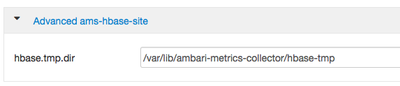
  3. From Ambari -> Ambari Metrics -> Config -> Advanced ams-hbase-site get the hbase.rootdir and hbase-tmp directory

    1583-screen-shot-2016-01-26-at-124326-pm.png

    1584-screen-shot-2016-01-26-at-125218-pm.png

  4. Delete or Move the hbase-tmp and hbase.rootdir directories to an archive folder
  5. Started AMS.
  6. All services will came online and graphs started to display, after a few minutes
19,505 Views
Comments
avatar
New Member

I hereby declare my undying love for you for fixing the error I've found this morning:

Connection failed: [Errno 111] Connection refused to 0.0.0.0:6188

If I could afford it, I would by you a lifelong supply of the beverage of your choice - but I can't, so thanks shall have to suffice 🙂

avatar

Thanks. This helped me purge metrics too as Ambari metrics services were stuck because of a disk full error. I also updated metrics retention parameters.

avatar
Contributor

I got the Ambari Metrics error "Connection failed: [Errno 111] Connection refused to metrics02-node:6188" from Ambari UI.

Ambari metrics collector connection refused : metrics data not available on Ambari Dashboard

Alert : Metrics Collector Process. Connection failed: [Errno 111] Connection refused to metrics02-node:6188

As you mentioned, i removed data from hbase.tmp.dir and hbase.rootdir.

rm -rf /var/lib/ambari-metrics-collector/hbase/*

rm -rf /var/lib/ambari-metrics-collector/hbase-tmp/*

Later restared Ambari Metrics from Ambari. It worked fine. Thanks a lot.

avatar
Rising Star

Thanks, it's works.

Version history
Last update:
‎08-17-2019 01:24 PM
Updated by:
Contributors