

Parsing XML Logs With Nifi – Part 1 of 3
I have a plan to write a 3 part “intro” series as to how to handle your XML files. The subjects will be:
- Basic XML and Feature Extraction via Text Managment, Splitting and Xpath
- Interactive Text Handling with XQuery and Regex in relation to XMLs
- XML schema validation and transformations
XML data is read into the flowfile contents when the file lands in nifi. As long as it is a valid XML format the 5 dedicated XML processors can be applied to it for management and feature extraction. Commonly a user will want to get this XML data into a database which will require us to do a feature extraction and convert to a new format such as JSON or AVRO.
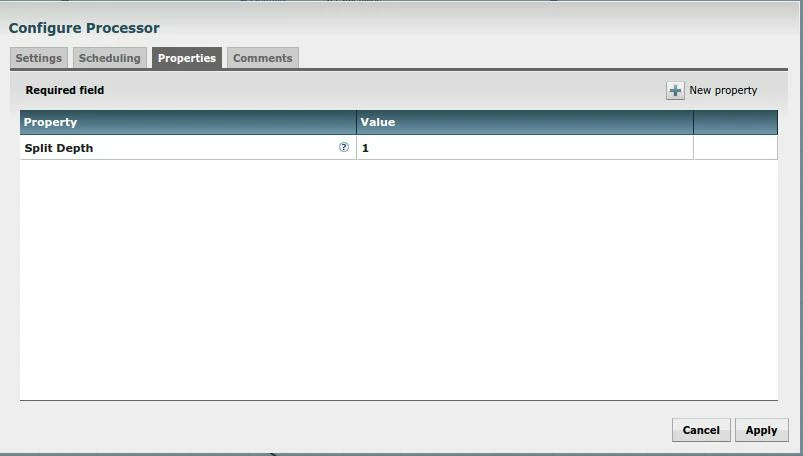
The simplest of the XML processors is the “SplitXml” processor. This simply takes the current selection of data and breaks the children off into their own files. The depth of the split in relation to the root is configurable as shown below. An example of when this may be helpful is when you have a list of events, each of which should be treated seperatly
XPath is is a syntax language way of extracting information from an XML. It allows you to search for nodes based on hierarchy, name, or even attribute. It has limited regex integration and has framework for moderately complex queries. More complete documentation can be found here http://www.w3schools.com/xsl/xpath_syntax.asp The processor below shows the “EvaluateXPath” processor being combined with XPath language to extract node data and an attribute. It should not be confused for XQuery which I will cover in my next article.
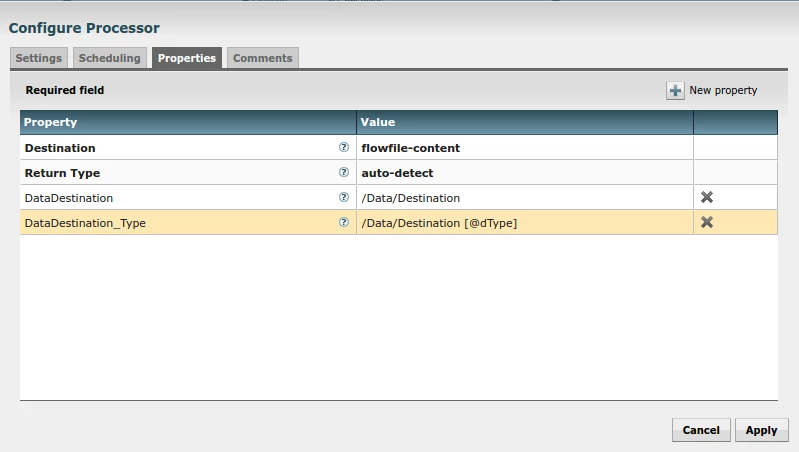
With executing the Xpath module something very important happens, the xml attributes are now NIFI attributes. This allows us to apply routing and other intelligence that is Nifi's signature. One of the transformations I have previously worked on is how to get the XML data into an AVRO format for easy ingestion. At this time all of the AVRO processors in nifi play nicely with JSONs so the “AttributestoJSON” processor can be used to as an out of the box intermediary to get the format you need. Note that I have set the destination of the processor to “flowfile-contents” which will over-ride the existing XML contents for a JSON.
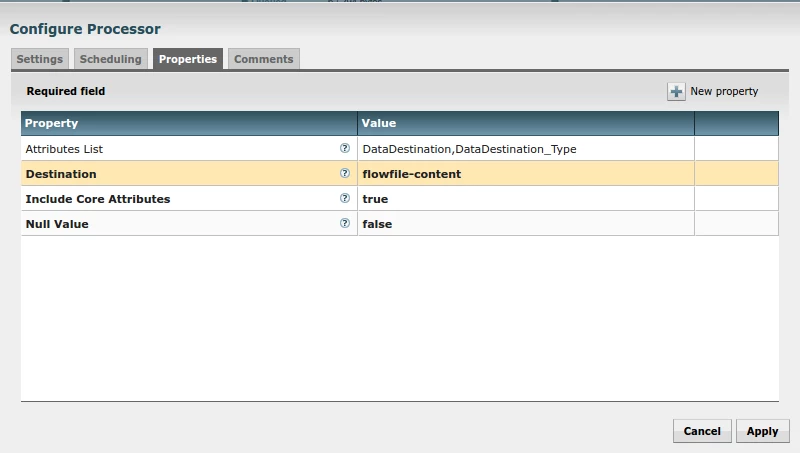
With a JSON + attributes this is a very easy flow file to work with and can be easily merged into existing workflows or written out to a file for the Hive SerDe.