I tested this against the most recent release of TIBCO Enterprise Message Service and their JMS driver available via trial download. I followed the very easy install directions. I downloaded it to a Centos 7 server.
Expanded my download to TIB_ems-dev_8.4.0_linux_x86_64
Then made it executable and ran TIBCOUniversalInstaller-lnx-x86-64.bin --console.
I used all the defaults (I picked server and client) and then quickly ran the finished install server.
Running Tibco on Centos 7
cd /opt/tibco/ems/8.4/bin/
./tibemsd64 -config ~/TIBCO_HOME/tibco/cfgmgmt/ems/data/tibemsd.conf
I believe it just uses these files from that directory:
tibjms.jar
jms-2.0.jar
Once I have my server and port shown, it's easy to add those settings to Apache NiFi.
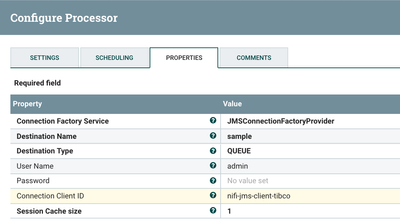
The settings I need to Publish messages is below.
69481-nifipublishjmstibco.png
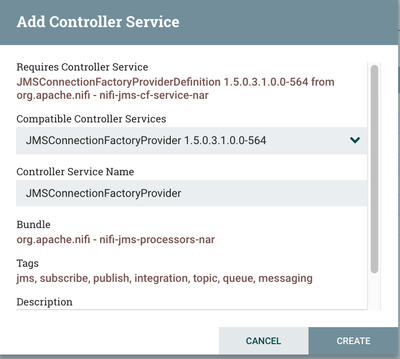
After you enter your username and queue, you need to create (or use) a controller service.
69482-addjmscontroller.png
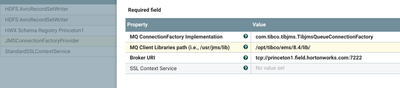
Then we use our settings for our server, mine are the default ones. Make sure you enter the lib directory containing your jars and that it is on the Apache NiFi server and Apache NiFi user has permissions to read them.
69483-tibcojmsconnectionfactoryprovider.png
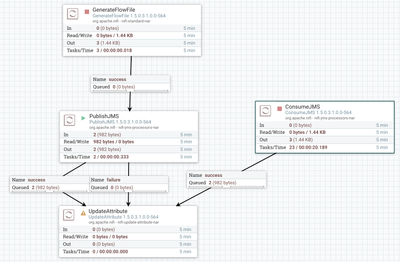
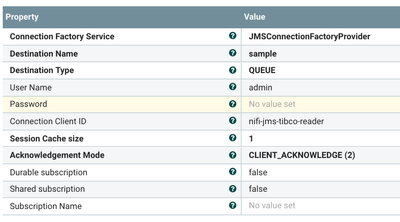
You can also use this same controller to Consume JMS messages from TIBCO EMS.
69488-consumejms.png
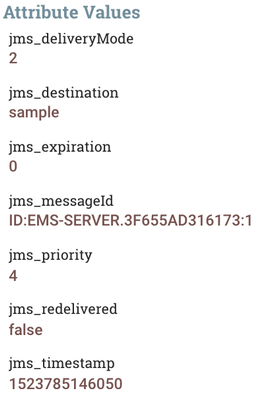
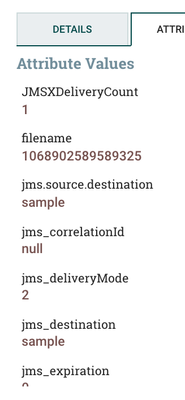
These are example metadata attributes that Apache NiFi provides to you on message receipt.
69484-jmsattributes2.png
69485-jmsattributes.png
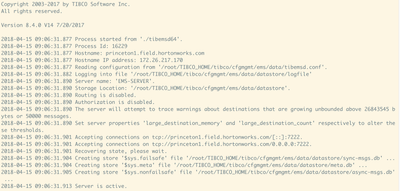
Example Run Log of my TIBCO EMS v8.4.0 Server running on Linux.