Our Community is getting an upgrade! To get everything ready for the relaunch, we’ll be placing the site in read-only mode starting September 21st.
We really appreciate your understanding while we get things set up behind the scenes. Catch up on all the exciting details about the move here.
Need help or have questions? Drop us a line at [email protected]

Community Articles

Find and share helpful community-sourced technical articles.
Announcements
Share your experience with Cloudera on G2 and get a $25 Amazon Gift card.
Hi, I'm CLEO! Something exciting is coming to the Community. Stay Tuned!

Labels (1)
avatar
Super Guru

updateddeleteuser.zipISSUE: Ranger ldap integration was working fine. Customer delete user from ranger UI and was facing issue while re-importing user in Ranger.

ROOT CAUSE: Customer removed the users from ranger UI and expected that the user should be automatically imported from ranger usersync process

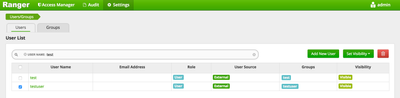
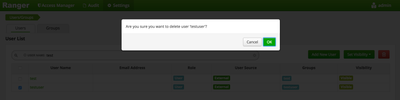
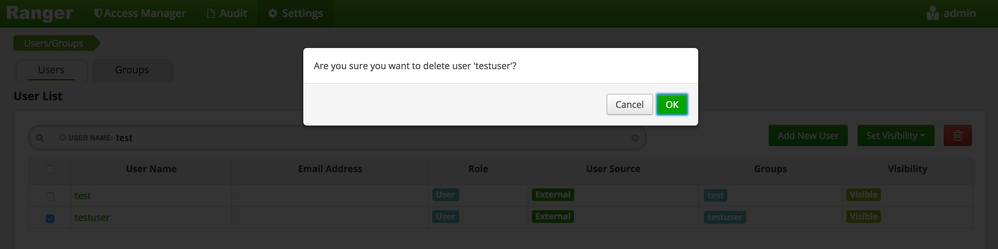
Below are sample screenshot -

User named 'testuser' is deleted from Ranger UI.

9442-screen-shot-2016-11-15-at-115653-am.png

9444-screen-shot-2016-11-15-at-115711-am.png

But below you can see the user is still available in database.

9445-screen-shot-2016-11-15-at-115914-am.png

RESOLUTION: There are multiple tables which has the entry for the user. You need to run delete script to delete the user entries from database and re-start ranger usersync process to re-import the user.

Please find attach delete script-

Syntax to run the script -

$ deleteUser.sh -f input.txt -u ranger_user -p password -db ranger [-r <replaceUser>]

screen-shot-2016-11-15-at-115711-am.png
621 Views
Version history
Last update:
‎08-17-2019 08:11 AM
Updated by:
Contributors