Our Community is getting an upgrade! To get everything ready for the relaunch, we’ll be placing the site in read-only mode starting September 21st. We really appreciate your understanding while we get things set up behind the scenes. Catch up on all the exciting details about the move here. Need help or have questions? Drop us a line at [email protected]
Created on 12-10-201908:03 AM - edited on 12-22-202005:37 AM by K23
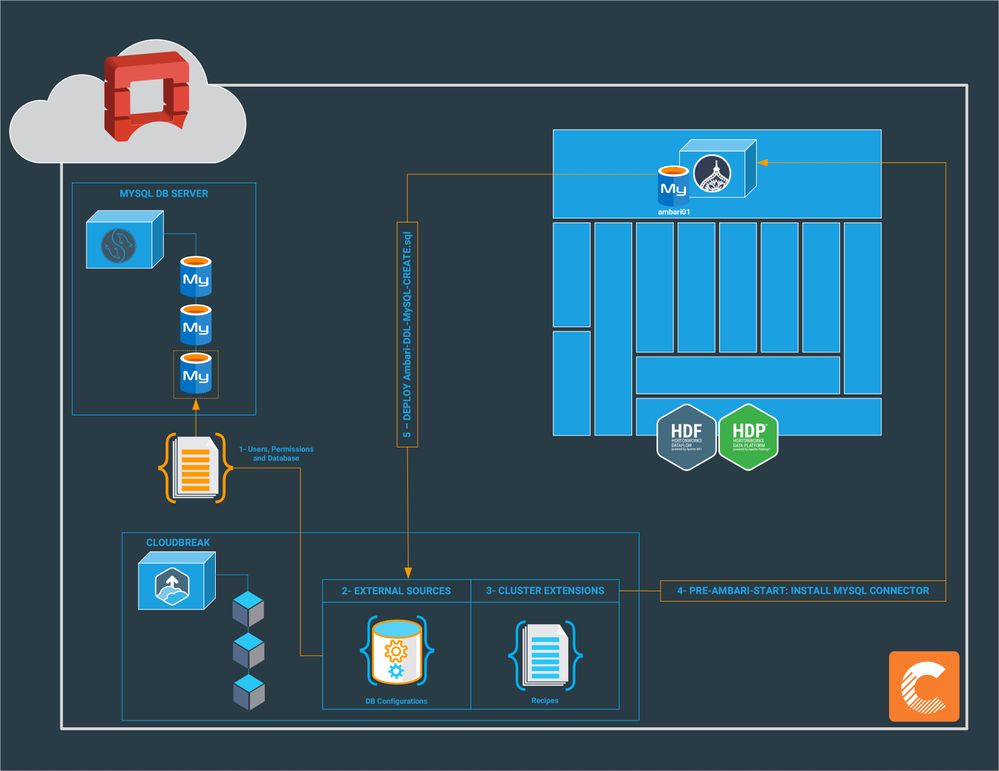
From Ambari 2.6, for all MYSQL_SERVER components in a blueprint, the mysql-connector-java.jar needs to be manually installed and registered. This video describes how to install and register MySQL connector to replace the embedded database instance that is by default used by Ambari Server.
For certain services, Cloudbreak allows registering an existing RDBMS instance as an external source for a database. After registering the RDBMS with Cloudbreak, it can be used for multiple clusters. However, as this configuration needs to be used by Ambari before its installation, MySQL Connector needs to be connected the remote MySQL database.
To manually install and register MySQL connector, do the following:
Create a user for Ambari, grant permissions and create the initial Database:
# mysql -u root -p
CREATE USER 'ambari'@'%' IDENTIFIED BY 'Hadoop1234!';
GRANT ALL PRIVILEGES ON *.* TO 'ambari'@'%';
CREATE USER 'ambari'@'localhost' IDENTIFIED BY 'Hadoop1234!';
GRANT ALL PRIVILEGES ON *.* TO 'ambari'@'localhost';
FLUSH PRIVILEGES;
CREATE DATABASE ambari01;
Configure Cloudbreak to use MySQL External Database
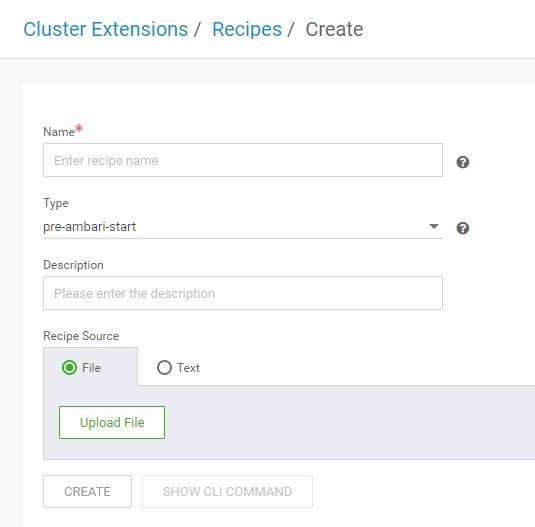
Create a pre-ambari-start recipe to install the mysql-connector-java.jar:
#!/bin/bash # Provide the JDBC Connector JAR file.
# During cluster creation, Cloudbreak uses /opts/jdbc-drivers directory
for the JAR file yum -y localinstall
https://dev.mysql.com/get/mysql57-community-release-el7-8.noarch.rpm yum -y
install mysql-connector-java* if [[ ! -d /opt/jdbc-drivers ]]
then mkdir /opt/jdbc-drivers cp /usr/share/java/mysql-connector-java.jar
/opt/jdbc-drivers/mysql-connector-java.jar fi
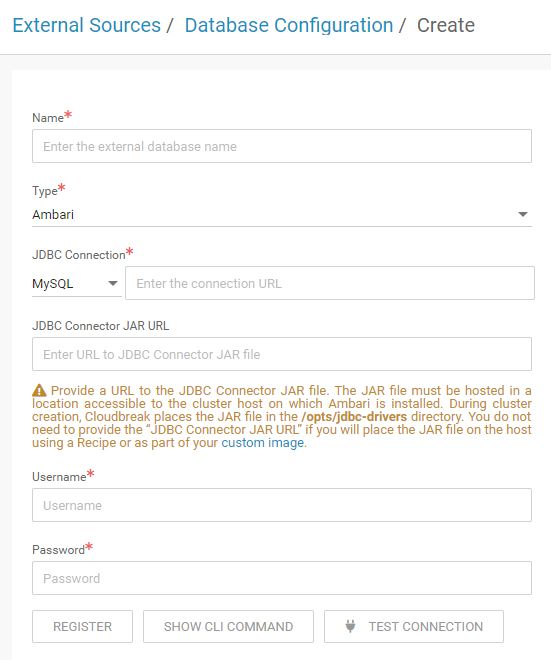
Register the database configuration: Database:
MySQL MySQL Server: MySQL_DB_IP/FQDN MySQL User:
ambari MySQL Password: Hadoop1234! JDBC Connector JAR URL:
Empty JDBC Connection jdbc:mysql://MySQL_DB_IP/FQDN:Port/ambari01