Created on 07-17-201612:49 PM - edited 08-17-201911:20 AM
I just tried out the new NiFi 0.7.0 version's Slack.
Source
I used Twitter, since it has some fun data and gets you a nice big stream. Sometimes with Twitter Feeds will be limited and Twitter will give you the 420 Enhance Your Calm Message. https://httpstatusdogs.com/420-enhance-your-calm Usually you can just wait 5-20 minutes and you will be serving again. Sometimes you might need to use a different of your apps, reset the tokens in your app or create a new app (https://apps.twitter.com/).
Processing
Use the Pull Key Attributes, to Find Only Tweets (remove null)
Sink to Slack
5819-slack3.png
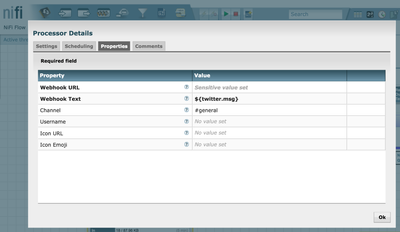
For the PutToSlack Processor
Set the Webhook URL to the URL generated by the incoming webhook page in slack.com.
Set the Webhook Text to${twitter.msg}, this will send your Twitter message to slack.
Set the Channel to #general, or a channel of your choosing.
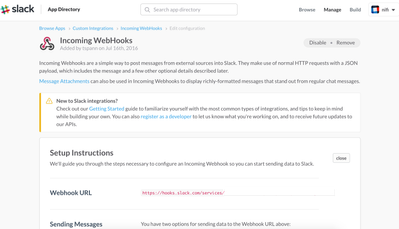
You can easily create your own (or using your existing Slack board). Just go to slack.com. You will need to create a webhook. To set it up, in the #general channel just type incoming webhook. You will get a link the screen to create one.
5821-slack2.png
5820-slack1.png
Apache NiFi 0.70 Final Flow
5822-slack4.png
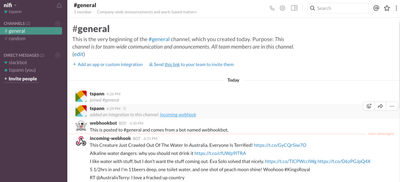
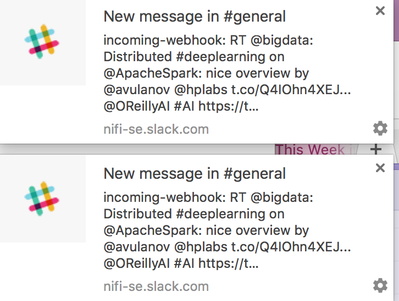
Now you can start seeing tweets turn into slack messages.
@TimothySpann Could you explain how you were able to convert the webhook text to ${twitter.msg} and have it work? I am trying to do a similar flow for AlphaVantage and I am having trouble with sending this step to slack. Thank you