Our Community is getting an upgrade! To get everything ready for the relaunch, we’ll be placing the site in read-only mode starting September 21st.
We really appreciate your understanding while we get things set up behind the scenes. Catch up on all the exciting details about the move here.
Need help or have questions? Drop us a line at [email protected]

Support Questions

Find answers, ask questions, and share your expertise
Announcements
Share your experience with Cloudera on G2 and get a $25 Amazon Gift card.
Hi, I'm CLEO! Something exciting is coming to the Community. Stay Tuned!

Configuring Ambari Metrics service in distributed mode

avatar


since metrics take space on the local disk ,


we want to move to distributed mode , so metrics data will be on HDFS and not on local disk


we start to work according to the link - https://cwiki.apache.org/confluence/display/AMBARI/AMS+-+distributed+mode


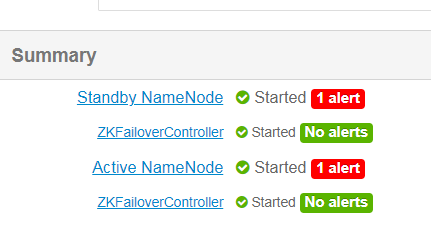
we are using ambari cluster 2.6.4 with active/stand by name node


Capture.PNG


so we start the configuration 


first we set in ambari the following 


 ams-site, Set timeline.metrics.service.operation.mode = distributed


now  we need to Edit ams-hbase-site,


hdfs://<nameservice-id>/user/ams/hbase 


the question is - how to find the nameservice-id ?


since we have active/stand by name node


then how to know the - nameservice-id value?


Michael-Bronson
1 ACCEPTED SOLUTION

avatar
Master Mentor

@mike_bronson7 


When your cluster is in HA it uses a namespace that acts as a load balancer to facilitate the switch from active to standby and vice versa.

The dfs-site-xml holds these values  filter using  dfs.nameservices  the nameservice-id  should be your namespace or in HA look for dfs.ha.namenodes.[nameservice ID]


dfs.ha.namenodes.[nameservice ID]  e.g dfs.ha.namenodes.mycluster


And that's the value to set  eg 


hdfs://mycluster_namespace/user/ams/hbase


The refresh the stale configs , now HBase should sending the metrics  to that directory 

HTH


View solution in original post

1 REPLY 1

avatar
Master Mentor

@mike_bronson7 


When your cluster is in HA it uses a namespace that acts as a load balancer to facilitate the switch from active to standby and vice versa.

The dfs-site-xml holds these values  filter using  dfs.nameservices  the nameservice-id  should be your namespace or in HA look for dfs.ha.namenodes.[nameservice ID]


dfs.ha.namenodes.[nameservice ID]  e.g dfs.ha.namenodes.mycluster


And that's the value to set  eg 


hdfs://mycluster_namespace/user/ams/hbase


The refresh the stale configs , now HBase should sending the metrics  to that directory 

HTH